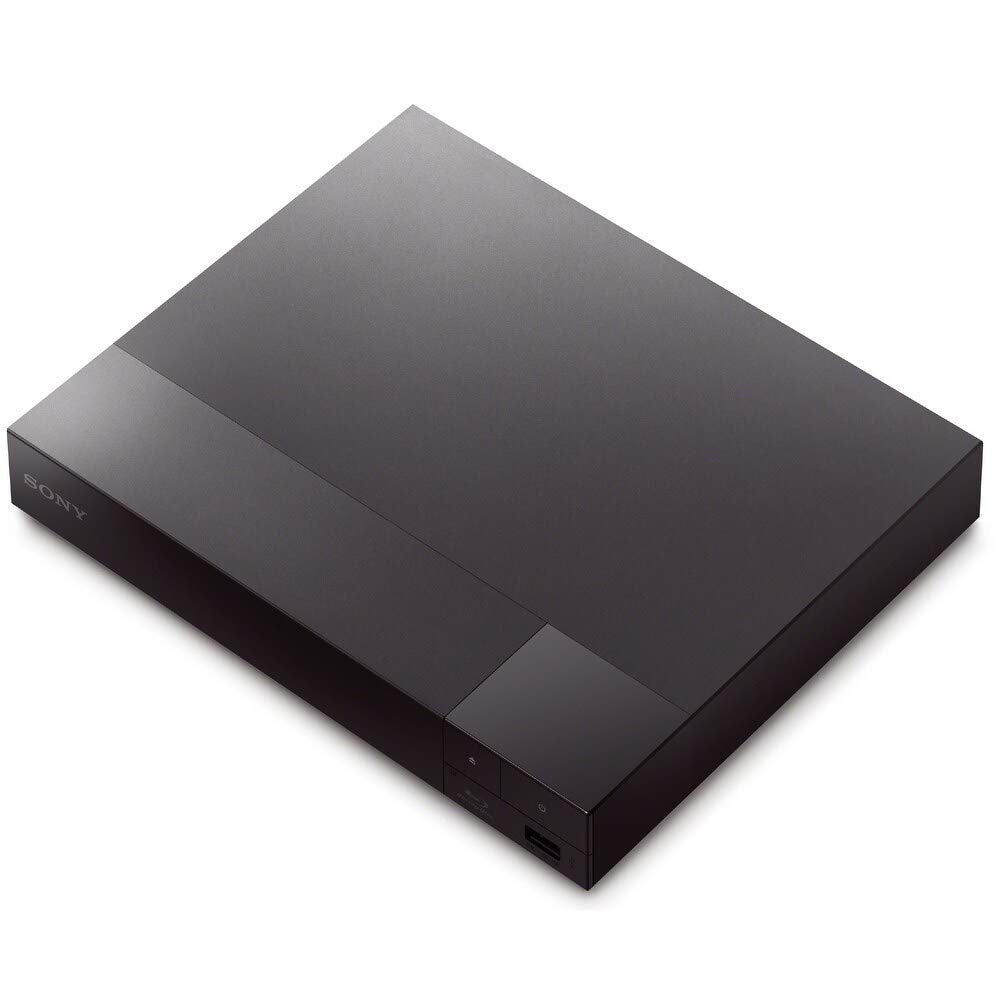
The Sony BDP-S1700 Blu-ray player is a versatile entertainment device designed to enhance your viewing experience at home. Compatible with any TV that has an HDMI connection, this Blu-ray player allows you to enjoy your favorite Blu-ray discs and DVDs in stunning clarity. With full HD 1080p playback and upscaling capabilities, it transforms your movie nights into an immersive experience.
Crafted by Sony, a leading brand in home entertainment, the BDP-S1700 is engineered for performance and convenience. It supports a wide range of media formats and offers access to over 200 streaming services through the Sony Entertainment Network (SEN). Its sleek, black design ensures it fits seamlessly with your existing home theater setup. With built-in Ethernet connectivity, you can easily connect to the internet for streaming your favorite content.
Key Features:
Full HD 1080p Blu-ray Disc Playback: Enjoy high-quality video playback of Blu-ray discs in 720p, 1080i, or 1080p resolution.
DVD Upscaling: Upgrade your DVD viewing experience to near HD quality with upscaling capabilities up to 1080p.
Streaming Services Access: Stream over 200 services including Netflix, Hulu Plus, and YouTube directly from your Blu-ray player.
High-Resolution Audio Support: Experience dynamic surround sound with Dolby TrueHD and DTS-HD Master Audio via HDMI output.
USB Port for Playback: Connect thumb drives to easily play music files and various video formats.
Versatile Compatibility: Works with all TVs featuring an HDMI connection and supports a voltage range of 100-240V for worldwide use.
Easy Setup: Comes with BRAVIA Sync, Xross Media Bar GUI, and child lock features for user-friendly operation.
The Sony BDP-S1700 Blu-ray player is ideal for anyone seeking a reliable and high-performance device for home entertainment. Whether you're a movie enthusiast, a streaming buff, or someone who enjoys watching DVDs, this Blu-ray player offers a comprehensive solution to meet your needs. Its combination of quality playback, streaming capabilities, and user-friendly features makes it a valuable addition to any home entertainment setup.
⚠️ WARNING (California Proposition 65): This product may contain chemicals known to the State of California to cause cancer, birth defects, or other reproductive harm. For more information, please visit www.P65Warnings.ca.gov.
Frequently Asked Questions
Q: What are the dimensions of the Sony Blu-ray player?A: The dimensions are eight inches in length, eight inches in width, and two point zero one inches in height. This compact size makes it easy to fit in any entertainment setup.
Q: What is the weight of the Sony Blu-ray player?A: The weight is not specified, but it's designed to be lightweight for easy handling and installation. You can easily place it on a shelf or media center.
Q: What voltage does the Sony Blu-ray player operate on?A: It operates on a voltage range of one hundred to two hundred forty volts. This allows for worldwide compatibility, making it suitable for use in various countries.
Q: How do I connect the Sony Blu-ray player to my TV?A: You can connect it using an HDMI cable. Simply plug one end into the Blu-ray player's HDMI output and the other end into your TV's HDMI input for optimal video and audio quality.
Q: Can I use this Blu-ray player with a non-HDMI TV?A: Yes, it has a digital coaxial audio output for compatibility with non-HDMI devices. This allows you to connect it to older TVs or audio systems.
Q: Is the Sony Blu-ray player suitable for international use?A: Yes, it supports a voltage range of one hundred to two hundred forty volts, making it suitable for use worldwide. You can enjoy your favorite movies no matter where you are.
Q: How do I clean and maintain the Sony Blu-ray player?A: To clean it, use a soft, dry cloth. Avoid using harsh chemicals or abrasive materials that could scratch the surface. Ensure proper ventilation to prevent overheating during use.
Q: Does the Sony Blu-ray player come with a warranty?A: Yes, it typically comes with a manufacturer's warranty, covering defects in materials and workmanship. Be sure to check the specific warranty details upon purchase.
Q: How do I update the software on the Sony Blu-ray player?A: You can update the software through the built-in Ethernet port. Connect to the internet, navigate to the settings menu, and select the option for software updates.
Q: What streaming services are supported by the Sony Blu-ray player?A: It supports over two hundred streaming services including Netflix, Hulu Plus, and YouTube. This allows for a wide variety of content access right from your Blu-ray player.
Q: Is the Sony Blu-ray player capable of playing DVDs from any region?A: Yes, it is an all-region player that can read DVDs from any region, making it perfect for international DVDs.
Q: Can I play music files on the Sony Blu-ray player?A: Yes, it supports playback of various music file formats. You can connect a USB drive with music files for easy listening.
Q: What formats does the Sony Blu-ray player support?A: It supports Blu-ray Disc formats A, B, and C, as well as standard DVDs. This ensures compatibility with a wide range of media.
Q: How do I set up the Sony Blu-ray player for first use?A: Simply connect it to your TV using an HDMI cable, plug it into a power source, and follow the on-screen setup instructions. The easy setup process guides you through initial configurations.
Q: What should I do if my Sony Blu-ray player does not turn on?A: First, check the power connection and ensure the outlet is functioning. If the issue persists, consult the user manual for troubleshooting steps or contact customer support.