

Cart
0


Sonos Beam Gen 2 White Soundbar With Dolby Atmos
Vendor: Sonos
Type: Speakers & Sound Bars
Sku: WBEEAB09GQ1CLTL
Availability: In Stock
Couldn't load pickup availability
Guarantee safe checkout

Sold by Electroeshop, an authorized reseller.
Returns accepted within 30 days | support@electroeshop.com
Shipping Information
- Free Standard Shipping — United States only
- Processing Time: 1–3 business days
- Estimated Delivery: 3–5 business days after dispatch
- Double-boxed, fully insured & discreetly packaged
- Tracking number sent via email once dispatched
- Orders over $250 require signature upon delivery. Taxes calculated at checkout.
Returns & Refund
Returns accepted within 30 days of delivery.
Damaged or Defective Item
Free return shipping + replacement or full refund
Wrong Item Received
Free return shipping + replacement or full refund
Change of Mind
Return shipping at customer's expense · 25% restocking fee applies
All returns require a Return Authorization (RA) number before sending.
View Full Return & Refund Policy
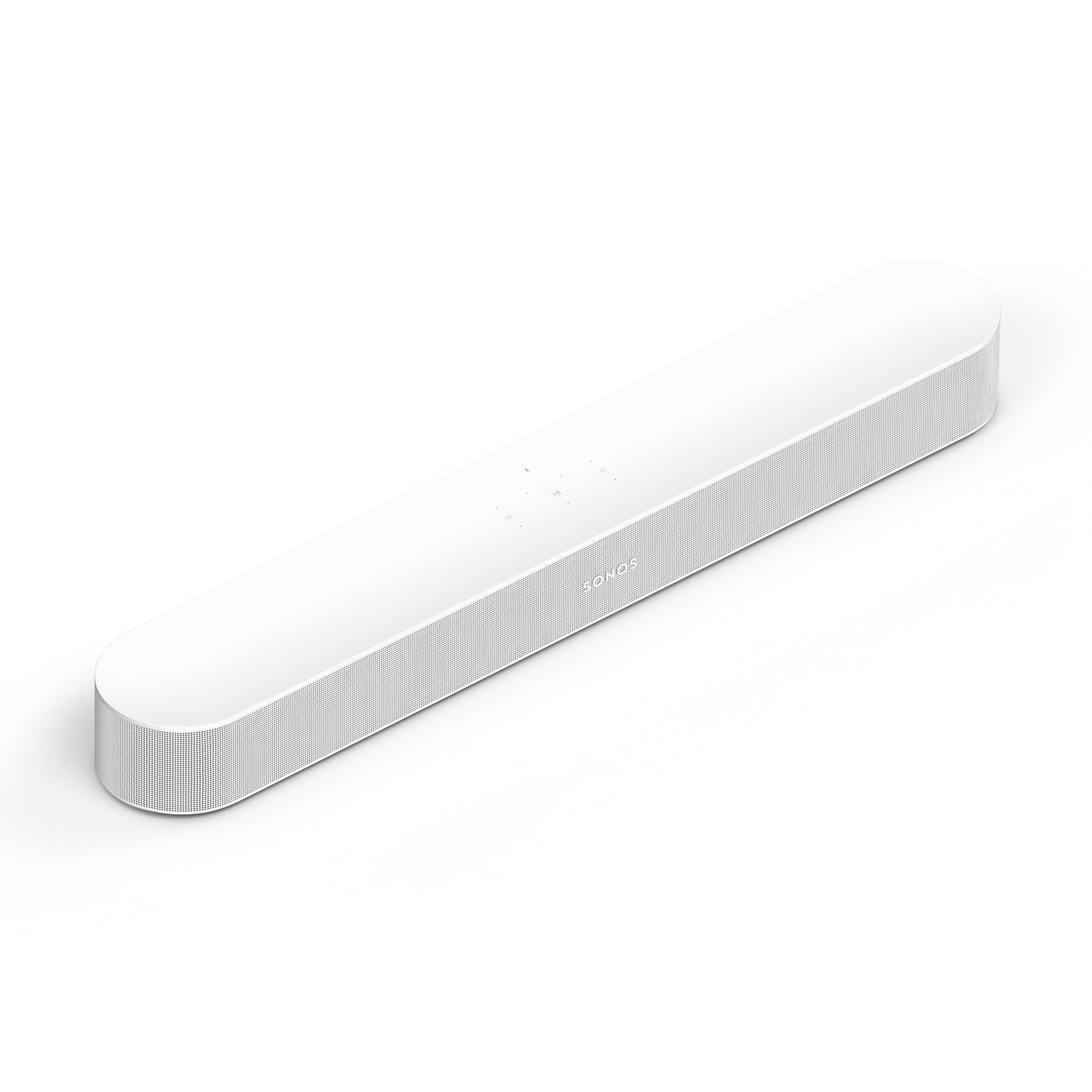
Sonos Beam Gen 2 White Soundbar With Dolby Atmos
$617.28

Frequently Asked Questions
- Q: What are the dimensions of the Sonos Beam Gen 2? A: The Sonos Beam Gen 2 measures six point five seven inches in height, ten point six two inches in width, and thirty one point eighteen inches in length. These compact dimensions make it suitable for various entertainment setups.
- Q: What is the model number of the Sonos Beam Gen 2? A: The model number of the Sonos Beam Gen 2 is BEAM2US1. This identifier helps to distinguish it from other audio devices.
- Q: Is the Sonos Beam Gen 2 available in different colors? A: Yes, the Sonos Beam Gen 2 is available in white. This sleek color option complements modern home décor.
- Q: How do I connect the Sonos Beam Gen 2 to my TV? A: You can connect the Sonos Beam Gen 2 to your TV using the HDMI ARC port. Simply plug one end of the HDMI cable into the Beam and the other into your TV.
- Q: Can I use the Sonos Beam Gen 2 for music streaming? A: Yes, the Sonos Beam Gen 2 can stream music, radio, and more. It delivers high-quality audio for a variety of entertainment purposes.
- Q: Is the Sonos Beam Gen 2 suitable for gaming? A: Yes, the Sonos Beam Gen 2 is suitable for gaming. It enhances the gaming experience with its Dolby Atmos features.
- Q: How do I clean the Sonos Beam Gen 2? A: To clean the Sonos Beam Gen 2, use a soft, dry cloth. Avoid using any harsh chemicals or abrasive materials that could damage the finish.
- Q: Does the Sonos Beam Gen 2 need special care? A: No, the Sonos Beam Gen 2 does not require special care. Regular dusting and keeping it dry will help maintain its condition.
- Q: What should I do if the Sonos Beam Gen 2 arrives damaged? A: If the Sonos Beam Gen 2 arrives damaged, contact the retailer or manufacturer for return instructions. Most products come with a warranty and return policy.
- Q: Is there a warranty for the Sonos Beam Gen 2? A: Yes, the Sonos Beam Gen 2 typically comes with a warranty. Check with the retailer for specific warranty details.
- Q: How does the Sonos Beam Gen 2 compare to other soundbars? A: The Sonos Beam Gen 2 offers superior sound quality with Dolby Atmos, making it a great choice for both movies and music in comparison to standard soundbars.
- Q: Is the Sonos Beam Gen 2 easy to set up? A: Yes, the Sonos Beam Gen 2 is easy to set up. Its user-friendly app guides you through the installation process.
- Q: Can I use the Sonos Beam Gen 2 with a surround sound system? A: Yes, you can integrate the Sonos Beam Gen 2 into a surround sound system. It works well with additional Sonos speakers for a fuller audio experience.
- Q: What type of audio formats does the Sonos Beam Gen 2 support? A: The Sonos Beam Gen 2 supports various audio formats, including Dolby Atmos for immersive sound experiences during playback.
- Q: Does the Sonos Beam Gen 2 work with voice assistants? A: Yes, the Sonos Beam Gen 2 is compatible with voice assistants like Amazon Alexa and Google Assistant. This allows for hands-free control of your audio.