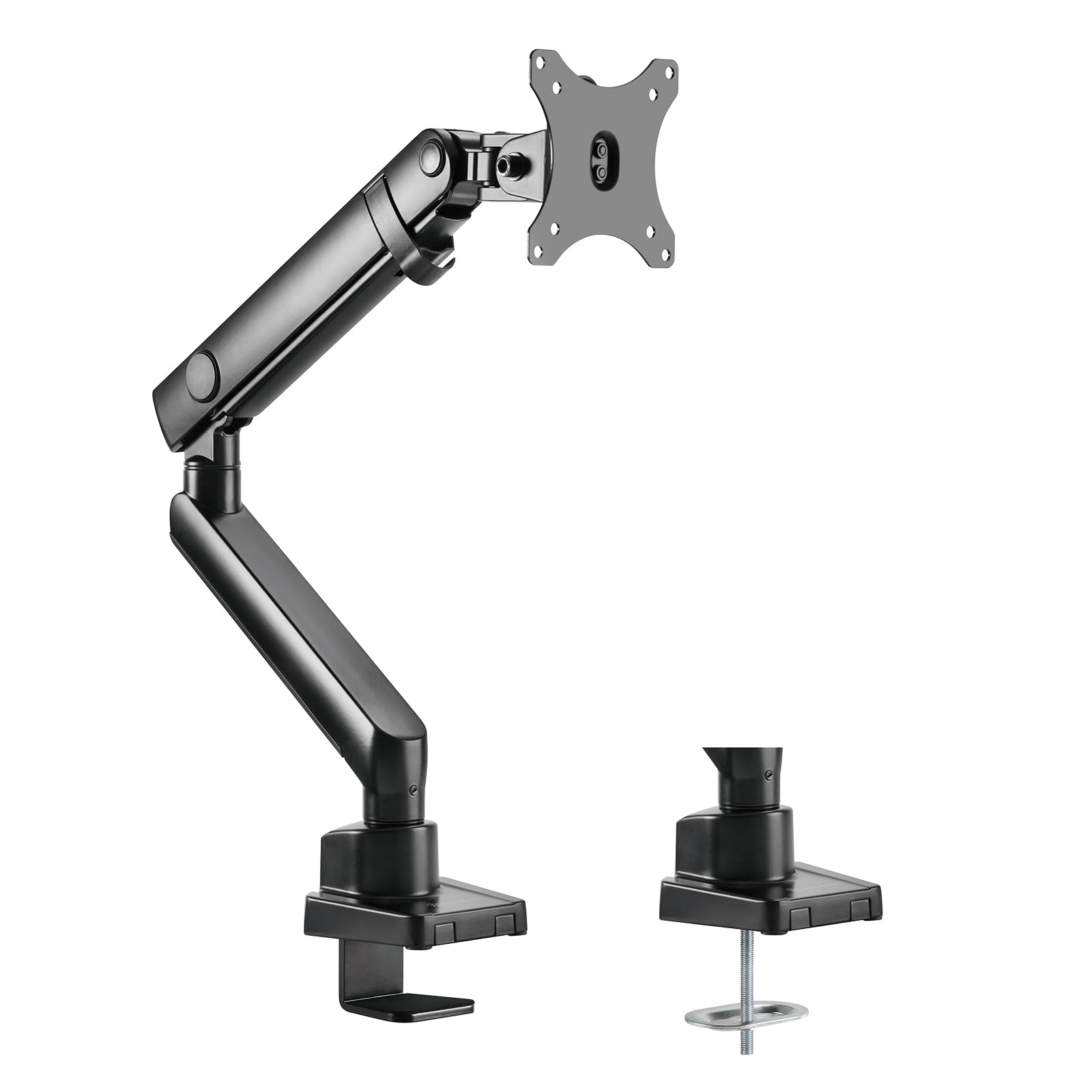
Single Arm Lcd Led Monitor Mount Bracket, Support Up To 32'' Size Monitor, 9Kg Per Arm,Adjustable, With 90 Rotation, 90 Tilt Up/ Down, 90 Tilt Left/ Right & Pull Out 90 Swivel Arm - Max Vesa 100X100, Black
⚠️ WARNING (California Proposition 65): This product may contain chemicals known to the State of California to cause cancer, birth defects, or other reproductive harm. For more information, please visit www.P65Warnings.ca.gov.
Frequently Asked Questions
Q: What materials is the SilverStone ARM13 made of?A: The SilverStone ARM13 is constructed from robust aluminum alloy and steel. These materials ensure durability and stability for your monitor setup.
Q: What are the dimensions of the SilverStone ARM13?A: The dimensions of the SilverStone ARM13 are twenty-two point zero nine inches in length, four point four nine inches in width, and twenty point five one inches in height. This compact design allows for efficient use of desk space.
Q: What size monitors can the ARM13 support?A: The ARM13 can support monitors up to thirty-two inches in size and weighing up to nineteen point nine pounds. This makes it suitable for a wide range of monitor types.
Q: How do I install the SilverStone ARM13?A: You can install the SilverStone ARM13 using either a clamp mount or a grommet mount method. Both options provide flexibility depending on your desk setup.
Q: Is the ARM13 easy to adjust for different viewing angles?A: Yes, the ARM13 features ninety degree swivel, tilt capabilities, and a three hundred sixty degree pivot rotation. This allows for effortless adjustments to various viewing angles.
Q: Can I use the ARM13 with any monitor brand?A: Yes, as long as the monitor adheres to the VESA mounting interface standard, it can be used with the ARM13. Ensure your monitor has the required VESA hole positions of one hundred millimeters by one hundred millimeters or seventy-five millimeters by seventy-five millimeters.
Q: How do I clean the SilverStone ARM13?A: To clean the ARM13, simply use a soft cloth dampened with water or a mild detergent. Avoid abrasive materials that could scratch the surface.
Q: Are there any safety concerns with the ARM13?A: No, the ARM13 is designed with safety in mind and has a sturdy construction. However, ensure that it is securely mounted to prevent accidental falls.
Q: What is the weight capacity of the ARM13?A: The ARM13 has a maximum weight capacity of nineteen point nine pounds. Always ensure your monitor does not exceed this limit.
Q: Is the SilverStone ARM13 suitable for gaming monitors?A: Yes, the ARM13 is suitable for gaming monitors up to thirty-two inches. Its adjustability makes it perfect for immersive gaming experiences.
Q: What if my monitor does not have VESA mounting holes?A: If your monitor does not have VESA mounting holes, it will not be compatible with the ARM13. Consider using a different mount that accommodates your monitor's specifications.
Q: How do I manage cables with the ARM13?A: The ARM13 features cable management routing to keep your workspace tidy. This helps to conceal cables and prevent clutter on your desk.
Q: Can the ARM13 be adjusted after installation?A: Yes, the ARM13 can be adjusted even after installation. Its mechanical spring design allows for easy raising and lowering of your monitor.
Q: What tools do I need for installation?A: You will need basic tools, such as a screwdriver, for installing the ARM13. The installation process is straightforward and guided by the included instructions.
Q: Does the ARM13 come with a warranty?A: Yes, the ARM13 typically comes with a manufacturer's warranty. Check the packaging or contact the manufacturer for specific warranty details.
Q: What are the installation options for the ARM13?A: The ARM13 can be installed using a clamp mount or a grommet mount. This versatility allows for different desk configurations.