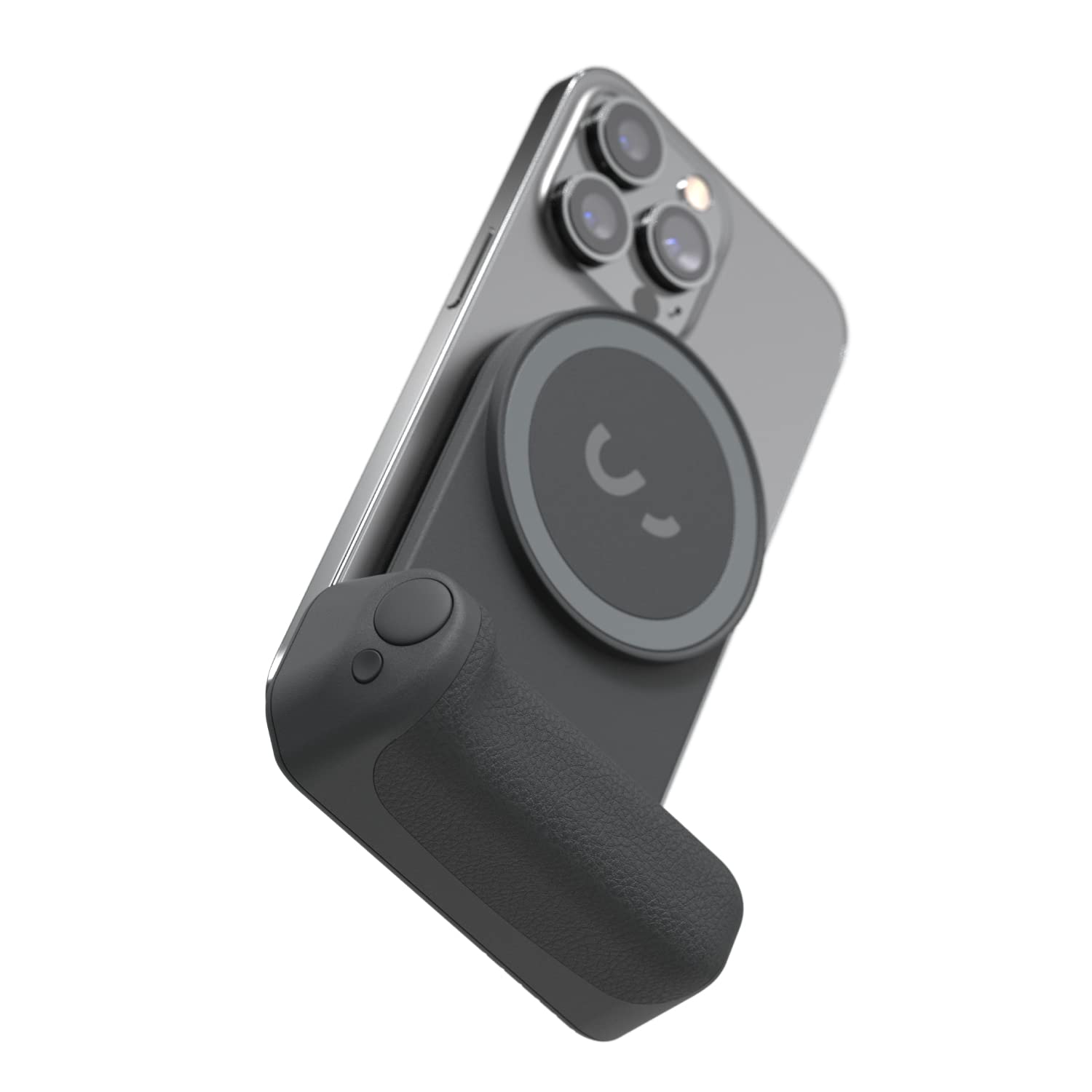
Shiftcam Snapgrip - Mobile Battery Grip With Wireless Shutter Button - Magnetic Mount Snaps On To Any Phone - Built In Powerbank With Qi Wireless Charging - Tabletop Dock
⚠️ WARNING (California Proposition 65): This product may contain chemicals known to the State of California to cause cancer, birth defects, or other reproductive harm. For more information, please visit www.P65Warnings.ca.gov.
Frequently Asked Questions
Q: What are the dimensions of the ShiftCam SnapGrip?A: The ShiftCam SnapGrip measures seven point eight inches in length, three point nine inches in width, and two inches in height. These compact dimensions ensure it can fit easily in most bags.
Q: What is the material used in the SnapGrip?A: The SnapGrip is primarily made of high-quality plastic materials. This gives it durability while maintaining a lightweight design for easy handling.
Q: Does the SnapGrip contain hazardous materials?A: Yes, the SnapGrip contains lithium ion batteries, which are classified as hazardous materials. It’s essential to handle and store it according to safety guidelines.
Q: How do I use the ShiftCam SnapGrip?A: To use the SnapGrip, attach it magnetically to your smartphone and utilize the wireless shutter button for capturing photos. It can also be used as a power bank while you shoot.
Q: Is the SnapGrip compatible with all phones?A: Yes, the SnapGrip is designed to snap onto any phone with its universal magnetic mount. It works directly with MagSafe or can use the included sticker for non-MagSafe phones.
Q: Can I use the SnapGrip for video calls?A: Yes, the SnapGrip can be docked securely for hands-free live streaming and video calls. This feature makes it very convenient for content creators.
Q: How do I charge the SnapGrip?A: You can charge the SnapGrip using its built-in power bank with Qi wireless charging. Simply place your phone on the SnapGrip to recharge while using it.
Q: What is the battery life of the SnapGrip?A: The SnapGrip's battery life varies based on usage, but it is designed to keep your phone charged throughout a busy day of shooting. Regular charging is recommended for optimal performance.
Q: How do I keep my SnapGrip clean?A: To clean the SnapGrip, use a soft, damp cloth to wipe it down. Avoid using harsh chemicals that may damage the surface.
Q: Can I take photos in portrait and landscape modes?A: Yes, the SnapGrip allows you to effortlessly switch between portrait and landscape modes with a simple twist of your phone. This versatility enhances your photography experience.
Q: Is the SnapGrip suitable for beginners?A: Yes, the SnapGrip is suitable for both beginners and experienced photographers. Its ergonomic design and easy-to-use features make it accessible for all skill levels.
Q: How does the SnapGrip enhance mobile photography?A: The SnapGrip enhances mobile photography by providing a stable grip and a wireless shutter button, allowing for more controlled and steady shots.
Q: What accessories are compatible with the SnapGrip?A: The SnapGrip is part of an expandable ecosystem and is compatible with SnapLight and SnapPod accessories, allowing for a versatile photography experience.
Q: What should I do if my SnapGrip arrives damaged?A: If your SnapGrip arrives damaged, contact the retailer for their return policy and warranty options. Most retailers will assist you with a replacement or refund.
Q: Can I use the SnapGrip while charging my phone?A: Yes, you can use the SnapGrip while it charges your phone wirelessly. This feature allows you to capture content without worrying about battery depletion.
Q: What is the weight of the SnapGrip?A: The exact weight of the SnapGrip is not specified, but it is designed to be lightweight for easy handling and portability. It should not add significant bulk to your phone.