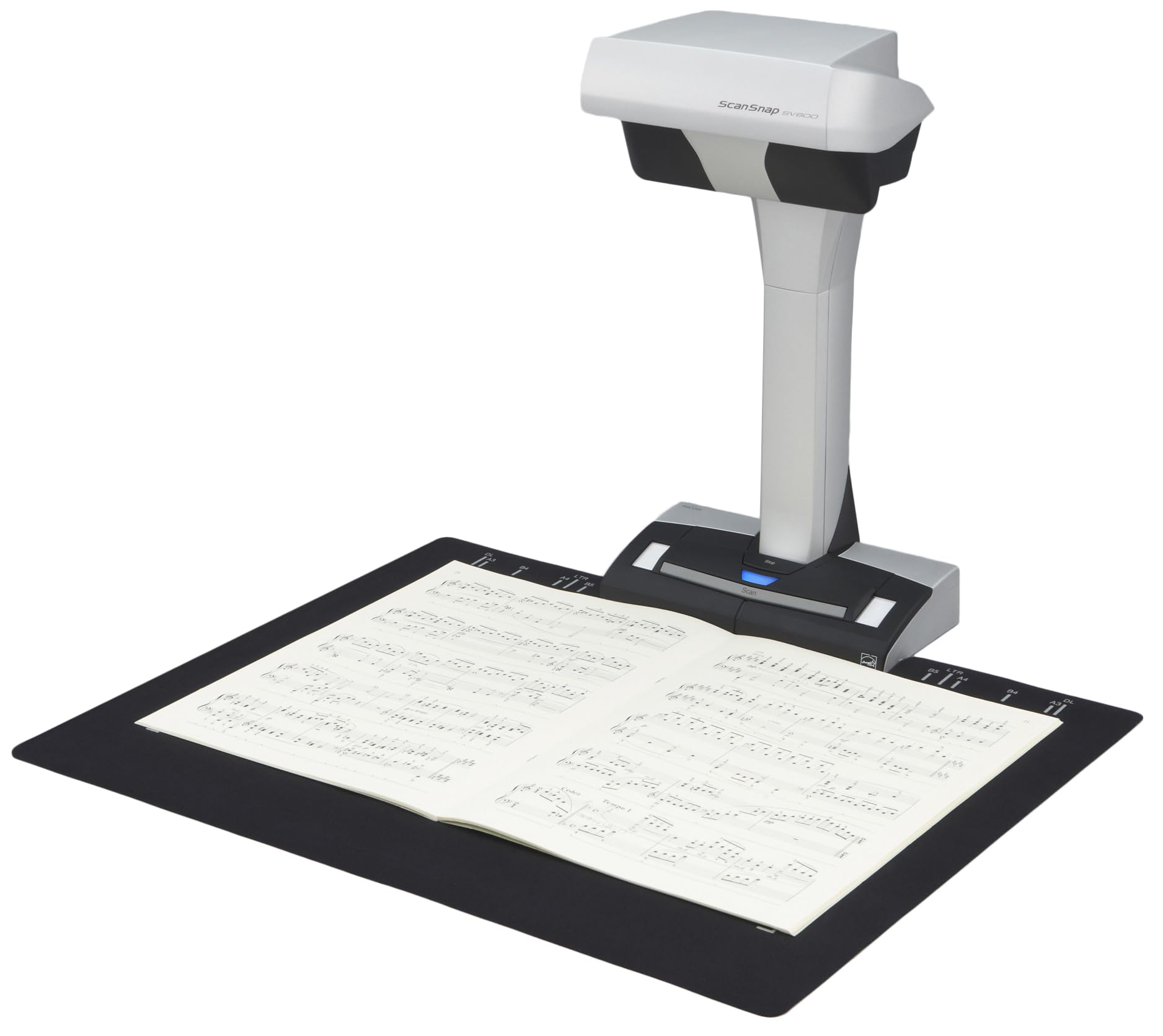
The Scansnap Sv600 Is An Overhead Style Contactless Scanner That Provides A New Perspective On Document Scanning. Unlike The Typical Scanner, You Can Easily Scan Newspapers, Magazines, Books Or Documents Of Up To 30Mm Thick Directly With The Overhead Led, Without Cutting Or Damaging Them. You Can Scan A Document Larger Than A4 Size By Simply Positioning It On The A3 Scan Mat And Pressing The Scan Button. Because There Is No Need To Cut Documents Or Feed Each Document Through The Rollers, Your Important And Delicate Documents Such As Valuable Books, Hand-Painted Pictures And Photos Can Be Scanned Without Getting Damaged. The Multi Document Detection Function Enables You To Scan Multiple Business Cards, Photos, Newspaper Clippings Or Other Documents In One Scan, Automatically Cropping And Rotating The Scanned Images. (Up To 10 Documents Can Be Scanned At One Time.) Combining High Quality Ccd Optics And Advanced Led Illumination, The Scanner Produces A Steady Image Of The Whole Document, Minimizing The Unevenness Or Blurriness Even When Scanning From A Distance. The Scansnap Sv600 Is Your Ultimate Partner To Scan Books Or Magazines Efficiently, Providing Various Useful Functions Specially Designed For Book Scanning.
⚠️ WARNING (California Proposition 65): This product may contain chemicals known to the State of California to cause cancer, birth defects, or other reproductive harm. For more information, please visit www.P65Warnings.ca.gov.
Frequently Asked Questions
Q: What is the size of the ScanSnap SV600 scanner?A: The ScanSnap SV600 measures eight point twenty-seven inches in length, six point fourteen inches in width, and fifteen point zero eight inches in height.
Q: What materials is the ScanSnap SV600 made of?A: The ScanSnap SV600 is primarily constructed of durable plastic, ensuring longevity and reliability in scanning documents.
Q: What is the model number of this scanner?A: The model number of this scanner is PA03641-B305, which identifies it within the ScanSnap product line.
Q: How do I scan documents using the ScanSnap SV600?A: To scan documents, simply place them on the A3 scan mat, press the scan button, and the scanner will capture the images overhead.
Q: Can the ScanSnap SV600 scan multiple documents at once?A: Yes, the ScanSnap SV600 can scan up to ten documents at one time, automatically cropping and rotating the images.
Q: Is the ScanSnap SV600 suitable for scanning books?A: Yes, the ScanSnap SV600 is designed specifically for scanning books and magazines without cutting or damaging them.
Q: How should I clean the ScanSnap SV600 scanner?A: To clean the scanner, use a soft, lint-free cloth to wipe down the exterior, avoiding any abrasive materials that could scratch the surface.
Q: What is the warranty period for the ScanSnap SV600?A: The ScanSnap SV600 typically comes with a one-year limited warranty, covering defects in materials and workmanship.
Q: Can I use the ScanSnap SV600 to scan photographs?A: Yes, the ScanSnap SV600 can be used to scan photographs, providing high-quality images without damage.
Q: What should I do if the ScanSnap SV600 arrives damaged?A: If the ScanSnap SV600 arrives damaged, contact customer support immediately to initiate a return or exchange process.
Q: Does the ScanSnap SV600 have an auto book correction feature?A: Yes, the scanner includes an Auto Book Correction feature that automatically flattens and corrects curve distortion during scanning.
Q: Is the ScanSnap SV600 compatible with both Windows and Mac?A: Yes, the ScanSnap SV600 is compatible with both Windows and Mac operating systems, making it versatile for different users.
Q: What is the scanning speed of the ScanSnap SV600?A: The scanning speed of the ScanSnap SV600 can vary, but it typically scans documents quickly, offering efficiency for high-volume tasks.
Q: Can I scan delicate items with the ScanSnap SV600?A: Yes, the ScanSnap SV600 is designed to scan delicate items like valuable books and hand-painted pictures without causing damage.
Q: Does the ScanSnap SV600 support wireless connectivity?A: No, the ScanSnap SV600 does not support wireless connectivity; it connects directly to your computer via USB.
Q: How do I store the ScanSnap SV600 when not in use?A: When not in use, store the ScanSnap SV600 in a dry, dust-free environment to protect its components and ensure longevity.