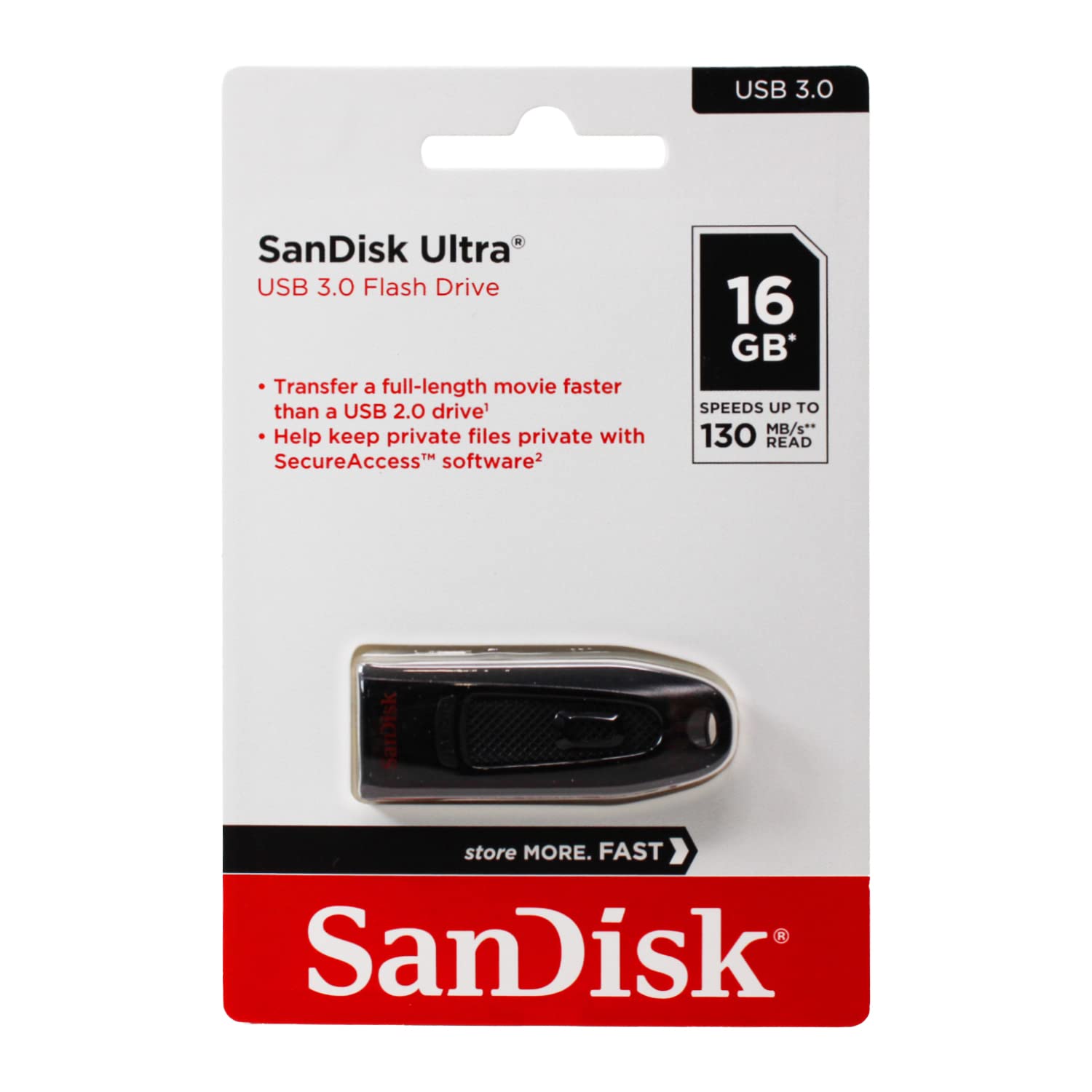
Get To Your Files 4 Times Faster Than Usb 2.0 Drives With The Faster Performing Sandisk Ultra Usb 3.0 Flash Drive. Transfer Your Favorite Digital Files With Speeds Up To 100 Mb/Sec. Plus, The Included Sandisk Secureaccess Software Provides 128-Bit File Encryption And Password Protection For Your Private Files While Leaving The Rest Of The Drive Available For Sharing. Read Speeds Up To 4 Times Faster Than Cruzer Usb 2.0 Drive. Usb 3.0 Port Required. Based On Internal Testing; Performance May Be Lower Depending Upon Host Device. 1 Megabyte (Mb) = 1 Million Bytes. 1 Gb=1, 000, 000, 000 Bytes. Actual User Storage Less. Password Protection Uses 128-Bit Aes Encryption And Is Supported By Windows Xp, Windows Vista, Windows 7, Windows 8 And Mac Os X V10.5+ (Mac Software Requires Download, See Sandisk Website For Details)
⚠️ WARNING (California Proposition 65): This product may contain chemicals known to the State of California to cause cancer, birth defects, or other reproductive harm. For more information, please visit www.P65Warnings.ca.gov.
Frequently Asked Questions
Q: What is the capacity of the SanDisk Cruzer Ultra USB drive?A: The capacity is sixteen gigabytes. This allows you to store a significant amount of data, including photos, videos, and documents.
Q: What are the dimensions of the SanDisk Cruzer Ultra USB drive?A: The dimensions are six point one inches in length, four point zero inches in width, and one point six inches in height. These compact measurements make it portable and easy to carry.
Q: What type of material is the SanDisk Cruzer Ultra USB drive made of?A: The drive is primarily made of plastic. This material is lightweight and durable, suitable for everyday use.
Q: How do I use the SanDisk Cruzer Ultra USB drive?A: To use it, simply plug it into a USB port on your computer. Once connected, you can transfer files by dragging and dropping them onto the drive.
Q: Is the SanDisk Cruzer Ultra USB drive compatible with USB 2.0 ports?A: Yes, it is compatible with USB 2.0 ports. However, to achieve optimal transfer speeds, a USB 3.0 port is recommended.
Q: Can I use the SanDisk SecureAccess software on this USB drive?A: Yes, the software is included. It provides one hundred twenty-eight-bit file encryption and password protection for added security.
Q: How do I keep my SanDisk Cruzer Ultra USB drive safe?A: To ensure its safety, store it in a cool, dry place when not in use. Avoid exposing it to extreme temperatures and moisture.
Q: Can I wash the SanDisk Cruzer Ultra USB drive?A: No, do not wash it. Clean the exterior with a soft, dry cloth to avoid damaging the internal components.
Q: What is the warranty on the SanDisk Cruzer Ultra USB drive?A: The warranty typically lasts for five years. However, it's best to check the specific terms provided by SanDisk.
Q: What should I do if my SanDisk Cruzer Ultra USB drive is not recognized?A: First, try plugging it into a different USB port or computer. If it still isn't recognized, consider checking for driver updates.
Q: Is the SanDisk Cruzer Ultra USB drive suitable for storing large video files?A: Yes, it is suitable for large video files. With a capacity of sixteen gigabytes, it can hold multiple high-definition videos.
Q: How fast can I transfer files with the SanDisk Cruzer Ultra USB drive?A: You can transfer files at speeds up to one hundred megabytes per second. This is significantly faster than traditional USB 2.0 drives.
Q: Does the SanDisk Cruzer Ultra USB drive come in different packs?A: Yes, this product is available in a pack of ten. This makes it ideal for bulk storage needs or sharing with others.
Q: Is the SanDisk Cruzer Ultra USB drive compatible with Mac OS?A: Yes, it is compatible with Mac OS X version ten point five or later. You may need to download the software from the SanDisk website.
Q: Can I password protect files with the SanDisk Cruzer Ultra USB drive?A: Yes, you can password protect your files using the included SanDisk SecureAccess software. This ensures your sensitive data remains private.
Q: What types of files can I store on the SanDisk Cruzer Ultra USB drive?A: You can store various file types including documents, images, videos, and music. It is versatile for personal and professional use.