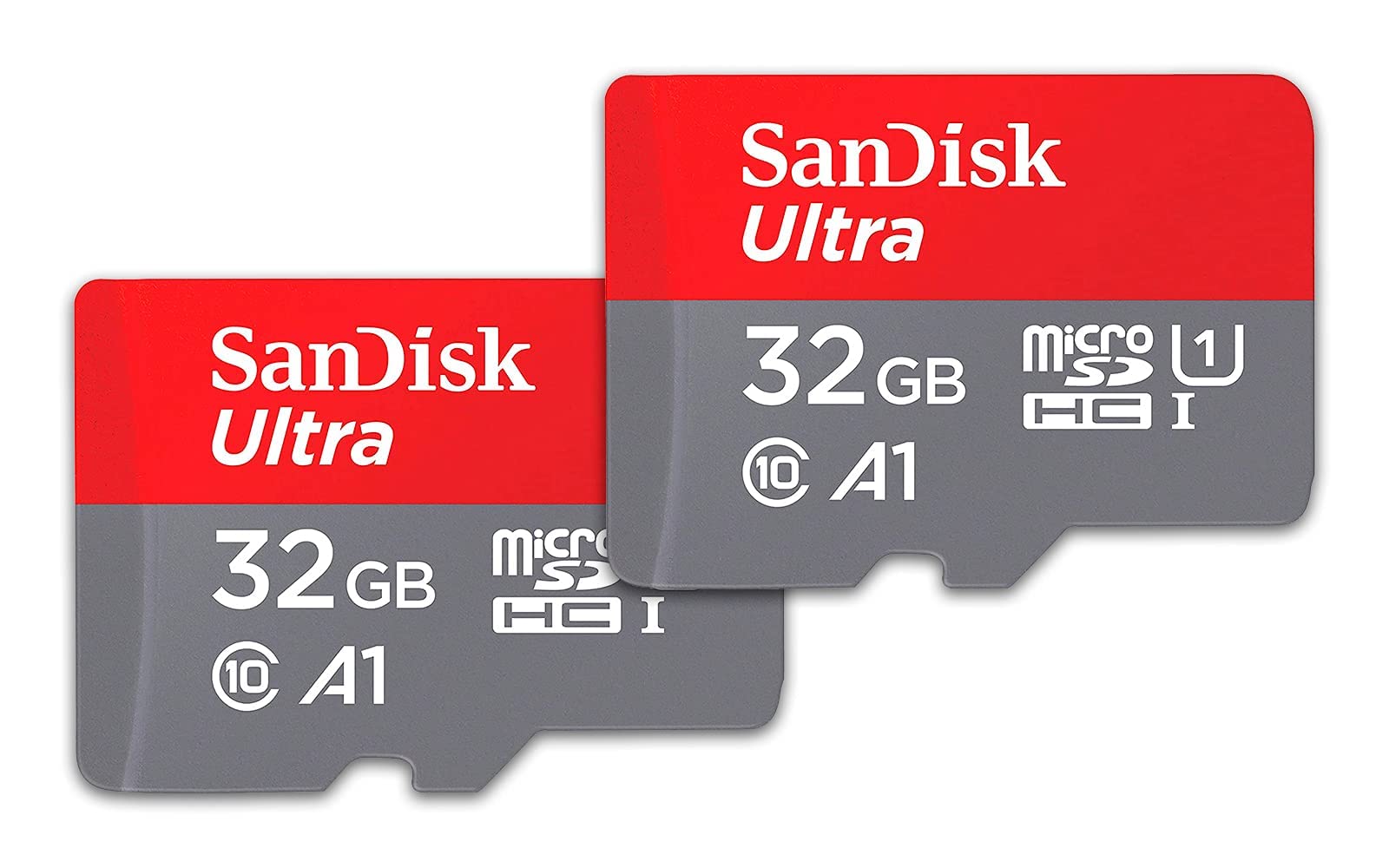
The Sandisk Ultra Microsd Uhs-I Card Gives You The Freedom To Shoot, Save And Share More Than Ever Before.
⚠️ WARNING (California Proposition 65): This product may contain chemicals known to the State of California to cause cancer, birth defects, or other reproductive harm. For more information, please visit www.P65Warnings.ca.gov.
Frequently Asked Questions
Q: What is the storage capacity of the SanDisk Ultra microSD card?A: The storage capacity is thirty-two gigabytes. This pack includes two memory cards, providing a total of sixty-four gigabytes.
Q: What is the read speed of the SanDisk Ultra microSD card?A: The read speed is up to one hundred twenty megabytes per second. This speed allows for quick transfer of large files like photos and videos.
Q: What material is the SanDisk Ultra microSD card made from?A: The SanDisk microSD card is made from aluminium. This material contributes to its durability and lightweight design.
Q: What are the dimensions of the SanDisk Ultra microSD card?A: The dimensions are zero point zero four inches in length, zero point five nine inches in width, and zero point four three inches in height. Its compact size makes it easy to carry.
Q: How do I install the SanDisk Ultra microSD card?A: To install, insert the card into the compatible device's microSD slot. Ensure that it clicks securely into place for optimal performance.
Q: Can I use the SanDisk Ultra microSD card with Android devices?A: Yes, the card is ideal for Android smartphones and tablets. It enhances storage for apps, photos, and videos on these devices.
Q: How do I keep my SanDisk Ultra microSD card safe?A: Store the card in a protective case when not in use. Avoid exposing it to extreme temperatures and moisture to maintain its integrity.
Q: What is the warranty period for the SanDisk Ultra microSD card?A: The card comes with a ten-year manufacturer warranty. This warranty covers any defects in materials or workmanship.
Q: What if my SanDisk Ultra microSD card is not recognized by my device?A: Check if the card is properly inserted and compatible with your device. If issues persist, try formatting the card or testing it in another device.
Q: Is the SanDisk Ultra microSD card suitable for recording video?A: Yes, it supports Full HD video recording. This makes it a great choice for capturing high-quality video on compatible devices.
Q: How do I transfer files to the SanDisk Ultra microSD card?A: Connect the card to a computer using an adapter. Drag and drop files into the card's folder on your computer to transfer them.
Q: Can I use the SanDisk Ultra microSD card in cameras?A: Yes, it is compatible with MIL cameras. This allows for extended storage, enabling photographers to capture more images.
Q: What is A1-rated performance in the SanDisk Ultra microSD card?A: A1-rated performance means the card offers fifteen hundred read input/output operations per second and five hundred write IOPS. This enhances app loading speeds.
Q: How should I clean my SanDisk Ultra microSD card?A: Gently wipe the card with a soft, dry cloth to remove dust or fingerprints. Avoid using liquids or abrasive materials.
Q: Does the SanDisk Ultra microSD card support 4K video?A: No, it is primarily designed for Full HD video support. For 4K video, consider a higher performance card.


![SanDisk 32GB (Pack of 2) Ultra microSDHC UHS-I Memory Card (2x32GB) with Adapter - SDSQUA4-032G-GN6MT [New Version]](http://electroeshop.com/cdn/shop/files/614AdIvk15L.jpg?v=1761914066&width=1400)
![Sandisk 32Gb (Pack Of 2) Ultra Microsdhc Uhs-I Memory Card (2X32Gb) With Adapter - Sdsqua4-032G-Gn6Mt [New Version]](http://electroeshop.com/cdn/shop/files/719ah-LQmyL.jpg?v=1762357424&width=1400)
![Sandisk 32Gb (Pack Of 2) Ultra Microsdhc Uhs-I Memory Card (2X32Gb) With Adapter - Sdsqua4-032G-Gn6Mt [New Version]](http://electroeshop.com/cdn/shop/files/81U6LHfXasL.jpg?v=1762357424&width=1400)
![Sandisk 32Gb (Pack Of 2) Ultra Microsdhc Uhs-I Memory Card (2X32Gb) With Adapter - Sdsqua4-032G-Gn6Mt [New Version]](http://electroeshop.com/cdn/shop/files/81ifZ1poBQL.jpg?v=1762357424&width=1400)
![Sandisk 32Gb (Pack Of 2) Ultra Microsdhc Uhs-I Memory Card (2X32Gb) With Adapter - Sdsqua4-032G-Gn6Mt [New Version]](http://electroeshop.com/cdn/shop/files/8192J5K9GOL.jpg?v=1762357424&width=1400)
![SanDisk 32GB (Pack of 2) Ultra microSDHC UHS-I Memory Card (2x32GB) with Adapter - SDSQUA4-032G-GN6MT [New Version]](http://electroeshop.com/cdn/shop/files/614AdIvk15L.jpg?v=1761914066&width=1200)
![Sandisk 32Gb (Pack Of 2) Ultra Microsdhc Uhs-I Memory Card (2X32Gb) With Adapter - Sdsqua4-032G-Gn6Mt [New Version]](http://electroeshop.com/cdn/shop/files/719ah-LQmyL.jpg?v=1762357424&width=1200)
![Sandisk 32Gb (Pack Of 2) Ultra Microsdhc Uhs-I Memory Card (2X32Gb) With Adapter - Sdsqua4-032G-Gn6Mt [New Version]](http://electroeshop.com/cdn/shop/files/81U6LHfXasL.jpg?v=1762357424&width=1200)
![Sandisk 32Gb (Pack Of 2) Ultra Microsdhc Uhs-I Memory Card (2X32Gb) With Adapter - Sdsqua4-032G-Gn6Mt [New Version]](http://electroeshop.com/cdn/shop/files/81ifZ1poBQL.jpg?v=1762357424&width=1200)
![Sandisk 32Gb (Pack Of 2) Ultra Microsdhc Uhs-I Memory Card (2X32Gb) With Adapter - Sdsqua4-032G-Gn6Mt [New Version]](http://electroeshop.com/cdn/shop/files/8192J5K9GOL.jpg?v=1762357424&width=1200)