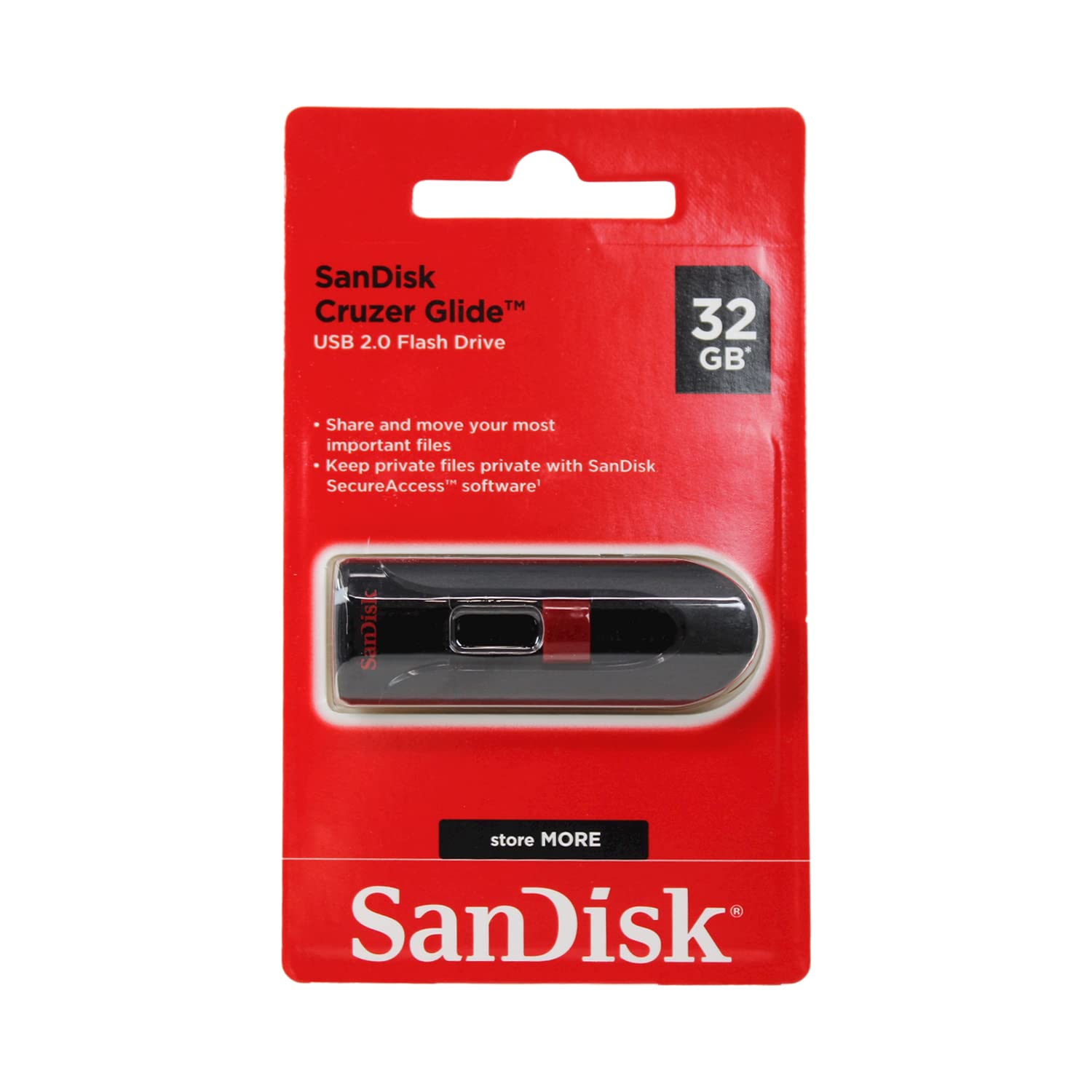
Store And Protect Everything From Cherished Photos And Videos To Sensitive Work Files With The Cruzer Glide Usb Flash Drive. The Drive Comes With Sandisk Secureaccess Software(1), Which Lets You Password-Protect And Secure Files You Want To Keep Private While Permitting Access To Files You Want To Share. The Compact Drive Features A Red Slider That Glides Shut To Shield The Usb Connector. (1)Password Protection Uses 128-Bit Aes Encryption And Is Supported By Windows Vista, Windows 7, Windows 8, Windows 8, Windows 10 And Mac Os X 10.6+ (Software Download Required For Mac, See Official Sandisk Secureaccess Website For More Details).
⚠️ WARNING (California Proposition 65): This product may contain chemicals known to the State of California to cause cancer, birth defects, or other reproductive harm. For more information, please visit www.P65Warnings.ca.gov.
Frequently Asked Questions
Q: What is the storage capacity of the SanDisk Cruzer Glide USB Flash Drive?A: The SanDisk Cruzer Glide USB Flash Drive has a total storage capacity of ninety-six gigabytes, as it comes in a three-pack containing three thirty-two gigabyte drives.
Q: What are the dimensions of the SanDisk Cruzer Glide USB Flash Drive?A: The dimensions of the SanDisk Cruzer Glide USB Flash Drive are two point thirty-four inches in length, zero point eighty-six inches in width, and zero point thirty-three inches in height.
Q: What encryption method does the SanDisk Cruzer Glide use for file security?A: The SanDisk Cruzer Glide uses one hundred twenty-eight bit AES encryption for password protection and file security.
Q: How do I use the SanDisk Cruzer Glide USB Flash Drive?A: To use the SanDisk Cruzer Glide USB Flash Drive, simply insert it into a USB port on your computer, and you can start transferring files immediately.
Q: Is the SanDisk Cruzer Glide compatible with Mac computers?A: Yes, the SanDisk Cruzer Glide USB Flash Drive is compatible with Mac OS X ten point six and above, but requires downloading the SanDisk SecureAccess software.
Q: Does the SanDisk Cruzer Glide come with any software?A: Yes, the SanDisk Cruzer Glide includes SanDisk SecureAccess software, which allows you to password-protect your files.
Q: How should I store my SanDisk Cruzer Glide USB Flash Drive?A: Store your SanDisk Cruzer Glide USB Flash Drive in a cool, dry place and ensure the USB connector is retracted when not in use to prevent damage.
Q: What is the warranty period for the SanDisk Cruzer Glide USB Flash Drive?A: The SanDisk Cruzer Glide USB Flash Drive is backed by a two-year limited manufacturer warranty.
Q: Can I use the SanDisk Cruzer Glide for transferring large files?A: Yes, the SanDisk Cruzer Glide USB Flash Drive is suitable for transferring large files, thanks to its ample storage capacity.
Q: Is there a limit to the number of files I can store on the SanDisk Cruzer Glide?A: There is no specific limit to the number of files you can store on the SanDisk Cruzer Glide; it depends on the total file size and storage capacity.
Q: How do I secure my files on the SanDisk Cruzer Glide?A: To secure your files on the SanDisk Cruzer Glide USB Flash Drive, use the SanDisk SecureAccess software to enable password protection.
Q: Are there any special requirements for using the SanDisk SecureAccess software?A: Yes, the SanDisk SecureAccess software requires Windows Vista, seven, eight, ten, or Mac OS X ten point six or newer for installation.
Q: What type of files can I store on the SanDisk Cruzer Glide?A: You can store a variety of file types on the SanDisk Cruzer Glide, including photos, videos, music, and documents.
Q: Is the SanDisk Cruzer Glide suitable for everyday use?A: Yes, the SanDisk Cruzer Glide USB Flash Drive is designed for reliable everyday use, making it ideal for storing and transferring files.
Q: How can I check if my SanDisk Cruzer Glide is functioning correctly?A: To check if your SanDisk Cruzer Glide is functioning correctly, connect it to your computer and verify that it is recognized and accessible.