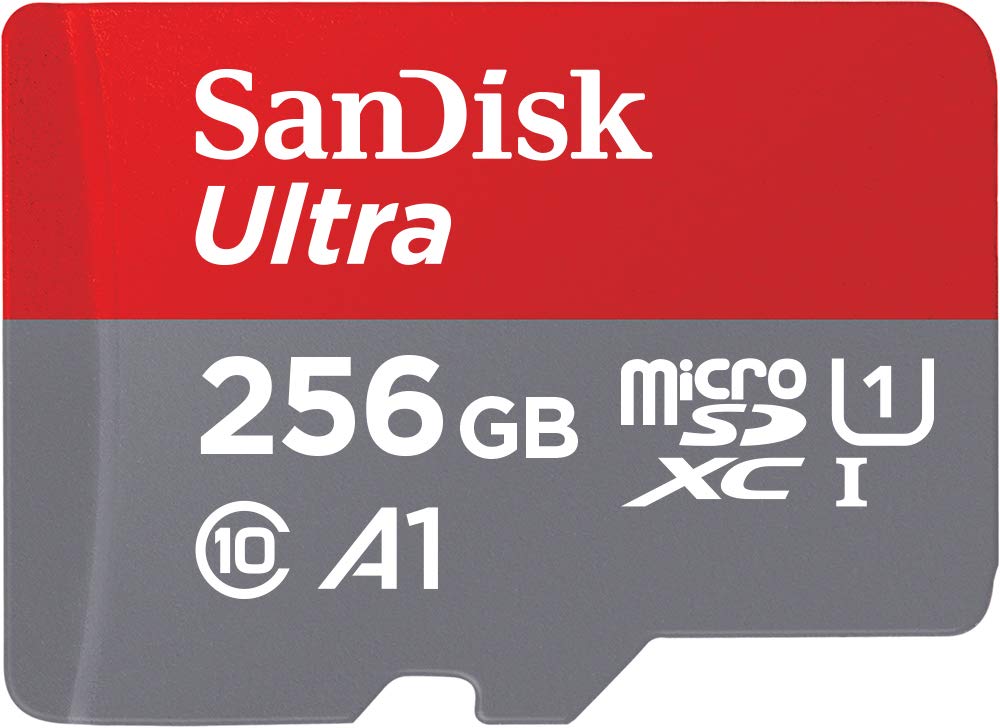
The SanDisk Ultra® microSD™ UHS-I card is designed for users seeking high-capacity storage solutions for their devices. Ideal for Android™ smartphones, tablets, Chromebooks, and Windows laptops, this card allows you to shoot, save, and share content seamlessly.
This microSD card offers a capacity of 256GB, providing ample space for storing Full HD videos, high-resolution photos, and essential apps. With transfer speeds of up to 150MB/s, moving large files is efficient and quick, making it an essential accessory for anyone on the go. The SanDisk Ultra® microSD™ card features A1-rated performance, which enhances app loading times, ensuring that your device runs smoothly. Its vibrant red design not only stands out but is also backed by a 10-year limited warranty from SanDisk, reflecting the brand's commitment to quality.
Key Features:
Capacity: 256GB, ideal for storing extensive media libraries.
Transfer speeds of up to 150MB/s, enabling rapid file transfers.
A1-rated performance for faster app loading on compatible devices.
Compatible with a range of devices including Android smartphones, tablets, and Chromebooks.
SanDisk Memory Zone app for easy file management and backup.
10-year limited warranty for peace of mind.
Includes compatibility with SanDisk MobileMate USB 3.0 microSD card reader for straightforward data transfers.
The SanDisk Ultra® microSD™ UHS-I card is perfect for content creators, mobile professionals, and everyday users who require reliable storage solutions. Its combination of high capacity, fast transfer speeds, and robust warranty makes it an excellent choice for anyone looking to expand their device's storage capabilities. Embrace the freedom to capture and store more with the SanDisk Ultra® microSD™ card.
⚠️ WARNING (California Proposition 65): This product may contain chemicals known to the State of California to cause cancer, birth defects, or other reproductive harm. For more information, please visit www.P65Warnings.ca.gov.
Frequently Asked Questions
Q: What is the storage capacity of the SanDisk Ultra microSD card?A: The storage capacity is two hundred fifty-six gigabytes. This allows you to store a vast amount of photos, videos, and apps.
Q: What type of warranty comes with this memory card?A: It comes with a ten-year limited warranty. This ensures you have reliable support for your purchase.
Q: What are the dimensions of the SanDisk Ultra microSD card?A: The dimensions are zero point zero four inches in height, zero point five nine inches in width, and zero point zero four inches in length. These compact dimensions make it easy to carry.
Q: What is the maximum transfer speed of this microSD card?A: The maximum transfer speed is one hundred fifty megabytes per second. This speed allows for quick data transfers and efficient file management.
Q: Is this microSD card compatible with smartphones?A: Yes, it is compatible with Android smartphones and tablets. It enhances the device's storage capacity for apps and media.
Q: How do I use the SanDisk Ultra microSD card?A: Insert the microSD card into your device's card slot. Once inserted, you can use it to store photos, videos, and apps immediately.
Q: Can I use this card in a Chromebook?A: Yes, it is compatible with Chromebooks. This makes it a versatile option for expanding storage on various devices.
Q: How do I install the SanDisk Ultra microSD card?A: To install, locate the microSD card slot on your device and gently insert the card until it clicks into place. Ensure it is securely inserted for optimal performance.
Q: Is this memory card suitable for video recording?A: Yes, it is suitable for recording Full HD videos. Its high capacity supports extended video recording without interruptions.
Q: What is the best way to care for my microSD card?A: To care for your microSD card, handle it with clean, dry hands and store it in a protective case. Avoid exposing it to extreme temperatures.
Q: How do I keep this memory card safe during transit?A: Keep the microSD card in its original packaging or a dedicated case during transit. This protects it from physical damage.
Q: Can I format the SanDisk Ultra microSD card?A: Yes, you can format the card using your device’s settings. Formatting will erase all data, so back it up first if needed.
Q: What should I do if the microSD card becomes corrupted?A: If the card becomes corrupted, try reformatting it through your device. If issues persist, contact customer support for assistance.
Q: Is there a risk of data loss with this memory card?A: There is a possibility of data loss due to corruption or physical damage. Regular backups are recommended to safeguard your files.
Q: What if my microSD card arrives damaged?A: If your card arrives damaged, contact the seller for a return or exchange. Ensure to keep the original packaging for reference.