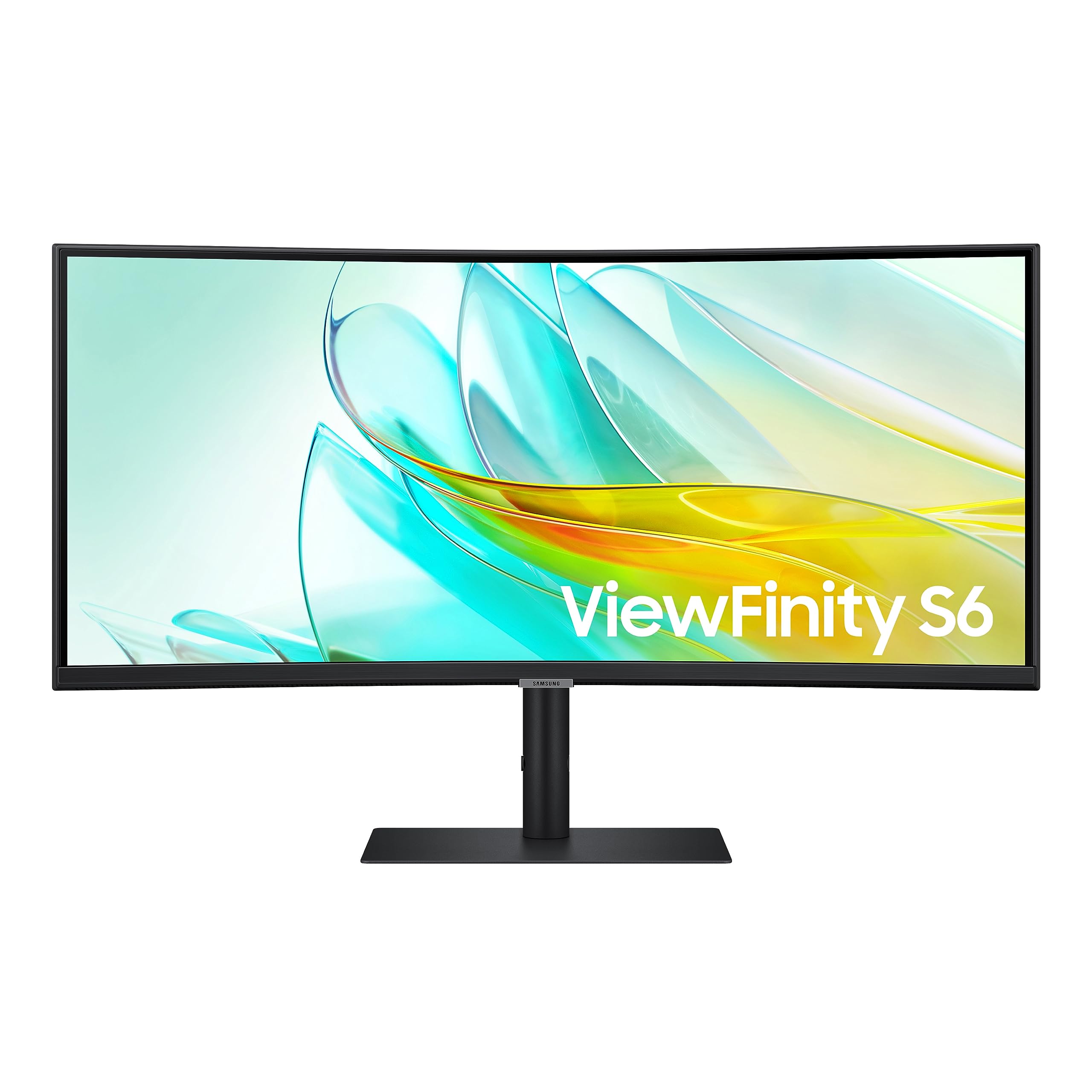
Discover Samsungs 34'' Viewfinity S65Uc Monitor. Ultra-Wqhd Enables You To Immerse Yourself In Games, Movies, Or Design Projects. A 34'' 1000R Curved Display Surrounds You With A 21:9 Aspect Ratio. Hdr10 Provides One Billion True-To-Life Colors, For Darker Darks And Brighter Brights. A Usb-C Port Lets You Power Up Your Device And Transmit Data With Just One Cable, And A Lan Port Lets You Connect To A Lan-Less Laptop For Ethernet Use. Featuring Amd Freesync And 100Hz Refresh Rate To Eliminate Screen Stuttering And Image Tearing. Ergonomic Design, With Built-In Speakers And Kvm Switch.
⚠️ WARNING (California Proposition 65): This product may contain chemicals known to the State of California to cause cancer, birth defects, or other reproductive harm. For more information, please visit www.P65Warnings.ca.gov.
Frequently Asked Questions
Q: What is the size of the Samsung 34-inch ViewFinity S65UA monitor?A: The monitor has a size of thirty-four inches. Its curved display features a one thousand R curvature, designed for immersive viewing.
Q: What is the resolution of the Samsung 34-inch ViewFinity monitor?A: The resolution is Ultra Wide Quad HD. This allows for a crisp and clear visual experience with a twenty-one by nine aspect ratio.
Q: What are the dimensions of the Samsung monitor?A: The dimensions are approximately nine point twenty-five inches in depth, thirty-one point eight inches in width, and twenty-two point one inches in height.
Q: Does the Samsung monitor support HDR?A: Yes, it supports HDR10. This feature enhances color and contrast for a more vivid viewing experience.
Q: How does the USB-C port work on the Samsung monitor?A: The USB-C port provides power delivery of ninety watts, allowing you to charge your device and transmit data through a single cable.
Q: Can I connect this monitor to a laptop without Ethernet?A: Yes, it features a LAN port. This allows you to connect your laptop to the internet even if it lacks an Ethernet port.
Q: How do I adjust the monitor for comfort?A: The monitor has an adjustable stand. You can modify its height, tilt, and swivel to achieve the most comfortable viewing position.
Q: Is the Samsung monitor suitable for gaming?A: Yes, it is ideal for gaming. The monitor features a one hundred Hertz refresh rate and AMD FreeSync technology to minimize screen tearing.
Q: Can I use the Samsung monitor for multitasking?A: Yes, it is designed for seamless multitasking. The ultrawide display allows multiple windows to be viewed simultaneously.
Q: How should I clean the Samsung monitor?A: To clean the monitor, use a soft, lint-free cloth. Avoid using harsh chemicals or abrasive materials that could damage the screen.
Q: Does the Samsung monitor have features to reduce eye strain?A: Yes, it includes Intelligent Eye Care. This feature adjusts brightness and color temperature to help reduce eye fatigue.
Q: Is there a warranty on the Samsung monitor?A: Yes, it comes with a manufacturer warranty. Check with the retailer for specific warranty details and duration.
Q: What should I do if the monitor arrives damaged?A: If the monitor arrives damaged, contact customer support immediately. They will guide you through the return and replacement process.
Q: Can I use this monitor for photo editing?A: Yes, this monitor is suitable for photo editing. The HDR10 and wide color range provide accurate color representation.
Q: Is the stand of the Samsung monitor adjustable?A: Yes, the stand is fully adjustable. You can change its height, tilt, and swivel for optimal viewing angles.