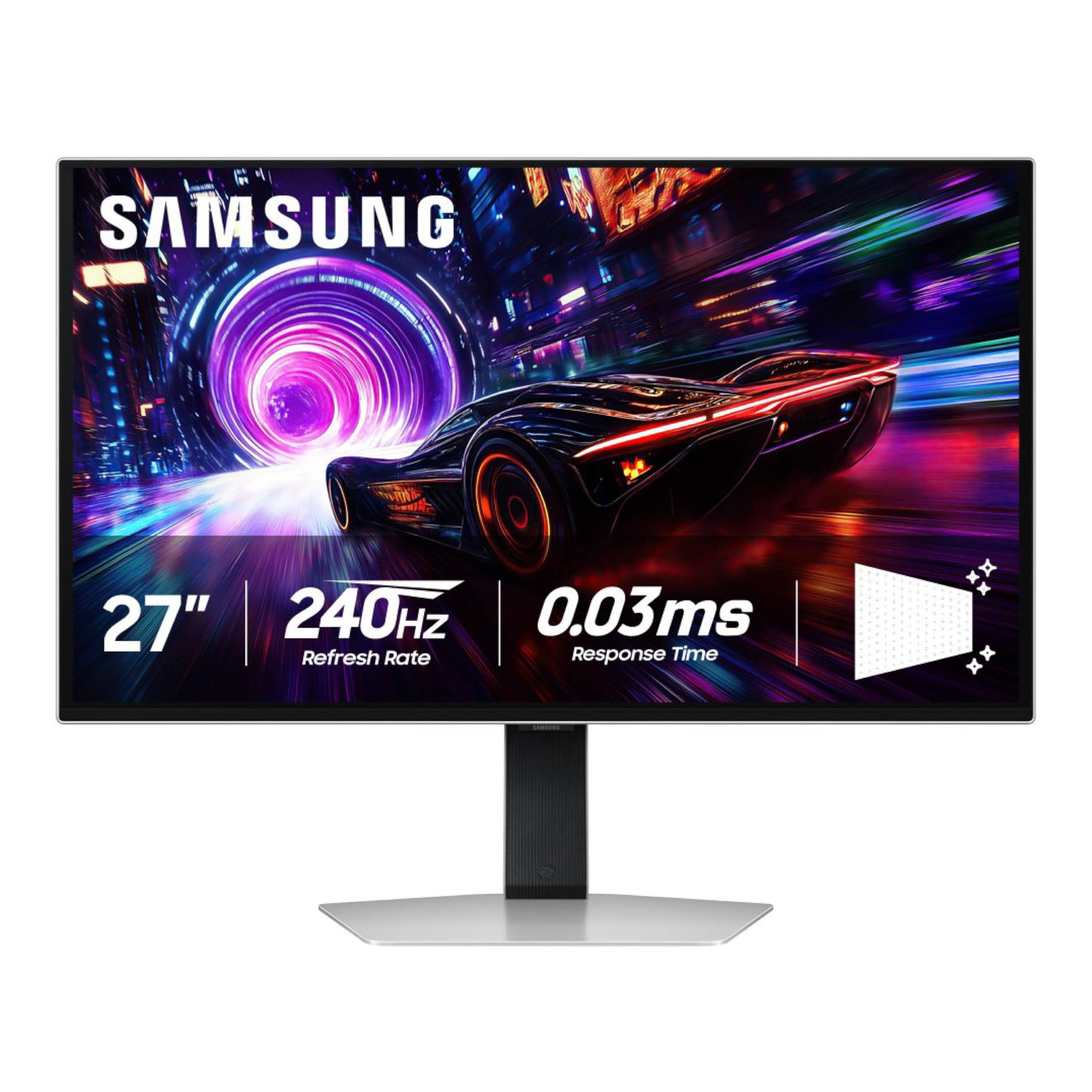
Samsungs 27'' Odyssey Qd-Oled G8 Gaming Monitor Offers Stunning 4K Detail With A 166 Ppi Qd-Oled Screen. Glare Free Technology Eliminates Reflections, While Vesa Displayhdr True Black 400 Enhances Contrast And Color With Deep Blacks. The Safeguard+ Dynamic Cooling System Reduces Heat 5X Faster Than Graphite, Preventing Burn-Ins. Thermal Modulation Controls Brightness To Prevent Overheating, And Logo & Taskbar Detection Dims Static Images. With A 240Hz Refresh Rate And 0.03Ms Response Time, Gameplay Is Ultra-Smooth. Amd Freesync And Vrr Reduce Screen Lag And Tearing. The Premium Metal Design Features Coresync & Corelighting+ For Full Immersion, And The Ergonomic Stand Offers Customizable Comfort.Verified As Glare-Free By Ul Based On The Verification Methods Used By Ul. For More Information On The Verification Methods Used, Please Visit Https://Verify.Ul.Com/Verifications/732. ''Glare Free'' Terminology Comes From The Ul Standards For Certification And May Not Accurately Describe The Feature'S Performance. Comparison Based On Internal Test Results. Screen Images Simulated For Illustrative Purposes. Refresh Rate And Response Time May Vary Based On The Performance Of The Input Source. Based On Gtg Measured Under Internal Test Conditions. Results May Vary By Content And Monitor Settings. Gtg (Gray To Gray) Measures The Time Taken For A Monitor Pixel To Change From One Gray Value To Another. 4Screen Images Simulated For Illustrative Purposes. 5When ''Adjust Logo Brightness'' Setting Is On ''Off'' Or ''Low,'' Thermal Modulation Is Active In Pre-Set Picture Modes Only. When ''Adjust Logo Brightness'' Setting Is On ''High,'' Thermal Modulation Is Always Active. 6Logo Detection Is Not Available In Pc Mode.
⚠️ WARNING (California Proposition 65): This product may contain chemicals known to the State of California to cause cancer, birth defects, or other reproductive harm. For more information, please visit www.P65Warnings.ca.gov.
Frequently Asked Questions
Q: What are the dimensions of the SAMSUNG 27-inch Odyssey QD-OLED G8 monitor?A: The dimensions are approximately ten point thirty-seven inches in length, twenty-four point zero eight inches in width, and twenty-one point eighty-two inches in height.
Q: What is the pixel density of the SAMSUNG Odyssey G8 monitor?A: The pixel density is one hundred sixty-six pixels per inch, ensuring sharp and clear visuals.
Q: What type of display technology does the Samsung Odyssey G8 use?A: It uses QD-OLED technology, providing rich colors and deep blacks with high contrast.
Q: How do I adjust the monitor's height and tilt?A: You can use the Ergonomic Stand, which allows for easy tilting and height adjustments for comfortable viewing.
Q: Is the Samsung Odyssey G8 monitor suitable for competitive gaming?A: Yes, it features a two hundred forty hertz refresh rate and a zero point zero three milliseconds response time, providing ultra-smooth gameplay.
Q: How do I enable AMD FreeSync on the monitor?A: AMD FreeSync is automatically enabled when you connect a compatible AMD graphics card to the monitor.
Q: What maintenance is required for the Samsung Odyssey G8 monitor?A: To maintain performance, regularly wipe the screen with a soft, dry cloth and avoid using harsh chemicals.
Q: Is the Samsung Odyssey G8 monitor safe for long-term use?A: Yes, it features Dynamic Cooling and Thermal Modulation to prevent overheating and burn-ins, making it safe for extended gaming sessions.
Q: How should I store the Samsung Odyssey G8 monitor?A: Store the monitor in a cool, dry place, avoiding direct sunlight, and use the original packaging if storing for an extended period.
Q: How does the Samsung Odyssey G8 compare to other gaming monitors?A: It stands out with unique features like QD-OLED technology, a two hundred forty hertz refresh rate, and advanced cooling systems.
Q: Is the monitor compatible with NVIDIA graphics cards?A: Yes, it is G-Sync Compatible, allowing use with certain NVIDIA graphics cards for reduced screen tearing.
Q: What should I do if the monitor arrives damaged?A: Contact the seller or manufacturer immediately to initiate a return or exchange process.
Q: Are there any specific setup requirements for the monitor?A: Ensure your computer has the appropriate graphics card and drivers to utilize the monitor's full capabilities.
Q: Can I adjust the brightness of static images on the monitor?A: Yes, the Logo and Taskbar Detection feature automatically dims static images to prevent burn-ins.
Q: What is the warranty period for the Samsung Odyssey G8 monitor?A: Typically, it comes with a one-year limited warranty covering defects in materials and workmanship.
Q: How does the Dynamic Cooling System work?A: The Pulsating Heat Pipe releases coolant to dissipate heat five times faster than traditional methods, preventing overheating.