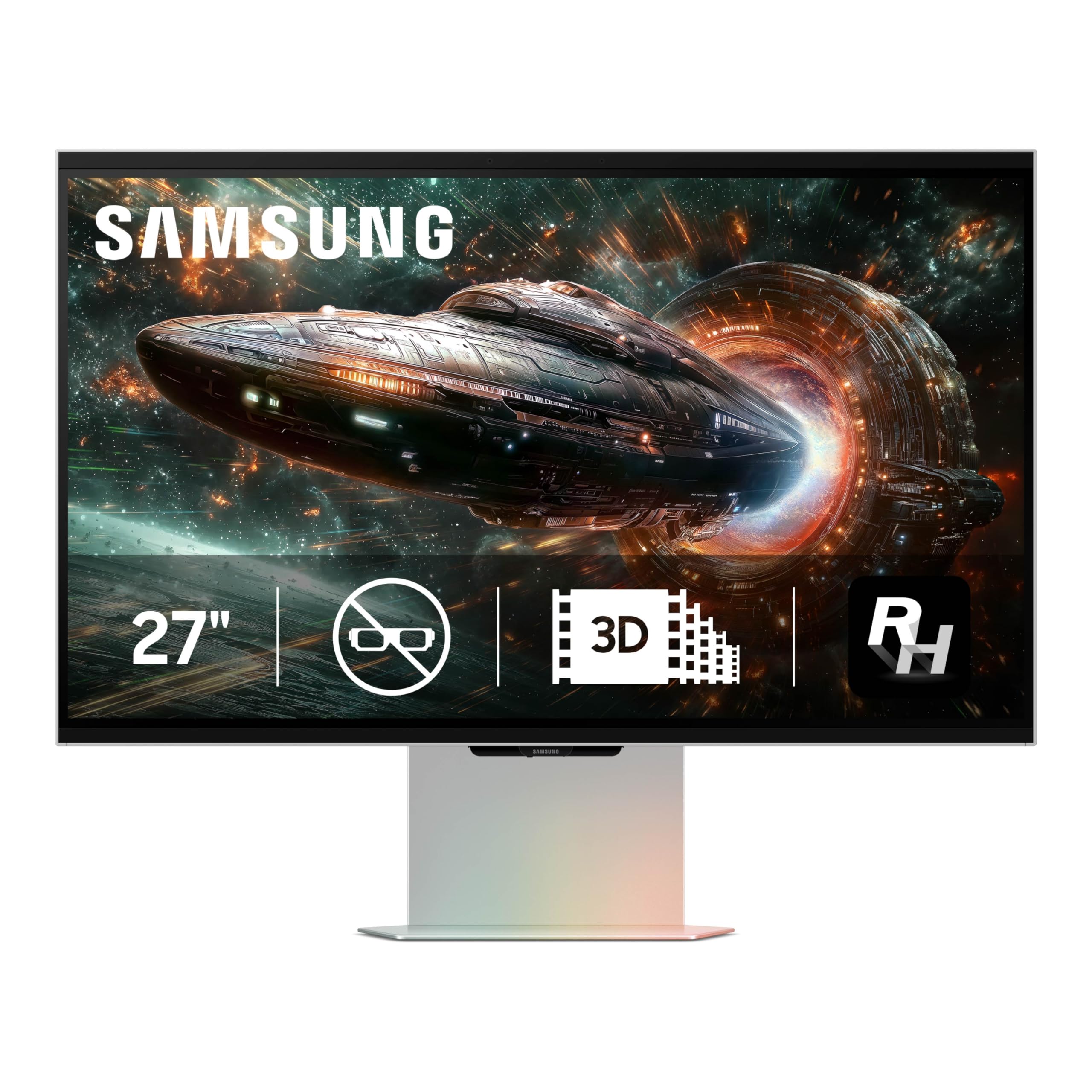
Samsung'S 27'' Odyssey G9 3D Gaming Monitor Delivers The Industrys Best 3D Picture Quality For Epic Gameplay. Experience 3D Gaming Without The Need For Special Glasses, Thanks To Eye-Tracking Technology And View Mapping Algorithms. Ai 3D Video Conversion Analyzes And Converts Content, Transforming Videos Into 3D, And Odyssey 3D Hub Is The Gateway To An Unbeatable 3D Video And Gaming Experience. Built-In Dual Speakers Provide Directional Sound That Enriches The Audio Of 3D Videos. 165Hz Refresh Rate And Near-Instant 1Ms Response Time (Gtg) Enable Movements In Real-Time With Minimized Lag For Ultra-Smooth Gameplay. G-Sync Compatibility And Amd Freesync Premium Reduce Choppiness, Screen Lag, And Image Tears, Even For The Most Intense Fast-Action Gaming Sessions. Edge Lighting Expands Game Maps With Leds Around The Bottom Of The Monitor Which Detect And Match Colors On The Screen For A More Realistic Visual Experience.3D Effects May Vary Depending On The Game Content And Pc Capabilities. 3D Capabilities May Be Limited In Multi-Monitor Environments With More Than One Odyssey 3D Monitor. Game Compatibility Can Be Seen In Samsung Odyssey 3D Hub, Which Can Be Downloaded From Samsung.Com Or Microsoft Store. This Feature Only Supports Video Content Conversion And May Not Work With Games. To Activate 3D Conversion, Odyssey 3D Hub Must Be Running In The System Tray And Video Must Be In Full Screen. Some Video Players May Not Support 3D Conversion. 3D Conversion Is Not Available For Drm Content Or When Hdr Mode Is Enabled. 3D Conversion Is Only Supported With Nvidia Graphics Cards. Rtx 3080 Or Higher Is Recommended. For Optimal 3D Performance, The Following Pc Specifications Are Recommended: Cpu: Intel I7 Or Higher, Amd Ryzen 7 1700X Or Higher Ddr: Ddr5-5600 32Gb 2Ea Pcie: Pcie 5.0. Odyssey 3D Hub App Is Available From Samsung.Com Or Microsoft Store. Some Video Players May Not Support 3D Conversion. 3D Conversion Is Not Available For Drm Content.
⚠️ WARNING (California Proposition 65): This product may contain chemicals known to the State of California to cause cancer, birth defects, or other reproductive harm. For more information, please visit www.P65Warnings.ca.gov.
Frequently Asked Questions
Q: What are the dimensions of the SAMSUNG 27-inch Odyssey Gaming Monitor?A: The monitor measures twenty-one point thirty-two inches in height, twenty-four point eighteen inches in width, and eight inches in depth.
Q: What is the refresh rate of the SAMSUNG Odyssey Gaming Monitor?A: The refresh rate is one hundred sixty-five hertz, providing ultra-smooth gameplay during fast-action scenes.
Q: What is the response time of the SAMSUNG Odyssey Gaming Monitor?A: The response time is one millisecond, ensuring minimal lag for real-time movements and sharp precision.
Q: Is the SAMSUNG Odyssey Gaming Monitor equipped with built-in speakers?A: Yes, it features built-in dual speakers that provide directional sound, enhancing the audio experience during gaming.
Q: How do I transform videos into 3D using the SAMSUNG Odyssey?A: You can use the Odyssey 3D Hub app, which analyzes and converts videos into 3D, enhancing your viewing experience.
Q: What kind of graphics card is recommended for optimal 3D performance?A: An NVIDIA graphics card, specifically an RTX three thousand eighty or higher, is recommended for the best 3D performance.
Q: How do I set up the SAMSUNG Odyssey Gaming Monitor for gaming?A: Connect the monitor to your gaming PC using the appropriate cables, then install the Odyssey 3D Hub app for enhanced features.
Q: Is the SAMSUNG Odyssey suitable for all gamers?A: Yes, it is suitable for various gamers, especially those who enjoy 3D gameplay and fast-action gaming experiences.
Q: How should I clean the SAMSUNG Odyssey Gaming Monitor?A: Use a soft, dry cloth to gently wipe the screen and avoid using any harsh chemicals or abrasive materials.
Q: What should I do if the monitor arrives damaged?A: Contact customer support immediately to report the issue and inquire about return or replacement options.
Q: Does the SAMSUNG Odyssey monitor have a warranty?A: Yes, the monitor typically comes with a limited warranty that covers manufacturing defects and issues.
Q: Can I use the SAMSUNG Odyssey with multiple monitors?A: While it can be used in multi-monitor setups, 3D capabilities may be limited with more than one Odyssey 3D monitor.
Q: What content types are compatible with the Odyssey 3D Hub?A: The Odyssey 3D Hub supports various video content, but 3D conversion is not available for DRM-protected content.
Q: Is the SAMSUNG Odyssey monitor adjustable?A: Yes, it features an ergonomic stand that allows for height and tilt adjustments for optimal viewing comfort.
Q: What technology helps reduce screen tearing on the SAMSUNG Odyssey?A: G-Sync compatibility and AMD FreeSync Premium work together to minimize screen tearing and enhance the gaming experience.