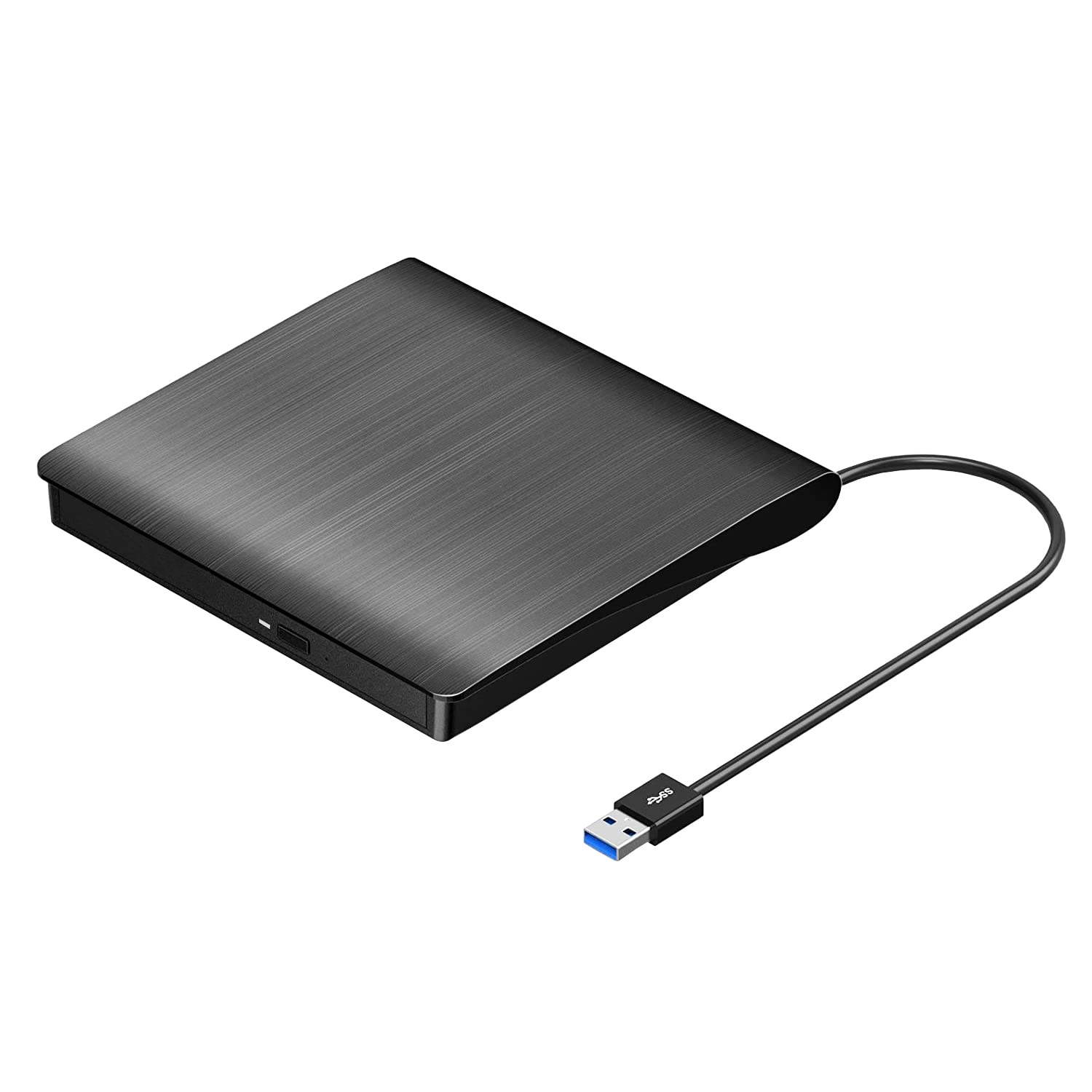
Roofull Plug-N-Play External Cd Dvd Drive For Laptop Pc - A Versatile Solution Designed To Meet All Your Optical Drive Needs. With Compatibility Across A Range Of Devices And Functionalities, This External Drive Is Perfect For Users Seeking A Reliable And Efficient Cd/Dvd Experience. This External Cd&Dvd Drive Is Not Just Your Average Optical Drive; It'S A Powerhouse For Various Tasks. Whether You Need A Cd Burner For Music, A Cd Converter For Laptops, Or A Cd/Dvd Read-Write External Drive For Pcs, This Device Has Got You Covered. Seamlessly Transfer Your Cherished Cds To Digital Formats, Convert Them To Mp3, Or Even Use It As A Dvd Burner For Your Music Collection. For Those Looking To Enhance Their Laptop Experience, Our External Cd Drive For Laptop Pcs Provides A Convenient And Portable Solution. Slim, Lightweight, And Equipped With A High-Speed Usb 3.0 Connector, This Drive Ensures Fast And Stable Performance For Tasks Such As Reading, Burning, And Ripping Cds And Dvds. Its Compact Design Makes It An Excellent Companion For Users On The Go. Thinking Of Converting Your Cds To Digital Formats? Our Device Serves As A Reliable Cd To Digital Converter, Allowing You To Archive Your Collection Effortlessly. It'S Also An Efficient Cd To Usb Converter, Making It Easy To Store Your Favorite Music On External Drives. When It Comes To Versatility, This External Drive Caters To All Your Needs. It'S An External Cd Burner For Laptops And Even Works Seamlessly With Mac Systems. For Those Seeking A Dvd Player For Laptops Or A Dvd Burner External Usb 3.0 For Pcs, This Device Delivers A Robust Performance. With Compatibility Across Various Operating Systems, Including Windows 11, This External Cd/Dvd Drive For Laptop Pcs Ensures Smooth Operation. Whether You'Re Looking For A Laptop Dvd Player External Or A Plug-In Dvd Player For Your Laptop, Our Device Offers A Hassle-Free Experience. Enhance Your Computing Setup With Our External Optical Drive For Pcs. Whether You Need A Usb Cd Burner Or A Reliable Usb Dvd Player For Laptops, This Device Is The Ideal Solution. It'S Perfect For Those Seeking An All-In-One Disc Player For Laptop Pcs - Read, Write, And Play With Ease. In The Realm Of External Components, Our Device Stands Out As A Reliable, Efficient, And Error-Free Solution. It Guarantees A Quiet And Smooth Operation, Ensuring Your Cds And Dvds Remain In Pristine Condition. Upgrade Your Optical Drive Experience With Our External Cd Dvd Drive - A Refined, Versatile, And Essential Addition To Your Computing Arsenal.
⚠️ WARNING (California Proposition 65): This product may contain chemicals known to the State of California to cause cancer, birth defects, or other reproductive harm. For more information, please visit www.P65Warnings.ca.gov.
Frequently Asked Questions
Q: What are the dimensions of the ROOFULL External CD DVD Drive?A: The dimensions are five point eight inches in length, five point eight inches in width, and zero point six inches in height. This compact size makes it easy to carry.
Q: What material is the ROOFULL External CD DVD Drive made from?A: The drive is made of plastic. This lightweight material contributes to its portability.
Q: What is the model number of this external drive?A: The model number is ECD819-SU3. This identifier helps in verifying compatibility and specifications.
Q: How do I connect the ROOFULL External CD DVD Drive to my computer?A: You can connect it using a USB three point zero Type-A or Type-C plug. The drive is designed for easy plug-and-play functionality.
Q: Is the ROOFULL External CD DVD Drive compatible with Mac computers?A: Yes, it is compatible with Mac systems. It works with macOS ten point sixteen or later.
Q: Can I use the ROOFULL External CD DVD Drive to burn CDs?A: Yes, you can use it to burn CDs and DVDs. It supports various formats for writing and reading discs.
Q: How do I eject a disc from the ROOFULL External CD DVD Drive on a Mac?A: To eject a disc on a Mac, right-click the desktop icon and select 'Eject.' This method is necessary due to macOS limitations.
Q: Can I use this external drive with a Chromebook?A: No, the ROOFULL External CD DVD Drive is not compatible with Chromebooks. It works with Windows and Mac systems.
Q: Does the ROOFULL External CD DVD Drive require driver installation?A: No, it does not require driver installation. Simply connect it to your computer, and it will be detected automatically.
Q: What speed can I expect from the USB connection?A: The USB three point zero connection offers data transfer speeds up to five gigabits per second. This ensures fast and efficient performance.
Q: What should I do if my ROOFULL External CD DVD Drive arrives damaged?A: If it arrives damaged, you can contact customer support for assistance. They provide warranty options and replacement services.
Q: How do I store the ROOFULL External CD DVD Drive safely?A: To store it safely, keep it in a dry, cool place and avoid exposing it to extreme temperatures. Use the included protective case if available.
Q: Is the ROOFULL External CD DVD Drive silent during operation?A: Yes, it operates quietly. The design ensures minimal noise, making it suitable for use in quiet environments.
Q: Can I use this drive to play DVD movies?A: Yes, you can use it to play DVD movies. It serves as a reliable external DVD player for laptops.
Q: What types of discs can the ROOFULL External CD DVD Drive read?A: It can read common CD and DVD formats, excluding Blu-ray and four K discs. This makes it versatile for various media.