

Cart
0


Roofull External Cd Dvd Drive Player Burner Cd/Dvd Rom +/ Rw Optical Disk Drive With Usb Ports Hub + Sd/Tf Card Reader + Portabl
Vendor: Roofull
Type: Storage Drives
Sku: WBEEAB0D2GXPB5C
Availability: In Stock
Couldn't load pickup availability
Guarantee safe checkout

Sold by Electroeshop, an authorized reseller.
Returns accepted within 30 days | support@electroeshop.com
Shipping Information
- Free Standard Shipping — United States only
- Processing Time: 1–3 business days
- Estimated Delivery: 3–5 business days after dispatch
- Double-boxed, fully insured & discreetly packaged
- Tracking number sent via email once dispatched
- Orders over $250 require signature upon delivery. Taxes calculated at checkout.
Returns & Refund
Returns accepted within 30 days of delivery.
Damaged or Defective Item
Free return shipping + replacement or full refund
Wrong Item Received
Free return shipping + replacement or full refund
Change of Mind
Return shipping at customer's expense · 25% restocking fee applies
All returns require a Return Authorization (RA) number before sending.
View Full Return & Refund Policy
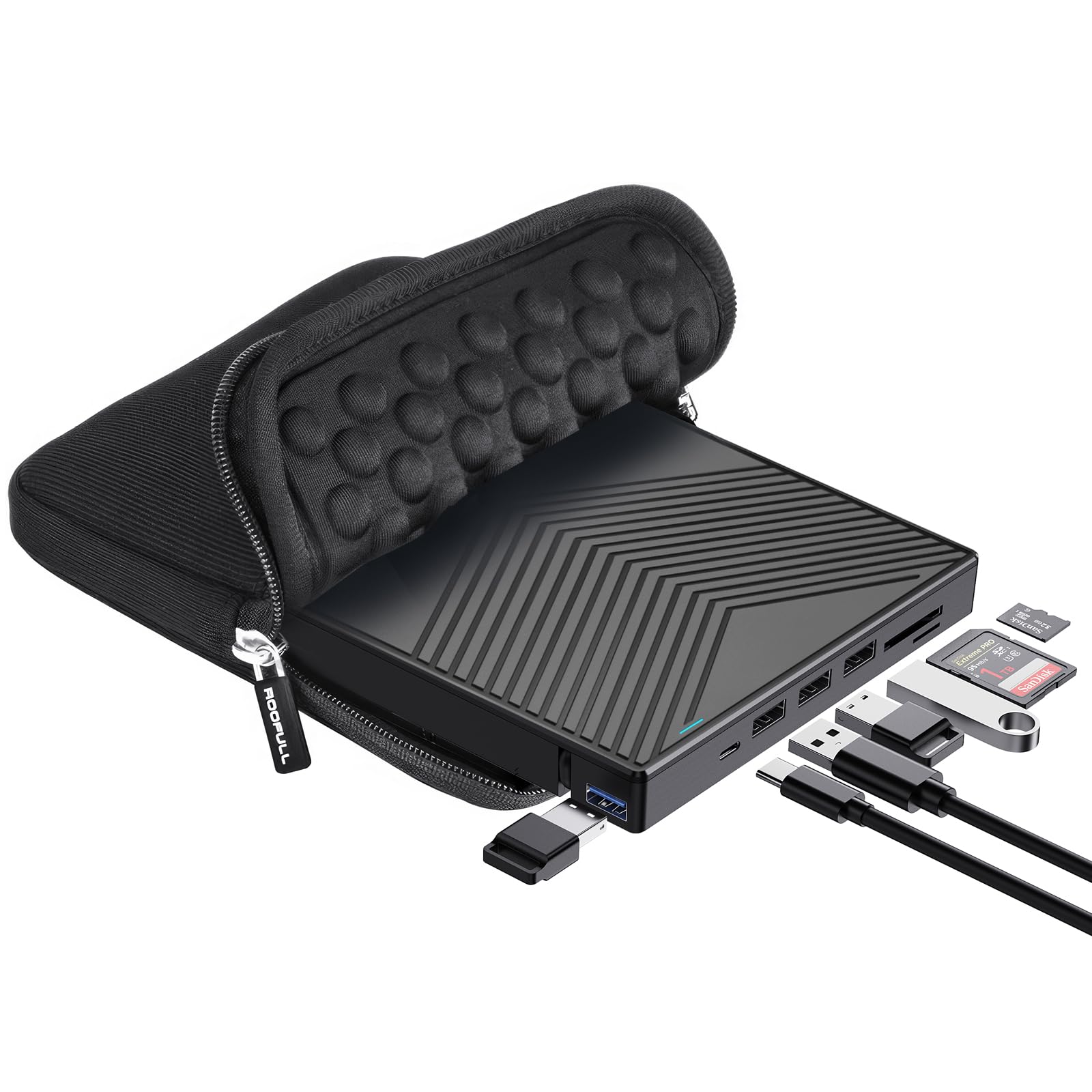
Roofull External Cd Dvd Drive Player Burner Cd/Dvd Rom +/ Rw Optical Disk Drive With Usb Ports Hub + Sd/Tf Card Reader + Portabl
$49.37

Frequently Asked Questions
- Q: What are the dimensions of the ROOFULL External CD/DVD Drive? A: The drive measures five point six inches in length, five point six inches in width, and zero point five five inches in height. Its compact size makes it easy to transport.
- Q: What materials is the ROOFULL External CD/DVD Drive made from? A: The drive is constructed from durable plastic. This material ensures both lightweight portability and protective features for the internal components.
- Q: Is the ROOFULL External CD/DVD Drive compatible with all operating systems? A: No, the drive is not compatible with ChromeOS, iPads, or gaming consoles. It works with Windows, Linux, and macOS systems.
- Q: How do I connect the ROOFULL External CD/DVD Drive to my laptop? A: Simply plug the USB data cable into your laptop's USB port. The drive will be recognized automatically, enabling instant usage.
- Q: Can I use the ROOFULL External CD/DVD Drive to burn CDs and DVDs? A: Yes, the drive functions as both a reader and a burner. You can easily create personalized CDs and DVDs using compatible software.
- Q: Is the ROOFULL External CD/DVD Drive portable? A: Yes, it features an ultra-slim design, making it highly portable. You can easily carry it in your laptop bag.
- Q: How do I maintain the ROOFULL External CD/DVD Drive? A: Keep the drive clean and store it in a protective case when not in use. Avoid exposing it to extreme temperatures or moisture.
- Q: What type of discs can I use with the ROOFULL External CD/DVD Drive? A: The drive supports various disc types, including CD±R, CD±RW, DVD±R, and DVD±RW. Blu-ray discs are not supported.
- Q: How do I troubleshoot if the drive isn't recognized by my computer? A: Ensure that the data cable is securely connected and try a different USB port. If issues persist, check for driver updates.
- Q: Does the ROOFULL External CD/DVD Drive come with a warranty? A: Yes, it comes with a two-year warranty covering defects and performance issues. You can contact customer support for assistance.
- Q: Can I use the additional USB ports on the drive simultaneously? A: Yes, you can connect multiple devices through the integrated USB hub while using the drive. It has four USB ports available.
- Q: What power source does the ROOFULL External CD/DVD Drive require? A: The drive can be powered through the USB connection. If additional power is needed, a separate power supply cord is included.
- Q: Is software required to use the ROOFULL External CD/DVD Drive? A: Yes, while it is plug-and-play, software is necessary for playing or burning discs. Recommended software is outlined in the user manual.
- Q: What if the drive arrives damaged or defective? A: You can request a replacement or refund directly from the manufacturer. Contact customer support within the warranty period.
- Q: Can I use the ROOFULL External CD/DVD Drive with my Mac? A: Yes, it is compatible with macOS systems. It works seamlessly with MacBook and other Apple devices.