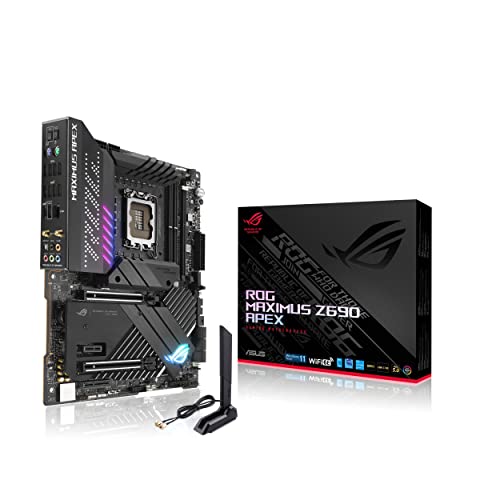
Asus Rog Maximus Z690 Apex(Wifi 6E) Is The Premiere Overclocking Platform For Extreme Oc Enthusiasts Looking To Unlock The Full Potential Of 12Th Generation Intel Core Processors. Its Optimized Layout,Enhanced Power Delivery And Control, And Striking Design With A Myriad Of Customization Options Will Appeal To Overclockers, Gamers, And Pc Builders Alike.
⚠️ WARNING (California Proposition 65): This product may contain chemicals known to the State of California to cause cancer, birth defects, or other reproductive harm. For more information, please visit www.P65Warnings.ca.gov.
Frequently Asked Questions
Q: What type of socket does the ASUS ROG Maximus Z690 Apex use?A: The motherboard uses an Intel LGA 1700 socket. This socket is designed for the twelfth generation Intel Core processors, ensuring compatibility and optimal performance.
Q: What are the key specifications of the ASUS ROG Maximus Z690 Apex?A: The key specifications include PCIe 5.0 support, DDR5 memory, and twenty-four power stages. This high-end motherboard supports advanced gaming and overclocking capabilities.
Q: How many M.2 slots does the ASUS ROG Maximus Z690 Apex have?A: The motherboard features five M.2 slots. This allows for extensive storage options, enabling users to connect multiple high-speed drives.
Q: What connectivity options are available on the ASUS ROG Maximus Z690 Apex?A: It includes USB 3.2 Gen 2x2 front-panel connectors and onboard Wi-Fi 6E. These features ensure fast data transfer and robust wireless connectivity.
Q: How do I install the ASUS ROG Maximus Z690 Apex motherboard?A: First, ensure the power supply is off. Place the motherboard in the case, aligning the standoffs, and secure it with screws. Connect the power cables and peripherals as instructed in the manual.
Q: Can I use this motherboard for gaming?A: Yes, the ASUS ROG Maximus Z690 Apex is designed for gaming. Its advanced features enhance gaming performance and support high-end graphics cards.
Q: What cooling solutions are compatible with the ASUS ROG Maximus Z690 Apex?A: This motherboard supports various cooling solutions, including custom water-cooling systems. It also features an optimized thermal design with enlarged VRM heatsinks.
Q: Is the ASUS ROG Maximus Z690 Apex suitable for beginners?A: While it is geared towards enthusiasts, beginners can use it with guidance. Its user-friendly features, like AI Overclocking, simplify the setup process.
Q: What materials are used in the construction of this motherboard?A: The ASUS ROG Maximus Z690 Apex uses high-quality materials such as MicroFine alloy chokes and premium metallic capacitors. These materials ensure durability and reliability.
Q: How do I care for the ASUS ROG Maximus Z690 Apex motherboard?A: Keep the motherboard clean and free from dust. Ensure proper airflow within the case to avoid overheating, and regularly check connections for wear.
Q: Does the ASUS ROG Maximus Z690 Apex come with a warranty?A: Yes, it typically includes a limited warranty from ASUS. Refer to the manufacturer's documentation for specific warranty details and duration.
Q: What should I do if the ASUS ROG Maximus Z690 Apex arrives damaged?A: Contact the retailer immediately to report the damage. Most retailers will provide a return or exchange option for damaged items.
Q: Are there any safety features on the ASUS ROG Maximus Z690 Apex?A: Yes, it includes ASUS LANGuard for network protection and robust power solutions to prevent overheating. These features enhance the motherboard's reliability.
Q: How do I update the BIOS on the ASUS ROG Maximus Z690 Apex?A: Download the latest BIOS from the ASUS website. Use a USB drive to transfer the file, then access the BIOS setup during boot to initiate the update.
Q: Can I overclock with the ASUS ROG Maximus Z690 Apex?A: Yes, this motherboard is optimized for overclocking. It features AI Overclocking tools to help users achieve higher performance safely.