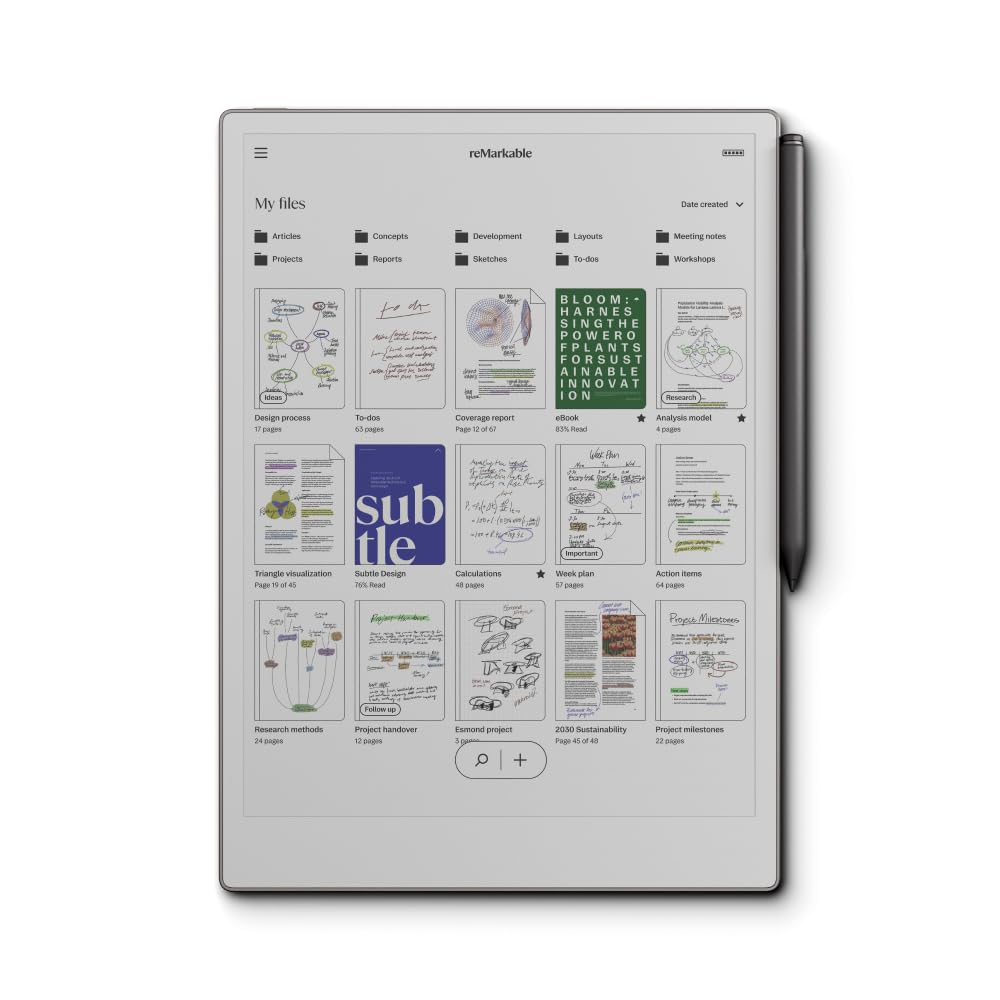
The reMarkable Paper Pro is an innovative digital notebook designed to seamlessly integrate paper into your digital workflow. With its advanced features, this tablet allows you to write, sketch, and read in color, making it an essential tool for professionals, students, and creatives.
Featuring an 11.8-inch color display, the reMarkable Paper Pro offers a unique paper-like writing experience. The tablet is equipped with an adjustable reading light and a low-glare display, ensuring comfort during prolonged use. The Marker Plus, included with the tablet, provides a realistic writing feel with precise control and responsiveness. This digital notebook transforms the way you capture and organize your thoughts, making it easier to manage your ideas in a distracting world.
Key Features:
Color Display: Experience writing, sketching, and reading in vibrant color for enhanced creativity.
Paper-Like Writing: The Marker Plus pen mimics the friction and feel of real paper, offering an unmatched writing experience.
Smart Organization: Utilize folders and tags to keep your notes and documents organized, with the ability to write directly on PDFs.
Handwriting Conversion: Instantly convert handwritten notes to typed text for easy sharing and collaboration.
All-Day Comfort: The low-glare display reduces eye strain, while the adjustable reading light allows for use in any lighting condition.
Portable Design: The ultra-slim and lightweight design makes it easy to carry the reMarkable Paper Pro wherever you go.
Seamless Integration: Connect with cloud storage services like Google Drive and Dropbox to streamline your workflow and ensure your work is always accessible.
The reMarkable Paper Pro is ideal for anyone looking to enhance their productivity through a blend of traditional writing and modern technology. Whether you're a student taking notes in class, a professional drafting documents, or a creative sketching new ideas, this tablet provides the tools necessary to elevate your work and keep everything organized in one place.
⚠️ WARNING (California Proposition 65): This product may contain chemicals known to the State of California to cause cancer, birth defects, or other reproductive harm. For more information, please visit www.P65Warnings.ca.gov.
Frequently Asked Questions
Q: What is the display size of the reMarkable Paper Pro?A: The display size is eleven point eight inches. This size provides a spacious area for writing, sketching, and reading.
Q: What dimensions does the reMarkable Paper Pro have?A: The dimensions are fifteen point zero four inches in length, nine point three three inches in width, and zero point one two inches in height. These measurements make it portable and easy to handle.
Q: Is the reMarkable Paper Pro lightweight?A: Yes, it is designed to be ultra-slim and lightweight. This makes it convenient for carrying in bags or briefcases.
Q: What kind of writing experience does the reMarkable Paper Pro offer?A: It offers a realistic paper-like writing experience. The Marker Plus pen provides precise control and comfort for extended use.
Q: Can I read in color on the reMarkable Paper Pro?A: Yes, you can read in color. This feature enhances the ability to express and visualize thoughts in a more engaging way.
Q: How do I use the Marker Plus pen with the tablet?A: Simply write or draw directly on the tablet's surface. The Marker Plus attaches magnetically to the device and requires no pairing or cables.
Q: Is the reMarkable Paper Pro suitable for signing documents?A: Yes, it is suitable for signing documents. You can use different colors of ink to enhance visibility when signing.
Q: How can I organize my notes on the reMarkable Paper Pro?A: You can organize your notes using folders and tags. This keeps everything neatly arranged and easy to find.
Q: Can I convert handwritten notes to typed text?A: Yes, you can instantly convert handwritten notes to typed text. This feature streamlines sharing and editing documents.
Q: What safety precautions should I take with the battery?A: Handle the lithium-ion battery with care. Avoid exposing it to extreme temperatures or puncturing it.
Q: How do I clean the reMarkable Paper Pro?A: Use a soft, dry cloth to wipe the screen. Avoid using any harsh chemicals or cleaners that could damage the display.
Q: Can I use the reMarkable Paper Pro in bright sunlight?A: Yes, it has a low-glare display. This feature allows for comfortable reading even in outdoor environments.
Q: What should I do if my tablet arrives damaged?A: Contact customer support for assistance. They will guide you through the return or replacement process.
Q: Is there a warranty for the reMarkable Paper Pro?A: Yes, the device typically comes with a warranty. Check the manufacturer's policy for specific details regarding coverage.
Q: How do I update the software on my reMarkable Paper Pro?A: Connect the device to Wi-Fi, and it will automatically check for software updates. Follow on-screen instructions to install any updates.
Q: Can I integrate cloud services with the reMarkable Paper Pro?A: Yes, it integrates with cloud storage services like Google Drive, Dropbox, and OneDrive. This helps in streamlining your workflow.