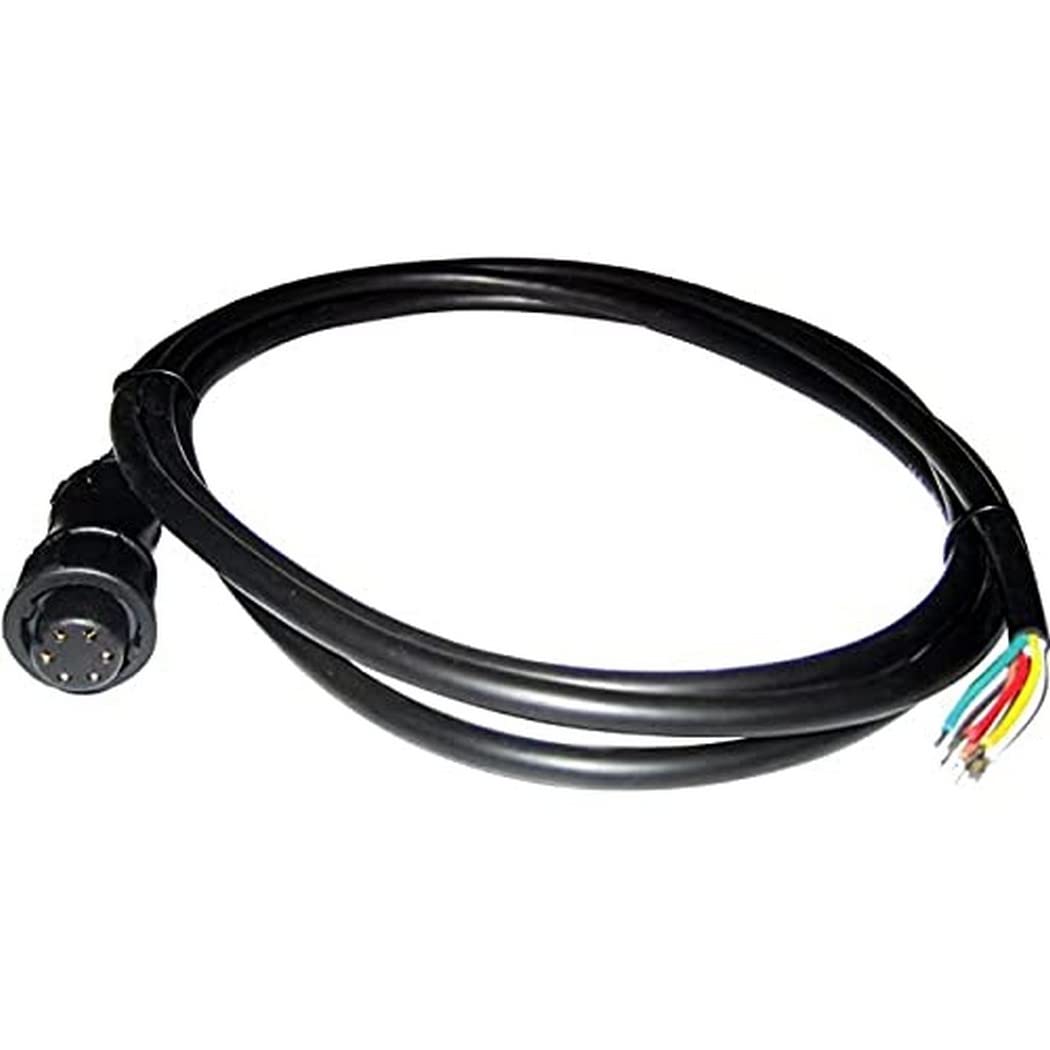
Seatalk / Alarm Output Interface Cable (1.5M)Interface Cable For Connecting E-Series Displays To Raymarine Seatalk Instrument Works. Also Supports Connection To External Alarm.6-Pin Twist Lock Connector A E-Series Display End And Wire Leads At The Other. Product : Raymarine E55054 Seatalk/Alarm Out Cable 1.5M Manufacturer : Raymarine Parts Manufacturer Part No : E55054 Upc : 723193550540
⚠️ WARNING (California Proposition 65): This product may contain chemicals known to the State of California to cause cancer, birth defects, or other reproductive harm. For more information, please visit www.P65Warnings.ca.gov.
Frequently Asked Questions
Q: What are the dimensions of the SeaTalk/Alarm Out Cable?A: The SeaTalk/Alarm Out Cable measures eight point seven inches in length, two point four four inches in width, and eleven point eight nine inches in height. This compact size makes it easy to fit into tight spaces on your marine vessel.
Q: What material is the SeaTalk/Alarm Out Cable made from?A: The SeaTalk/Alarm Out Cable is made from high-quality, durable materials designed for marine use. While specific materials are not disclosed, it is engineered to withstand harsh marine environments.
Q: What is the weight of the SeaTalk/Alarm Out Cable?A: The SeaTalk/Alarm Out Cable weighs one pound. This lightweight design contributes to easy installation and handling.
Q: How do I install the SeaTalk/Alarm Out Cable?A: To install the SeaTalk/Alarm Out Cable, connect one end to your SeaTalk system and the other to the alarm output. Ensure all connections are secure for reliable operation.
Q: Is the SeaTalk/Alarm Out Cable suitable for all marine GPS systems?A: Yes, the SeaTalk/Alarm Out Cable is designed to be compatible with most marine GPS systems that utilize the SeaTalk protocol. Always check your device specifications to confirm compatibility.
Q: Can I use the SeaTalk/Alarm Out Cable in saltwater environments?A: Yes, the SeaTalk/Alarm Out Cable is suitable for use in saltwater environments. It is built to resist corrosion and perform effectively in marine conditions.
Q: How should I care for the SeaTalk/Alarm Out Cable?A: To care for the SeaTalk/Alarm Out Cable, keep it clean and dry when not in use. Avoid exposure to extreme temperatures and humidity to ensure its longevity.
Q: Is the SeaTalk/Alarm Out Cable waterproof?A: No, the SeaTalk/Alarm Out Cable is not completely waterproof. It is designed for marine use but should not be submerged in water. Protect connections from moisture.
Q: How do I store the SeaTalk/Alarm Out Cable when not in use?A: Store the SeaTalk/Alarm Out Cable in a cool, dry place, preferably in its original packaging. Avoid bending or twisting the cable to maintain its integrity.
Q: What should I do if the SeaTalk/Alarm Out Cable is damaged?A: If the SeaTalk/Alarm Out Cable is damaged, discontinue use immediately and replace it. Using a damaged cable can lead to malfunction or safety issues.
Q: Can I return the SeaTalk/Alarm Out Cable if it doesn't fit my system?A: Yes, you can return the SeaTalk/Alarm Out Cable if it does not fit your system, provided it is unused and in its original packaging. Check the return policy for specific details.
Q: What is the warranty on the SeaTalk/Alarm Out Cable?A: The SeaTalk/Alarm Out Cable typically comes with a limited manufacturer's warranty. Check the packaging or the manufacturer's website for specific warranty details.
Q: Is the SeaTalk/Alarm Out Cable easy to troubleshoot?A: Yes, troubleshooting the SeaTalk/Alarm Out Cable is relatively straightforward. Check all connections and ensure there are no visible damages for effective diagnosis.
Q: What features does the SeaTalk/Alarm Out Cable offer?A: The SeaTalk/Alarm Out Cable features a length of one point five meters, providing ample reach for most installations. It is designed to integrate seamlessly with SeaTalk systems.
Q: Is the SeaTalk/Alarm Out Cable suitable for beginners to install?A: Yes, the SeaTalk/Alarm Out Cable is suitable for beginners. Basic installation requires minimal tools and can be completed with simple instructions.