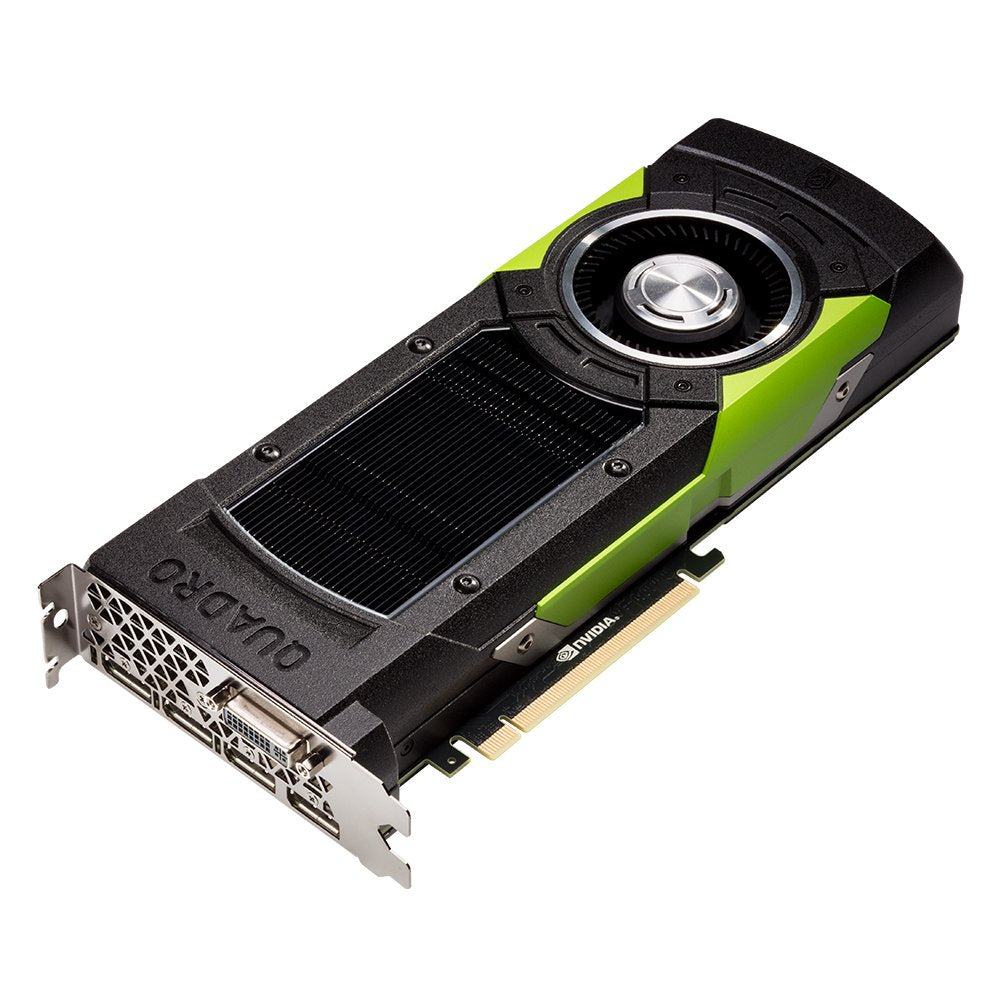
The Nvidia Quadra M6000, Accelerated By Nvidias Maxwell Gpu Architecture, Lets You Conquer Your Most Challenging Visualization Workloads With Ease And Enjoy Interactive Physically Based Rendering Of Your Work. 12 Gb Of Gddr5 Gpu Memory With Ultra-Fast Bandwidth Allows You To Create And Render Large, Complex Models And Compute Massive Datasets. Plus, Theres The All-New Display Engine That Drives Up To Four Resolution Displays Natively With Displayport 1.2 Support For Ultra-High Resolutions Like 4096 X 2160 @ 60 Hz With 30-Bit Color. Synchronize Multiple Displays Across Systems With The Quadra Sync Board And Accelerate Data Transfer With External I/O Boards Through Gpu Direct For Video And Dual-Copy Engines.
⚠️ WARNING (California Proposition 65): This product may contain chemicals known to the State of California to cause cancer, birth defects, or other reproductive harm. For more information, please visit www.P65Warnings.ca.gov.
Frequently Asked Questions
Q: What are the dimensions of the PNY NVIDIA Quadro M6000?A: The dimensions are thirteen point seventy-eight inches in length, nine point forty-five inches in width, and three point seventy-four inches in height.
Q: How much memory does the NVIDIA Quadro M6000 have?A: It has twelve gigabytes of GDDR5 GPU memory, which supports the rendering of large and complex models.
Q: What type of connectors does the Quadro M6000 come with?A: It features four DisplayPort one point two connectors for connecting multiple displays.
Q: How do I install the NVIDIA Quadro M6000?A: To install the Quadro M6000, insert the graphics card into a compatible PCI Express slot on your motherboard and secure it.
Q: Can I use the Quadro M6000 for gaming?A: Yes, while primarily designed for professional visualization, it can also handle gaming applications effectively.
Q: Is the NVIDIA Quadro M6000 suitable for video editing?A: Yes, it is highly suitable for video editing due to its powerful processing capabilities and large memory.
Q: How do I care for my NVIDIA Quadro M6000?A: Keep the card in a clean, dry environment and ensure proper cooling to avoid overheating during use.
Q: What is the warranty period for the Quadro M6000?A: The warranty period typically spans three years, but always verify with the retailer for specific terms.
Q: Can I return the NVIDIA Quadro M6000 if it arrives damaged?A: Yes, if it arrives damaged, you can return it according to the retailer's return policy.
Q: Does the Quadro M6000 support multiple displays?A: Yes, it can drive up to four displays natively, making it ideal for multi-monitor setups.
Q: Is the NVIDIA Quadro M6000 compatible with Mac systems?A: No, this graphics card is primarily designed for Windows-based systems.
Q: What type of applications is the Quadro M6000 designed for?A: It is designed for demanding visualization workloads, such as CAD and 3D rendering applications.
Q: Does the Quadro M6000 support HDR content?A: Yes, it supports HDR content, allowing for high dynamic range visuals when paired with compatible displays.
Q: What is the power requirement for the Quadro M6000?A: The Quadro M6000 typically requires a minimum of three hundred watts from the power supply.
Q: Is there a specific cooling requirement for the NVIDIA Quadro M6000?A: Yes, adequate airflow and cooling solutions are recommended to maintain optimal performance.