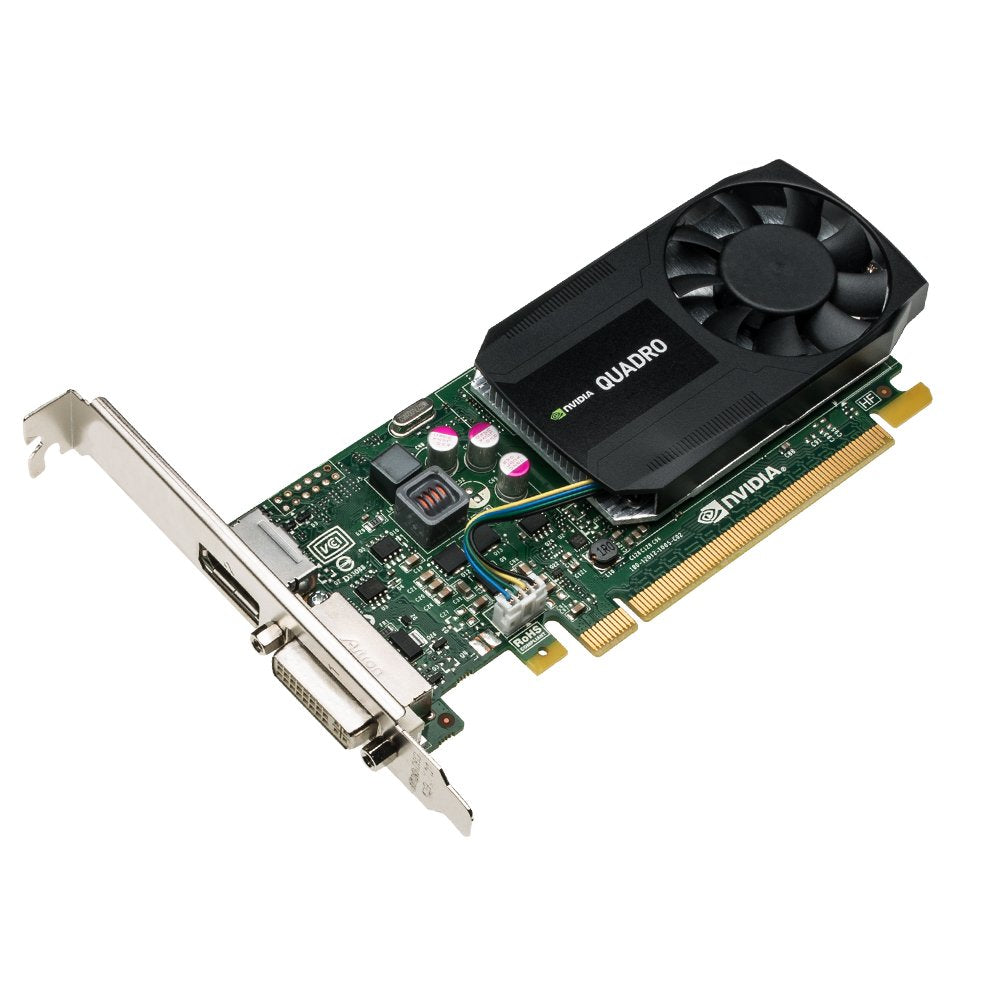
The Nvidia Quadro K620 Offers Impressive Power-Efficient 3D Application Performance And Capability. 2 Gb Of Ddr3 Gpu Memory With Fast Bandwidth Enables You To Create Large, Complex 3D Models, And A Flexible Single-Slot And Low-Profile Form Factor Makes It Compatible With Even The Most Space And Power-Constrained Chassis. Plus, An All-New Display Engine Drives Up To Four Displays With Display Port 1.2 Support For Ultra-High Resolutions Like 3840 X 2160 At 60 Hz With 30-Bit Color.
⚠️ WARNING (California Proposition 65): This product may contain chemicals known to the State of California to cause cancer, birth defects, or other reproductive harm. For more information, please visit www.P65Warnings.ca.gov.
Frequently Asked Questions
Q: What are the dimensions of the PNY NVIDIA Quadro K620 Graphics Card?A: The dimensions are eleven inches long, six point thirty-eight inches wide, and two point sixty-four inches high. This low-profile design makes it ideal for compact PC builds.
Q: How much memory does the PNY NVIDIA Quadro K620 have?A: It has two gigabytes of DDR3 GPU memory. This memory capacity supports the rendering of large and complex 3D models efficiently.
Q: What type of graphics card is the PNY NVIDIA Quadro K620?A: It is a professional graphics card designed for 3D applications. This model excels in power-efficient performance and high-resolution outputs.
Q: How do I install the PNY NVIDIA Quadro K620?A: To install, insert the card into a compatible PCI Express slot on your motherboard. Ensure your computer is powered off and properly grounded before installation.
Q: Can the PNY NVIDIA Quadro K620 support multiple displays?A: Yes, it can simultaneously drive up to three displays when connected natively. It supports up to four displays using Display Port 1.2 multi-streaming.
Q: Is the PNY NVIDIA Quadro K620 suitable for gaming?A: While primarily designed for professional applications, it can run some games. However, it is optimized for CAD and 3D rendering rather than gaming performance.
Q: How do I keep the PNY NVIDIA Quadro K620 in good condition?A: Keep the card in a well-ventilated area to prevent overheating. Regularly clean the dust from the fans and heatsinks to maintain optimal airflow.
Q: What power supply do I need for the PNY NVIDIA Quadro K620?A: A standard power supply is sufficient; the card requires minimal power. Ensure your system's power supply meets the overall requirements of your setup.
Q: Is the PNY NVIDIA Quadro K620 compatible with my system?A: It is compatible with most systems that have a PCI Express slot. Check your motherboard specifications to ensure compatibility.
Q: How do I troubleshoot display issues with the PNY NVIDIA Quadro K620?A: First, ensure that all connections are secure and that the drivers are updated. If issues persist, try reseating the card in its slot.
Q: What is the warranty on the PNY NVIDIA Quadro K620?A: The warranty typically lasts for three years. Check with the retailer or manufacturer for specific warranty terms.
Q: Can I use the PNY NVIDIA Quadro K620 for video editing?A: Yes, it is suitable for video editing tasks. The card's GPU memory and performance capabilities support editing software effectively.
Q: Does the PNY NVIDIA Quadro K620 support OpenGL?A: Yes, it supports OpenGL and Direct3D quad buffered stereo. This compatibility is essential for various professional applications.
Q: How many displays can I connect to the PNY NVIDIA Quadro K620?A: You can connect up to four displays using Display Port 1.2 multi-streaming. This feature enhances productivity by allowing multiple screens.
Q: What resolutions can the PNY NVIDIA Quadro K620 support?A: It supports resolutions up to four thousand ninety-six by two thousand one hundred sixty at sixty hertz. This high resolution ensures crisp visuals.