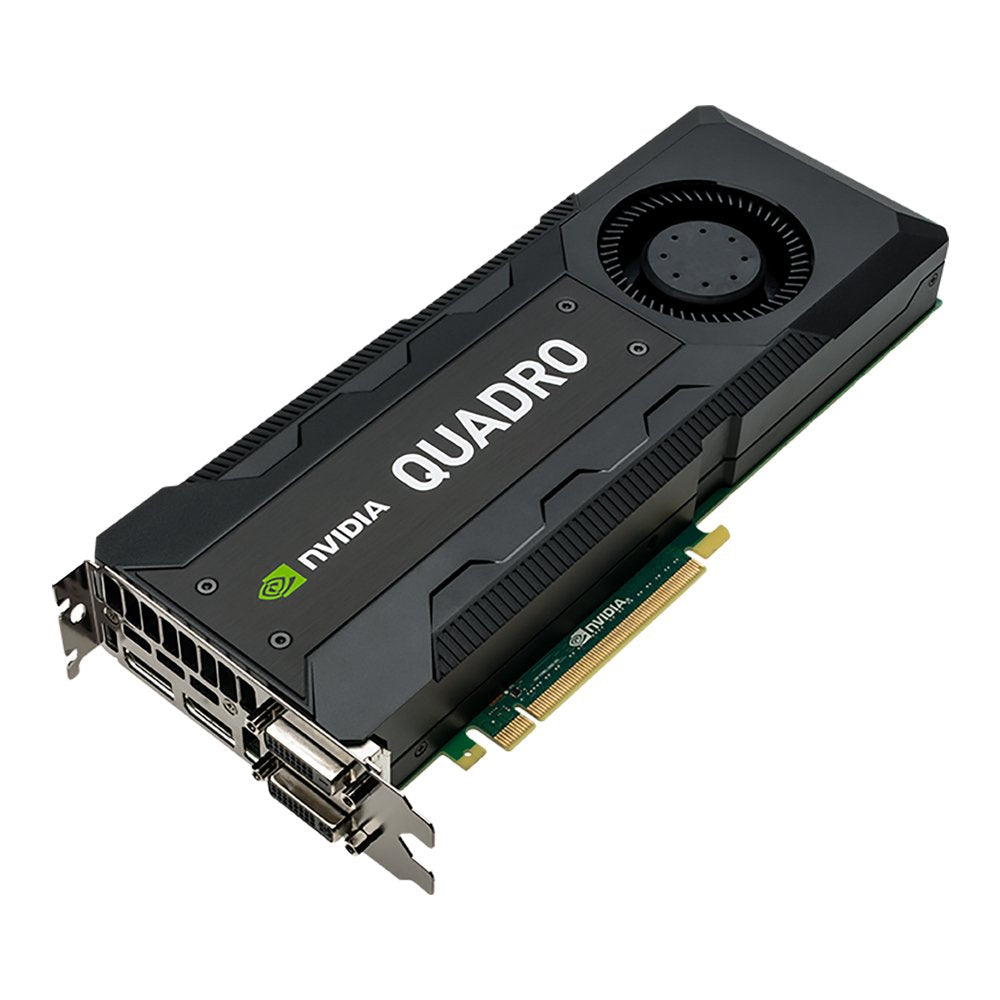
The Nvidia Quadro K5200 Gives You Amazing Application Performance And Capability, Making It Faster And Easier To Accelerate 3D Models, Render Complex Scenes, And Simulate Large Datasets.8 Gb Of Gddr5 Gpu Memory With Ultra-Fast Bandwidth Allows You To Create And Render Large, Complex Models And Compute Massive Datasets. Plus, Theres The All-New Display Engine That Drives Up To Four Displays Natively With Displayport 1.2 Support For Ultra-High Resolutions Like 4096 X 2160 @ 60 Hz With 30-Bit Color. Synchronize Multiple Displays Across Systems With The Quadro Sync Board. Accelerate Data Transfer With External I/O Boards Through Gpudirect??? For Video And Dual-Copy Engines.
⚠️ WARNING (California Proposition 65): This product may contain chemicals known to the State of California to cause cancer, birth defects, or other reproductive harm. For more information, please visit www.P65Warnings.ca.gov.
Frequently Asked Questions
Q: What is the memory capacity of the PNY NVIDIA Quadro K5200?A: The PNY NVIDIA Quadro K5200 has eight gigabytes of GDDR5 memory. This high memory capacity allows for efficient handling of large and complex 3D models.
Q: What are the dimensions of the Quadro K5200 video card?A: The Quadro K5200 measures thirteen point five eight inches in length, nine point four five inches in width, and three point seven four inches in height. These dimensions ensure compatibility with most PC cases.
Q: What type of connectors does the Quadro K5200 have?A: The Quadro K5200 features two DVI and two DisplayPort connectors. This variety allows for flexible connectivity options to multiple displays.
Q: How do I install the PNY NVIDIA Quadro K5200?A: To install the Quadro K5200, insert it into a compatible PCI-Express slot on your motherboard. Ensure that your power supply meets the card's requirements for optimal performance.
Q: Is the Quadro K5200 suitable for gaming?A: While the Quadro K5200 is primarily designed for professional applications, it can handle gaming tasks adequately. However, it is optimized for CAD and 3D rendering rather than gaming.
Q: Can the Quadro K5200 support multiple displays?A: Yes, the Quadro K5200 can support up to four displays simultaneously. This is ideal for professionals needing extensive workspace for design and visualization.
Q: How should I clean the PNY Quadro K5200?A: To clean the Quadro K5200, use a soft, dry cloth to wipe the exterior. Avoid using liquids or abrasive materials to prevent damage.
Q: What is the warranty period for the Quadro K5200?A: The PNY NVIDIA Quadro K5200 typically comes with a three-year limited warranty. Check the manufacturer's website for specific details on coverage and claims.
Q: How do I ensure my Quadro K5200 stays cool?A: To keep your Quadro K5200 cool, ensure adequate airflow in your computer case and consider using additional cooling solutions if necessary. Regularly clean dust from the cooling fans.
Q: Is the Quadro K5200 compatible with Windows 10?A: Yes, the Quadro K5200 is compatible with Windows 10. Ensure that you have the latest drivers installed for optimal performance.
Q: What is the difference between the Quadro K5200 and other Quadro models?A: The Quadro K5200 offers eight gigabytes of memory and enhanced performance for demanding applications, making it more powerful than lower-end models like the Quadro K4200.
Q: Does the Quadro K5200 require any additional power connectors?A: Yes, the Quadro K5200 requires additional power connectors from your power supply to function properly. Check the specifications for the exact requirements.
Q: What is the maximum resolution supported by the Quadro K5200?A: The Quadro K5200 supports a maximum resolution of four thousand ninety-six by two thousand one hundred sixty pixels at sixty hertz. This makes it suitable for high-resolution displays.
Q: Can I use the Quadro K5200 for virtual reality applications?A: Yes, the Quadro K5200 can be used for virtual reality applications, although it is not specifically designed for VR. It provides sufficient power for some VR tasks.
Q: What kind of software is the Quadro K5200 optimized for?A: The Quadro K5200 is optimized for professional applications such as CAD, 3D modeling, and video editing software. It excels in rendering and simulation tasks.