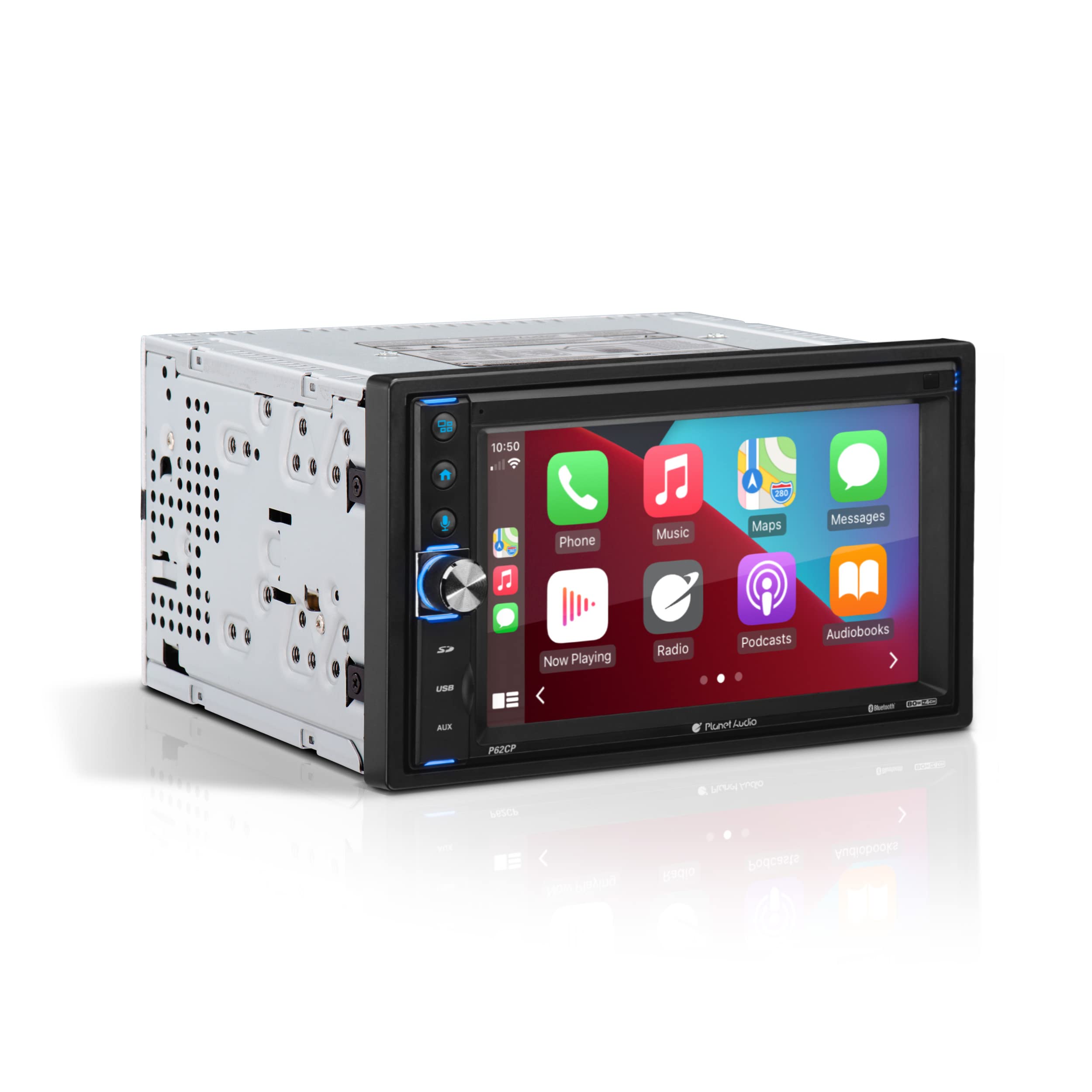
The Planet Audio P62CP Apple CarPlay Car Multimedia Player is a versatile double din unit designed to enhance your driving experience through seamless connectivity and superior audio performance. Ideal for individuals seeking a modern solution for in-car entertainment, this multimedia player combines advanced technology with user-friendly features.
Equipped with a 6.2-inch LCD touchscreen, the Planet Audio P62CP offers a clear and responsive interface for easy navigation. Its Bluetooth capability allows for hands-free calling and streaming of music from popular apps such as Spotify and Apple Music. The player supports various inputs including USB, SD, and AUX, enabling you to connect multiple devices effortlessly. With a sleek black design, this multimedia player integrates well with any vehicle interior, providing both style and functionality.
Key Features:
Apple CarPlay: Access your iPhone's features by activating Siri through the touchscreen, including Phone, Music, Maps, and more.
Hands-Free Calling: Make calls using voice commands with Siri, allowing you to focus on driving.
Navigation Support: Utilize Siri to search for gas stations or restaurants along your route, with compatibility for third-party apps like Google Maps.
Bluetooth Streaming: Stream music from popular apps and enjoy hands-free operation for an enhanced listening experience.
Multiple Inputs: Includes USB, SD, and AUX inputs for flexible connectivity options, plus support for front and rearview cameras (camera sold separately).
Pre-Amp Outputs: Connect to front, rear, and subwoofer outputs for a powerful sound system configuration.
Warranty: Comes with a 3-year platinum online dealer warranty when purchased through Amazon.com, emphasizing reliability and customer support.
The Planet Audio P62CP is an excellent choice for tech-savvy drivers who prioritize safety and convenience while on the road. Its intuitive interface and rich feature set make it suitable for anyone looking to upgrade their vehicle’s audio system, ensuring an enjoyable driving experience for music lovers and frequent travelers alike.
⚠️ WARNING (California Proposition 65): This product may contain chemicals known to the State of California to cause cancer, birth defects, or other reproductive harm. For more information, please visit www.P65Warnings.ca.gov.
Frequently Asked Questions
Q: What are the dimensions of the Planet Audio P62CP?A: The dimensions are six point three inches in length, six point seventy-seven inches in width, and three point eighty-two inches in height.
Q: What type of materials is the Planet Audio P62CP made from?A: The product is primarily constructed from electronic components, with no specific hazardous materials mentioned in its composition.
Q: Does the Planet Audio P62CP support Bluetooth?A: Yes, it supports Bluetooth, allowing for hands-free calling and music streaming from compatible devices.
Q: How do I install the Planet Audio P62CP in my car?A: To install, you will need to connect the wiring harness and secure the unit into the double din space of your dashboard.
Q: Can I use Apple CarPlay with the Planet Audio P62CP?A: Yes, it features Apple CarPlay, enabling access to your iPhone apps via voice control and touchscreen.
Q: Is the Planet Audio P62CP suitable for all vehicles?A: It is designed for double din installations, so it will fit in vehicles that support this size.
Q: How do I clean the touchscreen of the Planet Audio P62CP?A: Use a soft, lint-free cloth slightly dampened with water or a screen-safe cleaner to gently wipe the touchscreen.
Q: What is the warranty for the Planet Audio P62CP?A: It comes with a three-year platinum online dealer warranty when purchased through Amazon.com.
Q: What types of media can I play on the Planet Audio P62CP?A: You can play MP3 files through USB, SD card, or Bluetooth streaming.
Q: Does it come with a built-in CD player?A: No, the Planet Audio P62CP does not include a CD player.
Q: Can I connect a rearview camera to the Planet Audio P62CP?A: Yes, it has inputs for a rearview camera, which is sold separately.
Q: Are there any recommended apps for the Planet Audio P62CP?A: Yes, it supports various apps like Spotify, Apple Music, Google Maps, and more through Apple CarPlay.
Q: What do I do if my Planet Audio P62CP doesn't power on?A: Check the wiring connections and ensure the unit is properly installed. If issues persist, consult the warranty for support.
Q: Can I adjust audio settings on the Planet Audio P62CP?A: Yes, it allows you to adjust audio settings such as balance, fade, and bass through its menu.
Q: Is professional installation recommended for the Planet Audio P62CP?A: Yes, professional installation is strongly recommended to ensure proper and safe functionality.
Q: How do I reset the Planet Audio P62CP to factory settings?A: To reset, press and hold the reset button located on the front panel for a few seconds.