Sold Out
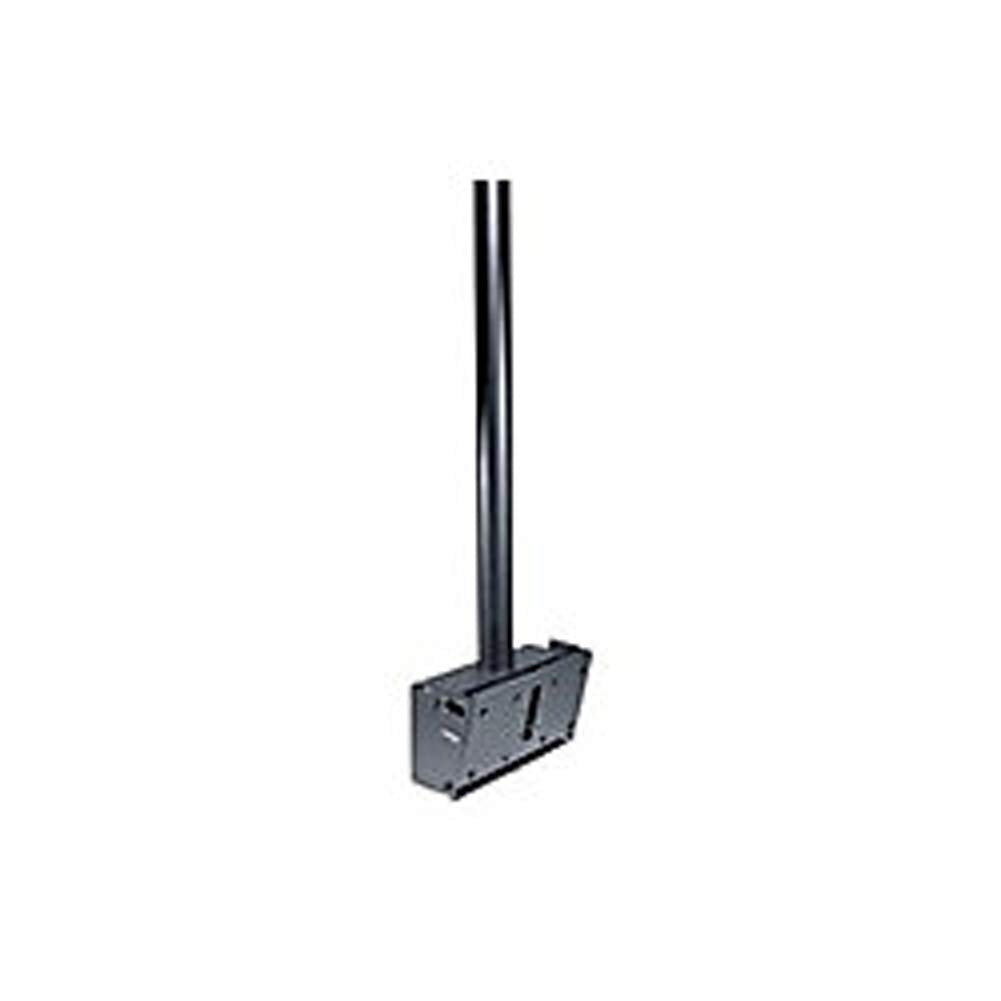
Peerless Plcm2 Flat Panel Strght Ceiling Mount For 32 Inch To 65 Inch Tv
Free Standard Shipping Across USA
Couldn't load pickup availability
Refresh
Sold by Electroeshop, an authorized reseller.
Returns accepted within 30 days | support@electroeshop.com
Verified
Shipping Information
Free Standard Shipping — United States only
Processing Time: 3–5 business days
Estimated Delivery: 6–10 business days after dispatch
Double-boxed, fully insured & discreetly packaged
Tracking number sent via email once dispatched
Returns & Refund
Returns accepted within 30 days of delivery.
Damaged or Defective Item
Free return shipping + replacement or full refund
Wrong Item Received
Free return shipping + replacement or full refund
Change of Mind
Return shipping at customer's expense · 25% restocking fee applies
Return Authorization (RA) number before sending.
View Full Return & Refund Policy
Your Cart
Item(s):
Total: $3.01
Peerless Plcm2 Flat Panel Strght Ceiling Mount For 32 Inch To 65 Inch Tv
$214.68
Sold Out
The Straight Column Ceiling Mount Offers A Straight Column From The Ceiling Attachment Point To The Flat Panel Screen. The Straight Column Ceiling Mount Is Ideal For Sports Facilities, Airports, Lobbies Or Retail Environments. It Delivers 20 Of Adjustable Tilt And 360 Of Swivel. This Mount Ships Complete (Except For Plcm-2-Unl) With 2.5 Fixed Length Extension Column And Theft Resistant Security Fasteners. Model-Specific Or Universal Style Plp Adapter Plates Are Available To Match Your Screen Make And Model, Both Are Sold Separately.
⚠️ WARNING (California Proposition 65):www.P65Warnings.ca.gov .
Frequently Asked Questions
Q: What is the weight capacity of the Peerless PLCM2 mount?
A: The Peerless PLCM2 mount can support up to one hundred and fifty pounds. This makes it suitable for most flat panel screens between thirty-two inches and sixty-five inches.
Q: What materials are used in the construction of the PLCM2 mount?
A: The PLCM2 mount is made of alloy steel. This material provides durability and stability for mounting your television securely.
Q: What are the dimensions of the Peerless PLCM2 mount?
A: The dimensions of the PLCM2 mount are five point seventy-one inches in length, three point twenty-five inches in width, and ten point sixty-two inches in height. These dimensions ensure it fits various installation scenarios.
Q: How do I install the Peerless PLCM2 mount?
A: To install the PLCM2 mount, follow the included instructions, securing it to a ceiling using standard hardware. Make sure to attach the flat panel screen securely to the mount using the theft-resistant fasteners.
Q: Can I adjust the tilt and swivel of the PLCM2 mount?
A: Yes, the PLCM2 mount offers zero to twenty degrees of adjustable tilt and three hundred sixty degrees of swivel. This allows for optimal viewing angles.
Q: Is the PLCM2 mount suitable for all TV brands?
A: Yes, the PLCM2 mount is compatible with various TV brands, provided you use the appropriate model-specific or universal adapter plates sold separately.
Q: How should I clean the PLCM2 mount?
A: To clean the PLCM2 mount, use a soft, damp cloth without harsh chemicals. Avoid using abrasive materials that may scratch the surface.
Q: Is the PLCM2 mount safe for use in public areas?
A: Yes, the PLCM2 mount is designed for commercial use in public areas like sports facilities and airports. The theft-resistant security fasteners enhance safety.
Q: What is the warranty period for the PLCM2 mount?
A: The PLCM2 mount typically comes with a limited warranty, often around five years. Check with the manufacturer for specific terms and conditions.
Q: Can the PLCM2 mount be used for outdoor installations?
A: No, the PLCM2 mount is not recommended for outdoor use. It is designed for indoor environments where it can be protected from weather elements.
Q: What tools do I need for installation of the PLCM2 mount?
A: For installation, you will need basic tools such as a drill, screwdriver, and possibly a level. Ensure you also have safety gear while working.
Q: Does the PLCM2 mount come with an extension column?
A: Yes, the PLCM2 mount includes a two point five-foot fixed length extension column. Additional length can be added if necessary for lowering the screen.
Q: Is the PLCM2 mount adjustable for different screen sizes?
A: Yes, the PLCM2 mount is adjustable for screens ranging from thirty-two inches to sixty-five inches. Ensure you use the correct mounting plates for your screen.
Q: What color options are available for the PLCM2 mount?
A: The PLCM2 mount is available in black. This color provides a sleek and modern look that fits well in various environments.
Q: What should I do if the mount arrives damaged?
A: If the PLCM2 mount arrives damaged, contact the retailer immediately for a return or exchange. Retain all packaging materials for the return process.
Q: Can I use the PLCM2 mount in a home theater?
A: Yes, the PLCM2 mount is suitable for home theater setups, providing flexibility in viewing angles and secure mounting for your flat panel screen.
<div class="dynamic-checkout__content" id="dynamic-checkout-cart" data-shopify="dynamic-checkout-cart"> <shopify-accelerated-checkout-cart wallet-configs="[{"supports_subs":true,"supports_def_opts":false,"name":"shop_pay","wallet_params":{"shopId":71498399780,"merchantName":"Electroeshop","personalized":true}},{"supports_subs":false,"supports_def_opts":false,"name":"amazon_pay","wallet_params":{"checkoutLanguage":"en_US","ledgerCurrency":"USD","placement":"Cart","sandbox":false,"merchantId":"A1D97EELABIYRS","productType":"PayAndShip","design":"C0002"}},{"supports_subs":true,"supports_def_opts":false,"name":"paypal","wallet_params":{"shopId":71498399780,"countryCode":"US","merchantName":"Electroeshop","phoneRequired":true,"companyRequired":false,"shippingType":"shipping","shopifyPaymentsEnabled":true,"hasManagedSellingPlanState":false,"requiresBillingAgreement":false,"gatewayType":"MANAGED","merchantId":"CTDG3UHVZNL4L","sdkUrl":"https://www.paypal.com/sdk/js?components=buttons\u0026commit=false\u0026currency=USD\u0026locale=en_US\u0026client-id=AbasDhzlU0HbpiStJiN1KRJ_cNJJ7xYBip7JJoMO0GQpLi8ePNgdbLXkC7_KMeyTg8tnAKW4WKrh9qmf\u0026merchant-id=CTDG3UHVZNL4L\u0026intent=authorize","serviceableCountryCodes":["AC","AD","AE","AF","AG","AI","AL","AM","AO","AR","AT","AU","AW","AX","AZ","BA","BB","BD","BE","BF","BG","BH","BI","BJ","BL","BM","BN","BO","BQ","BR","BS","BT","BW","BY","BZ","CA","CC","CD","CF","CG","CH","CI","CK","CL","CM","CN","CO","CR","CV","CW","CX","CY","CZ","DE","DJ","DK","DM","DO","DZ","EC","EE","EG","EH","ER","ES","ET","FI","FJ","FK","FO","FR","GA","GB","GD","GE","GF","GG","GH","GI","GL","GM","GN","GP","GQ","GR","GS","GT","GW","GY","HK","HN","HR","HT","HU","ID","IE","IL","IM","IN","IO","IQ","IS","IT","JE","JM","JO","JP","KE","KG","KH","KI","KM","KN","KR","KW","KY","KZ","LA","LB","LC","LI","LK","LR","LS","LT","LU","LV","LY","MA","MC","MD","ME","MF","MG","MK","ML","MM","MN","MO","MQ","MR","MS","MT","MU","MV","MW","MX","MY","MZ","NA","NC","NE","NF","NG","NI","NL","NO","NP","NR","NU","NZ","OM","PA","PE","PF","PG","PH","PK","PL","PM","PN","PS","PT","PY","QA","RE","RO","RS","RU","RW","SA","SB","SC","SD","SE","SG","SH","SI","SJ","SK","SL","SM","SN","SO","SR","SS","ST","SV","SX","SZ","TA","TC","TD","TF","TG","TH","TJ","TK","TL","TM","TN","TO","TR","TT","TV","TW","TZ","UA","UG","UM","US","UY","UZ","VA","VC","VE","VG","VN","VU","WF","WS","XK","YE","YT","ZA","ZM","ZW"]}},{"supports_subs":true,"supports_def_opts":false,"name":"google_pay","wallet_params":{"sdkUrl":"https://pay.google.com/gp/p/js/pay.js","paymentData":{"apiVersion":2,"apiVersionMinor":0,"shippingAddressParameters":{"allowedCountryCodes":["AC","AD","AE","AF","AG","AI","AL","AM","AO","AR","AT","AU","AW","AX","AZ","BA","BB","BD","BE","BF","BG","BH","BI","BJ","BL","BM","BN","BO","BQ","BR","BS","BT","BW","BY","BZ","CA","CC","CD","CF","CG","CH","CI","CK","CL","CM","CN","CO","CR","CV","CW","CX","CY","CZ","DE","DJ","DK","DM","DO","DZ","EC","EE","EG","EH","ER","ES","ET","FI","FJ","FK","FO","FR","GA","GB","GD","GE","GF","GG","GH","GI","GL","GM","GN","GP","GQ","GR","GS","GT","GW","GY","HK","HN","HR","HT","HU","ID","IE","IL","IM","IN","IO","IQ","IS","IT","JE","JM","JO","JP","KE","KG","KH","KI","KM","KN","KR","KW","KY","KZ","LA","LB","LC","LI","LK","LR","LS","LT","LU","LV","LY","MA","MC","MD","ME","MF","MG","MK","ML","MM","MN","MO","MQ","MR","MS","MT","MU","MV","MW","MX","MY","MZ","NA","NC","NE","NF","NG","NI","NL","NO","NP","NR","NU","NZ","OM","PA","PE","PF","PG","PH","PK","PL","PM","PN","PS","PT","PY","QA","RE","RO","RS","RU","RW","SA","SB","SC","SD","SE","SG","SH","SI","SJ","SK","SL","SM","SN","SO","SR","SS","ST","SV","SX","SZ","TA","TC","TD","TF","TG","TH","TJ","TK","TL","TM","TN","TO","TR","TT","TV","TW","TZ","UA","UG","UM","US","UY","UZ","VA","VC","VE","VG","VN","VU","WF","WS","XK","YE","YT","ZA","ZM","ZW"],"phoneNumberRequired":true,"format":"FULL-ISO3166"},"merchantInfo":{"merchantName":"Electroeshop","merchantId":"16708973830884969730","merchantOrigin":"electroeshop.com"},"allowedPaymentMethods":[{"type":"CARD","parameters":{"allowedCardNetworks":["VISA","MASTERCARD","AMEX","DISCOVER","JCB"],"allowedAuthMethods":["PAN_ONLY","CRYPTOGRAM_3DS"],"billingAddressRequired":true,"billingAddressParameters":{"format":"FULL-ISO3166","phoneNumberRequired":true}},"tokenizationSpecification":{"type":"PAYMENT_GATEWAY","parameters":{"gateway":"shopify","gatewayMerchantId":"71498399780"}}}],"emailRequired":true},"customerAccountEmail":null,"environment":"PRODUCTION","availablePresentmentCurrencies":["USD"],"auth":[{"jwt":"eyJ0eXAiOiJKV1QiLCJhbGciOiJFUzI1NiJ9.eyJtZXJjaGFudElkIjoiMTY3MDg5NzM4MzA4ODQ5Njk3MzAiLCJtZXJjaGFudE9yaWdpbiI6ImVsZWN0cm9lc2hvcC5jb20iLCJpYXQiOjE3OTIyMzc1MDl9.psSSCKt-VpZ8DcOYxi2UG-BV0D1as_mMH8W9o6UvO-w7Y0gtnQdf9-hbOigYyp8Exf5-ZoWOhm3ZTnZFYlI1wg","expiresAt":1792280709},{"jwt":"eyJ0eXAiOiJKV1QiLCJhbGciOiJFUzI1NiJ9.eyJtZXJjaGFudElkIjoiMTY3MDg5NzM4MzA4ODQ5Njk3MzAiLCJtZXJjaGFudE9yaWdpbiI6ImVsZWN0cm9lc2hvcC5jb20iLCJpYXQiOjE3OTIyODA3MDl9.ic6ToW7Dr2o7IcBquAXaBgCBG9JszZ-cJDFIe1dBv6GTv_sDcLZ_LA3taw8r9wegxQKBQXnx6KzcMs8qlrDIKQ","expiresAt":1792323909}],"cardsinkUrl":"https://checkout.pci.shopifyinc.com/sessions","cardsinkCallerIdentificationJwt":"eyJraWQiOiJ2MSIsInR5cCI6IkpXVCIsImFsZyI6IkhTMjU2In0.eyJjbGllbnRfaWQiOiIxMSIsImNsaWVudF9hY2NvdW50X2lkIjoiNzE0OTgzOTk3ODAiLCJ1bmlxdWVfaWQiOiIwMU01NFRUWlpHS1ZDQVBaSlhNMzYyV1E3QiIsImlhdCI6MTc5MjIzNzUwOX0.lKxT5ru9gy0QdnnJzYU37FNk9u_oWKjmRnsVmtMJvSA"}}]" access-token="ab31e70b5cc21a1ceee088fbb76625d8" buyer-country="US" buyer-locale="en" buyer-currency="USD" shop-id="71498399780" cart-id="hWNI4c1jzpLaFWEw8w6BZVLN" enabled-flags="["1172c16a","a1d1f9a1","f5afabb3","370070f3","b311f899"]" requires-shipping > <div class="wallet-button-wrapper"> <ul class='wallet-cart-grid wallet-cart-grid--skeleton' role="list" data-shopify-buttoncontainer="true"> <li data-testid='grid-cell' class='wallet-cart-button-container'><div class='wallet-cart-button wallet-cart-button__skeleton' role='button' disabled aria-hidden='true'> </div></li><li data-testid='grid-cell' class='wallet-cart-button-container'><div class='wallet-cart-button wallet-cart-button__skeleton' role='button' disabled aria-hidden='true'> </div></li><li data-testid='grid-cell' class='wallet-cart-button-container'><div class='wallet-cart-button wallet-cart-button__skeleton' role='button' disabled aria-hidden='true'> </div></li><li data-testid='grid-cell' class='wallet-cart-button-container'><div class='wallet-cart-button wallet-cart-button__skeleton' role='button' disabled aria-hidden='true'> </div></li> </ul> </div> </shopify-accelerated-checkout-cart> </div>