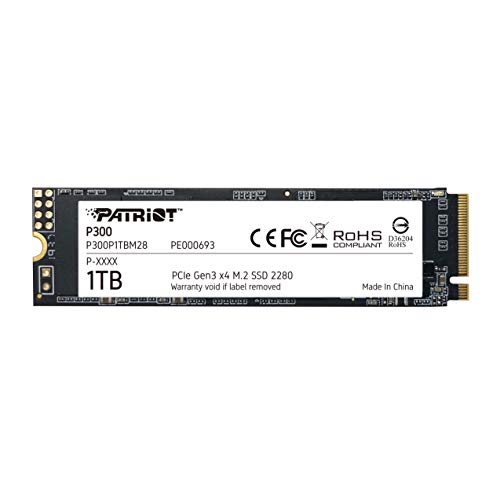
The P300 Is Patriots Next Generation Of Mid-Tier Pcie Gen 3X4 Nvme Ssd To Hit The Market, Offering 25% Higher Transfer Speeds And Iops Than Standard Pcie 3X2 Solutions. The Compact M.2 Form Factor Is Designed For Easy Installation And Will Fit Into Any Pc Or Laptop, While Its Low Power Consumption Helps Extend Laptop Battery Life. The P300 Is Guaranteed To Improve Start-Up, Loading, And Transfer Times Over Traditional Hard Disk Drives. The P300S Advanced Firmware Offers Ecc Technology And End-To-End Data Path Protection To Ensure Data Integrity Throughout The Life To The Drive. Advanced Wear-Leveling And Thermal Management Features Extend The Life Of The Drive For Maximum Use. Boost Your Computers Performance With Quicker Application Loading Times For A Better Overall Experience And Productivity While Transferring Heavy Workloads Without The Lag. Backed By Our 3-Year Warranty, Patriots P300 Delivers One Of The Most Reliable Price-To-Performance Ssds On The Market.
⚠️ WARNING (California Proposition 65): This product may contain chemicals known to the State of California to cause cancer, birth defects, or other reproductive harm. For more information, please visit www.P65Warnings.ca.gov.
Frequently Asked Questions
Q: What are the dimensions of the Patriot P300 SSD?A: The dimensions of the Patriot P300 SSD are zero point fifteen inches in height, three point fifteen inches in width, and zero point eighty-seven inches in length.
Q: What is the storage capacity of the Patriot P300 SSD?A: The storage capacity of the Patriot P300 SSD is one terabyte.
Q: What type of technology does the Patriot P300 SSD use?A: The Patriot P300 SSD uses PCIe Gen three by four NVMe technology, which allows for faster data transfer rates.
Q: How do I install the Patriot P300 SSD?A: To install the Patriot P300 SSD, locate the M.2 slot on your motherboard, insert the SSD at a slight angle, and secure it with the provided screw.
Q: Is the Patriot P300 SSD compatible with my laptop?A: Yes, the Patriot P300 SSD is designed to fit into any PC or laptop that has an M.2 slot.
Q: What operating systems support the Patriot P300 SSD?A: The Patriot P300 SSD supports Windows seven, eight point zero, eight point one, ten, and eleven.
Q: How should I care for my Patriot P300 SSD?A: To care for your Patriot P300 SSD, ensure your computer has proper ventilation and avoid exposing it to extreme temperatures.
Q: What is the warranty period for the Patriot P300 SSD?A: The Patriot P300 SSD is backed by a five-year warranty.
Q: Are there any specific safety precautions for using the Patriot P300 SSD?A: No specific safety precautions are required; however, handle the SSD carefully to avoid static damage during installation.
Q: How do I handle issues with my Patriot P300 SSD?A: If you encounter issues with your Patriot P300 SSD, refer to the manufacturer’s website for troubleshooting tips or contact customer support.
Q: What is the read and write speed of the Patriot P300 SSD?A: The read speed of the Patriot P300 SSD is up to two thousand one hundred megabytes per second, while the write speed is up to one thousand six hundred fifty megabytes per second.
Q: Does the Patriot P300 SSD have data protection features?A: Yes, the Patriot P300 SSD includes end-to-end data path protection and SmartECC technology to ensure data integrity.
Q: Can I use the Patriot P300 SSD for gaming?A: Yes, the Patriot P300 SSD is suitable for gaming as it offers fast loading times and improved performance.
Q: What is thermal throttling technology in the Patriot P300 SSD?A: Thermal throttling technology in the Patriot P300 SSD helps manage heat to maintain optimal performance during heavy use.
Q: How does the Patriot P300 SSD compare to traditional hard drives?A: The Patriot P300 SSD significantly improves start-up, loading, and transfer times compared to traditional hard disk drives.