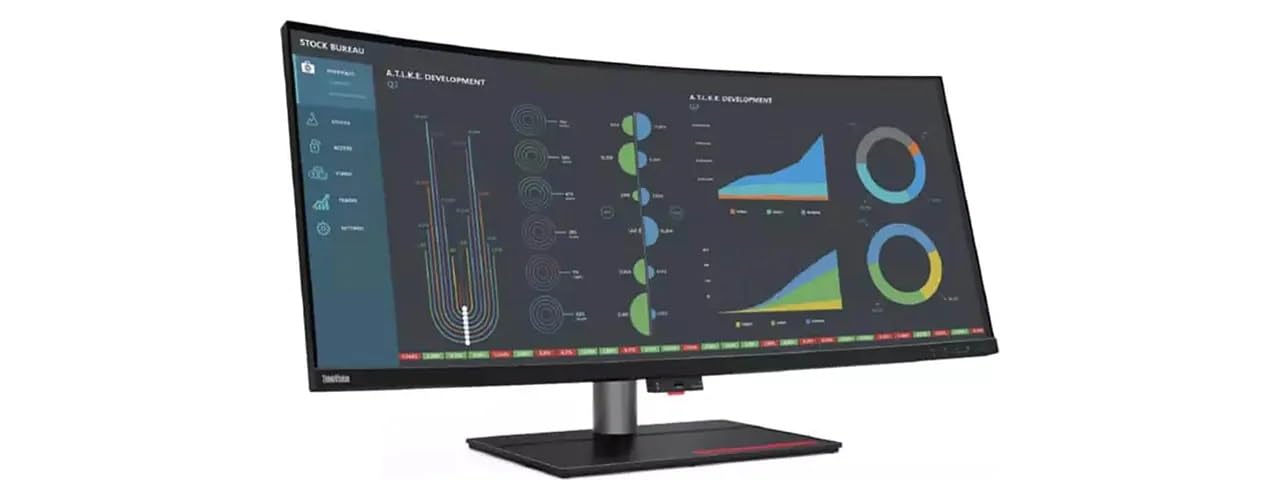
39.7-Inch, 21:9 Aspect Ratio, 5120 X 2160 Wuhd Resolution, With Up To A Total Of 12 Ports, Including Two Thunderbolt 4, The Model Compliance With The Industry Leading Usb4 Technology, Intel Amt Capable Thunderbolt 4 Monitor With Intel Active Management Technology
⚠️ WARNING (California Proposition 65): This product may contain chemicals known to the State of California to cause cancer, birth defects, or other reproductive harm. For more information, please visit www.P65Warnings.ca.gov.
Frequently Asked Questions
Q: What is the screen size of the Lenovo ThinkVision P40w-20 monitor?A: The screen size is thirty-nine point seven inches. This monitor features a wide curved screen that enhances viewing experience.
Q: What is the resolution of the Lenovo ThinkVision P40w-20 monitor?A: The resolution is five thousand one hundred twenty by two thousand one hundred sixty. This high resolution delivers stunning image clarity and detail.
Q: What panel technology does the Lenovo ThinkVision P40w-20 use?A: It uses In-plane Switching (IPS) technology. This allows for better color accuracy and wider viewing angles.
Q: What are the dimensions of the Lenovo ThinkVision P40w-20 monitor?A: The dimensions are sixteen point nine inches by thirty-seven point three inches by four inches. This size is ideal for both home and office setups.
Q: How many screens does the Lenovo ThinkVision P40w-20 monitor have?A: It has one screen. This monitor is designed for a singular immersive viewing experience.
Q: Is the Lenovo ThinkVision P40w-20 monitor suitable for gaming?A: Yes, it is suitable for gaming. The high resolution and fast response time make it an excellent choice for gamers.
Q: What is the color of the Lenovo ThinkVision P40w-20 monitor?A: The color is black. This sleek design complements modern workspaces and home environments.
Q: Can I use the Lenovo ThinkVision P40w-20 monitor for professional design work?A: Yes, it is ideal for professional design work. The IPS technology provides accurate color reproduction essential for graphic design.
Q: What type of binding does the Lenovo ThinkVision P40w-20 monitor have?A: It is bound for personal computers. This makes it suitable for a variety of computing needs.
Q: How do I clean the Lenovo ThinkVision P40w-20 monitor?A: Use a soft, dry cloth to clean the screen. Avoid using harsh chemicals to maintain the screen's quality.
Q: What is the warranty on the Lenovo ThinkVision P40w-20 monitor?A: The warranty period is typically one year. Check with the retailer for specific warranty details and coverage.
Q: Is the Lenovo ThinkVision P40w-20 monitor compatible with Mac devices?A: Yes, it is compatible with Mac devices. It supports various operating systems, ensuring versatility.
Q: How do I connect the Lenovo ThinkVision P40w-20 monitor to my computer?A: You can connect it using HDMI or DisplayPort cables. These connections provide high-quality video output.
Q: What if the Lenovo ThinkVision P40w-20 monitor arrives damaged?A: Contact customer support immediately for assistance. Most retailers offer return policies for damaged items.
Q: Can I adjust the height of the Lenovo ThinkVision P40w-20 monitor?A: No, this model does not have height adjustment. However, it can be tilted for better viewing angles.
Q: Is the Lenovo ThinkVision P40w-20 monitor energy efficient?A: Yes, it is energy efficient. The monitor complies with energy-saving standards to reduce power consumption.