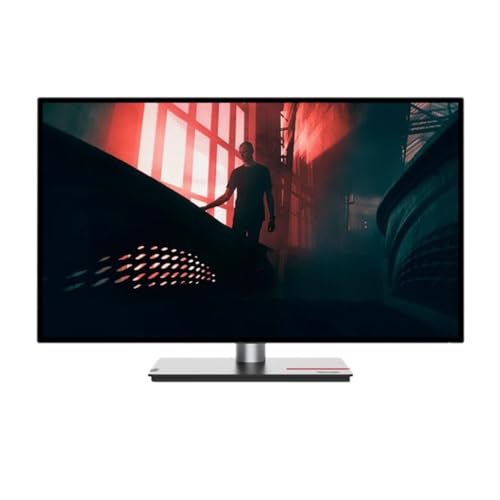
Thinkvision P27H-30 27'' Qhd (2560 X 1440) 4-Side Near-Edgeless Display; Eye-Caring Display With Natural Low Blue Light; 95% Dci-P3, 99% Srgb With Factory Calibrated Accuracy Daisy Chain Capability; Built-In Rj45; Ergonomic Stand|549|0|Both|Long|Warning: This Product Can Expose You To Chemicals Including Lead, Which Is Known To The State Of California To Cause Cancer And Birth Defects Or Other Reproductive Harm. For More Information Go To Www.P65Warnings.Ca.Gov.
⚠️ WARNING (California Proposition 65): This product may contain chemicals known to the State of California to cause cancer, birth defects, or other reproductive harm. For more information, please visit www.P65Warnings.ca.gov.
Frequently Asked Questions
Q: What is the screen size of the Lenovo ThinkVision P27h-30?A: The screen size is twenty-seven inches. This monitor features a WQHD display with a resolution of two thousand five hundred sixty by one thousand four hundred forty.
Q: What type of panel technology does this monitor use?A: It uses In-Plane Switching (IPS) technology. IPS panels are known for their wide viewing angles and accurate color reproduction.
Q: What is the aspect ratio of the Lenovo ThinkVision P27h-30?A: The aspect ratio is sixteen by nine. This is a standard format for widescreen displays, ideal for multimedia consumption.
Q: How do I adjust the monitor's settings?A: You can adjust the monitor's settings using the on-screen display menu. This allows you to change brightness, contrast, and other settings easily.
Q: Is this monitor suitable for gaming?A: Yes, it is suitable for gaming. The WQHD resolution and IPS technology provide a great visual experience for gaming and other multimedia.
Q: Can I mount the Lenovo ThinkVision P27h-30 on a wall?A: Yes, it can be wall-mounted. The monitor supports VESA mounting standards for easy installation on compatible mounts.
Q: How do I clean the Lenovo ThinkVision P27h-30 monitor?A: You can clean it with a microfiber cloth and a mild screen cleaner. Avoid using harsh chemicals that could damage the screen.
Q: What is the warranty period for this monitor?A: The warranty period is typically three years. This covers manufacturing defects and provides peace of mind for your purchase.
Q: Does this monitor have built-in speakers?A: No, it does not have built-in speakers. You will need external speakers or headphones for audio output.
Q: What ports are available on the Lenovo ThinkVision P27h-30?A: It has various ports including HDMI, DisplayPort, and USB-C. These connections allow for versatile setup options with different devices.
Q: Is this monitor suitable for professional photo editing?A: Yes, it is suitable for professional photo editing. The IPS technology ensures accurate color representation, which is essential for editing.
Q: What is the weight of the Lenovo ThinkVision P27h-30 monitor?A: The monitor weighs approximately twelve pounds. This weight makes it manageable for desk placement and wall mounting.
Q: How do I connect my laptop to the monitor?A: You can connect your laptop using HDMI or USB-C cables. Simply plug the appropriate cable into the laptop and the monitor.
Q: What is the resolution of the Lenovo ThinkVision P27h-30?A: The resolution is two thousand five hundred sixty by one thousand four hundred forty. This provides clear and detailed images.
Q: Does this monitor support multiple screen setups?A: Yes, it supports multiple screen setups. You can connect additional monitors to create an extended display for improved productivity.