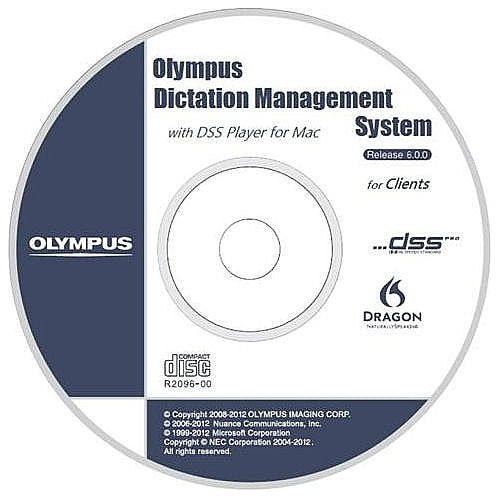
The Olympus Dictation Management Software (Dss Player Pro) Provides Full Support Of The Latest Dictation Technology For Professional Environments. Both Authors And Secretaries Can Benefit From Perfect User Friendliness, Which Is A Result From Olympus Experience In Audio For Several Decades. The Dss Player Pro Dictation Module Is Supplied With The Ds-7000 So That Dictation Authors Can Easily Download And Manage Their Dictations. The Dictation Module Also Supports Direct Recording Using An Olympus Usb Microphone Such As The Directrec Ii. Dictations Can Also Be Directly Recorded Hands-Free Using The 4 Button Footswitch - Rs31.
⚠️ WARNING (California Proposition 65): This product may contain chemicals known to the State of California to cause cancer, birth defects, or other reproductive harm. For more information, please visit www.P65Warnings.ca.gov.
Frequently Asked Questions
Q: What are the dimensions of the Olympus AS7001 software?A: The dimensions are nine point zero two inches in length, six inches in width, and one inch in height. This compact size makes it easy to fit in various setups.
Q: What is the binding type of the Olympus AS7001?A: The binding type is DVD-ROM. This ensures that the software is easily accessible and can be installed on compatible devices.
Q: What is the model number of this product?A: The model number is three three one six zero six. This unique identifier helps in product recognition and support.
Q: How do I install the Olympus AS7001 software?A: To install, insert the DVD-ROM into your computer's drive and follow the on-screen instructions. Ensure your system meets the software requirements for a smooth installation.
Q: Is the Olympus AS7001 compatible with USB microphones?A: Yes, it supports Direct Recording using Olympus USB microphones, such as the DirectRec II. This feature enhances recording flexibility in various environments.
Q: Can I use the Olympus AS7001 for hands-free recording?A: Yes, the software allows hands-free recording using a four button footswitch like the RS31. This is ideal for multitasking during dictation.
Q: How should I store the Olympus AS7001 software?A: Store the DVD-ROM in a cool, dry place away from direct sunlight. This helps preserve the integrity of the disc and prevents damage.
Q: What precautions should I take when using the Olympus AS7001?A: Avoid exposing the DVD-ROM to extreme temperatures or moisture. This ensures the longevity of the software and prevents functional issues.
Q: What should I do if the Olympus AS7001 arrives damaged?A: Contact customer support immediately for assistance with returns or replacements. They can guide you through the process effectively.
Q: Does the Olympus AS7001 have a backup feature?A: Yes, it automatically backs up downloaded dictations. This feature ensures that your recordings are safe and easily retrievable.
Q: Can I customize the Olympus AS7001 settings?A: Yes, you can customize functions on the voice recorder menu setting. This allows for a tailored user experience based on your needs.
Q: Is there an automatic transmission feature in the Olympus AS7001?A: Yes, it automatically transmits downloaded dictations via email and FTP. This streamlines the process of sharing your work.
Q: How can I encrypt dictations with the Olympus AS7001?A: You can encrypt the dictation within the folder by encrypting the folder itself. This adds a layer of security to your sensitive files.
Q: Is the Olympus AS7001 suitable for professional use?A: Yes, it is designed for professional environments, offering user-friendly features that enhance dictation management for authors and secretaries.
Q: What types of users benefit from the Olympus AS7001 software?A: Both authors and secretaries benefit from its user-friendly interface and advanced dictation management capabilities, making it ideal for various workflows.