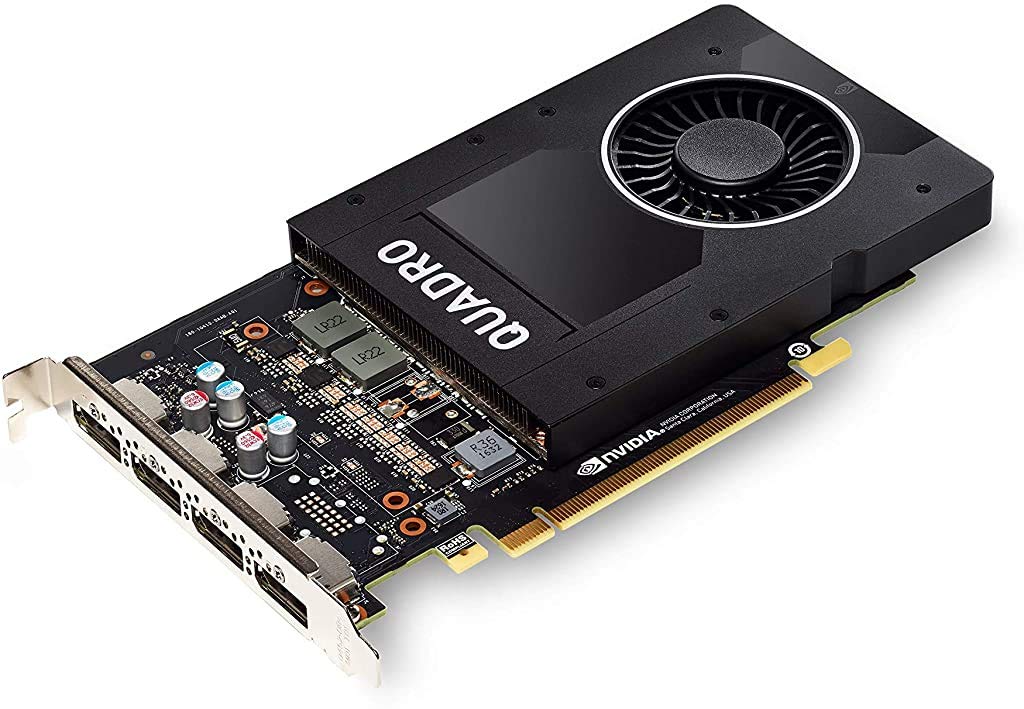
The Quadra P2200 Is The Perfect Balance Of Performance, Compelling Features, And Compact Form Factor Delivering Incredible Creative Experience And Productivity Across A Variety Of Professional 3D Applications. It Features A Pascal Gpu With 1280 Cuda Cores, Large 5 Gb Gddr5X On-Board Memory, And The Power To Drive Up To Four 5K (5120X2880 @ 60Hz) Displays Natively. Accelerate Product Development And Content Creation Workflows With A Gpu That Delivers The Fluid Interactivity You Need To Work With Large Scenes And Models
⚠️ WARNING (California Proposition 65): This product may contain chemicals known to the State of California to cause cancer, birth defects, or other reproductive harm. For more information, please visit www.P65Warnings.ca.gov.
Frequently Asked Questions
Q: What are the dimensions of the NVIDIA Quadro P2200?A: The NVIDIA Quadro P2200 measures seven point ninety-one inches in length, four point forty-one inches in width, and zero point zero four inches in height.
Q: What type of memory does the NVIDIA Quadro P2200 use?A: The NVIDIA Quadro P2200 utilizes five gigabytes of fast GDDR5X GPU memory, allowing it to handle large models and scenes efficiently.
Q: How many CUDA cores does the NVIDIA Quadro P2200 have?A: The NVIDIA Quadro P2200 features one thousand two hundred eighty CUDA cores, delivering powerful graphics and compute performance.
Q: What is the maximum display resolution supported by the NVIDIA Quadro P2200?A: The NVIDIA Quadro P2200 can drive up to four displays at five thousand twelve by two thousand eight hundred eighty resolution at sixty hertz.
Q: Is the NVIDIA Quadro P2200 suitable for 3D design?A: Yes, the NVIDIA Quadro P2200 is ideal for three-dimensional design, full high definition video editing, and medical imaging applications.
Q: What applications are certified for the NVIDIA Quadro P2200?A: The NVIDIA Quadro P2200 is certified with a wide range of professional applications, ensuring compatibility with leading workstation software.
Q: How do I install the NVIDIA Quadro P2200?A: To install the NVIDIA Quadro P2200, simply insert the graphics card into an available PCI Express slot on your motherboard and secure it.
Q: Is the NVIDIA Quadro P2200 compatible with NVIDIA CUDA?A: Yes, the NVIDIA Quadro P2200 is compatible with NVIDIA CUDA, enhancing its capabilities for parallel computing.
Q: How do I keep my NVIDIA Quadro P2200 clean?A: To clean your NVIDIA Quadro P2200, gently dust it with compressed air and avoid using liquids that may damage the components.
Q: What is the warranty period for the NVIDIA Quadro P2200?A: The NVIDIA Quadro P2200 typically comes with a three-year limited warranty, covering manufacturing defects.
Q: What should I do if the NVIDIA Quadro P2200 is not recognized by my computer?A: If the NVIDIA Quadro P2200 is not recognized, ensure it is securely seated in the PCI Express slot and check for driver updates.
Q: Can I use the NVIDIA Quadro P2200 for gaming?A: Yes, while designed for professional applications, the NVIDIA Quadro P2200 can also handle gaming, though it may not perform as well as gaming-specific cards.
Q: What kind of support is available for the NVIDIA Quadro P2200?A: The NVIDIA Quadro P2200 is backed by a global team of support specialists to assist with technical issues and inquiries.
Q: Is the NVIDIA Quadro P2200 suitable for beginners?A: Yes, the NVIDIA Quadro P2200 is suitable for both beginners and professionals in fields like graphic design and video editing.
Q: What are the power requirements for the NVIDIA Quadro P2200?A: The NVIDIA Quadro P2200 requires a power supply capable of delivering at least seventy watts of power.