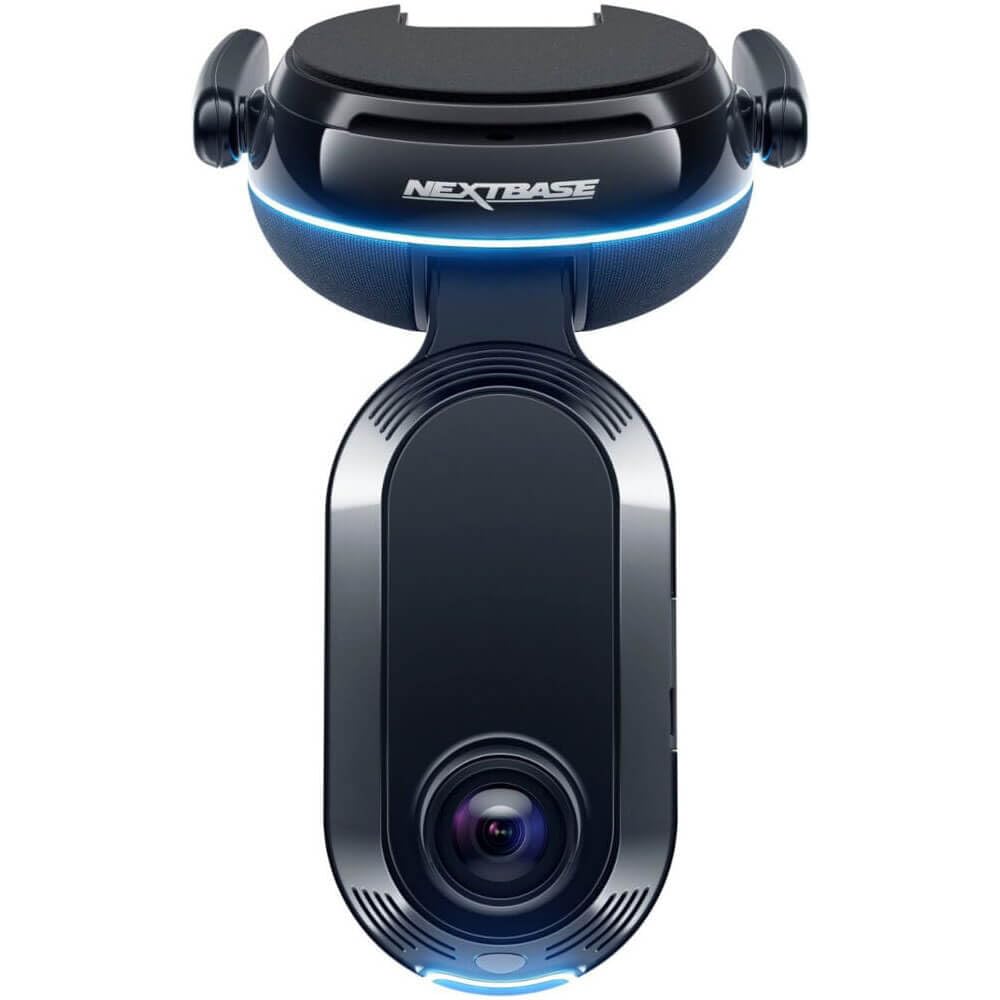
Smart Sense Parking: Receive Instant Threat Alerts And Monitor Movement Around Your Parked Car. This Security Camera From Nextbase Has An Iq App That Utilizes Proximity Sensing Spatial Awareness And Customer-Trained Ai, So You Have The Power To Act Before Anything Happens And You Can Intervene With Voice Or An Alarm. | Guardian Mode: Stay In Control With Guardian Mode. Set Speed & Location Limits And Get Alerted If Your Car Breaks Them. Tap Into Your Dash Cams Front And Rear Feeds Via The Iq App On Your Phone And Talk To Whoever Is Driving At The Time, Whether It Be Your Kids, The Mechanic, Or A Valet, The Iq Has You Covered. | Witness Mode: Get The Backup You Need And Never Face Danger Alone Again With Nextbases Dash Camera For Cars. Simply Say
⚠️ WARNING (California Proposition 65): This product may contain chemicals known to the State of California to cause cancer, birth defects, or other reproductive harm. For more information, please visit www.P65Warnings.ca.gov.
Frequently Asked Questions
Q: What are the dimensions of the Nextbase iQ Dash Cam?A: The Nextbase iQ Dash Cam measures three point four inches in length, five point thirty-one inches in width, and four point fifty-three inches in height.
Q: What color is the Nextbase iQ Dash Cam?A: The Nextbase iQ Dash Cam is available in black.
Q: What is included in the Nextbase iQ Dash Cam bundle?A: The bundle includes the Nextbase iQ Dash Cam and a sixty-four gigabyte micro SD card.
Q: How can I monitor my car with the Nextbase iQ Dash Cam?A: You can monitor your car using the Smart Sense Parking feature, which provides alerts and tracks movement around your parked vehicle.
Q: Can I talk to the driver using the Nextbase iQ Dash Cam?A: Yes, with Guardian Mode, you can communicate with the driver through the iQ app on your phone.
Q: How does Witness Mode work on the Nextbase iQ Dash Cam?A: Witness Mode allows you to say 'start Witness Mode' to capture live footage of an incident and share it with a trusted contact.
Q: What should I do to keep my Nextbase iQ Dash Cam in good working condition?A: To maintain your Nextbase iQ Dash Cam, regularly check for firmware updates and clean the lens to ensure clear video quality.
Q: Is the Nextbase iQ Dash Cam suitable for long-term use?A: Yes, the Nextbase iQ Dash Cam is designed for long-term use and includes features that enhance its durability and functionality.
Q: How do I install the Nextbase iQ Dash Cam?A: To install the Nextbase iQ Dash Cam, mount it securely to your vehicle's windshield using the included adhesive pad and connect it to a power source.
Q: How do I clean the Nextbase iQ Dash Cam?A: You can clean the Nextbase iQ Dash Cam by using a soft, lint-free cloth to wipe the exterior and lens.
Q: What happens if I need to return the Nextbase iQ Dash Cam?A: If you need to return the Nextbase iQ Dash Cam, ensure it is in original condition and refer to the retailer's return policy for instructions.
Q: Does the Nextbase iQ Dash Cam come with a warranty?A: Yes, the Nextbase iQ Dash Cam typically comes with a warranty, which covers defects in materials and workmanship.
Q: What emergency features does the Nextbase iQ Dash Cam have?A: The Nextbase iQ Dash Cam features Emergency SOS Response, which can automatically contact emergency services if you're involved in an accident.
Q: Can I access recorded footage remotely?A: Yes, you can access recorded footage remotely through the iQ app on your smartphone.
Q: What makes the Nextbase iQ Dash Cam different from other dash cams?A: The Nextbase iQ Dash Cam stands out due to its advanced AI features, like Roadwatch AI, which analyzes surrounding vehicle speeds.