

Cart
0


NB dell248NY R
Free Standard Shipping Across USA
Vendor: Dell
Type: Business Laptops
Sku: WBCOMB0C3DGXB1Z
Availability: Sold Out
Couldn't load pickup availability
Guarantee safe checkout

Sold by Electroeshop, an authorized reseller.
Returns accepted within 30 days | support@electroeshop.com
Shipping Information
- Free Standard Shipping — United States only
- Estimated Delivery Time: Dec 2 – Dec 8
- Double-boxed, fully insured & discreetly packaged
- Tracking number sent via email once dispatched
Returns & Refund
Returns accepted within 30 days of delivery.
Damaged or Defective Item
Free return shipping + replacement or full refund
Wrong Item Received
Free return shipping + replacement or full refund
Change of Mind
Return shipping at customer's expense · 25% restocking fee applies
All returns require a Return Authorization (RA) number before sending.
View Full Return & Refund Policy
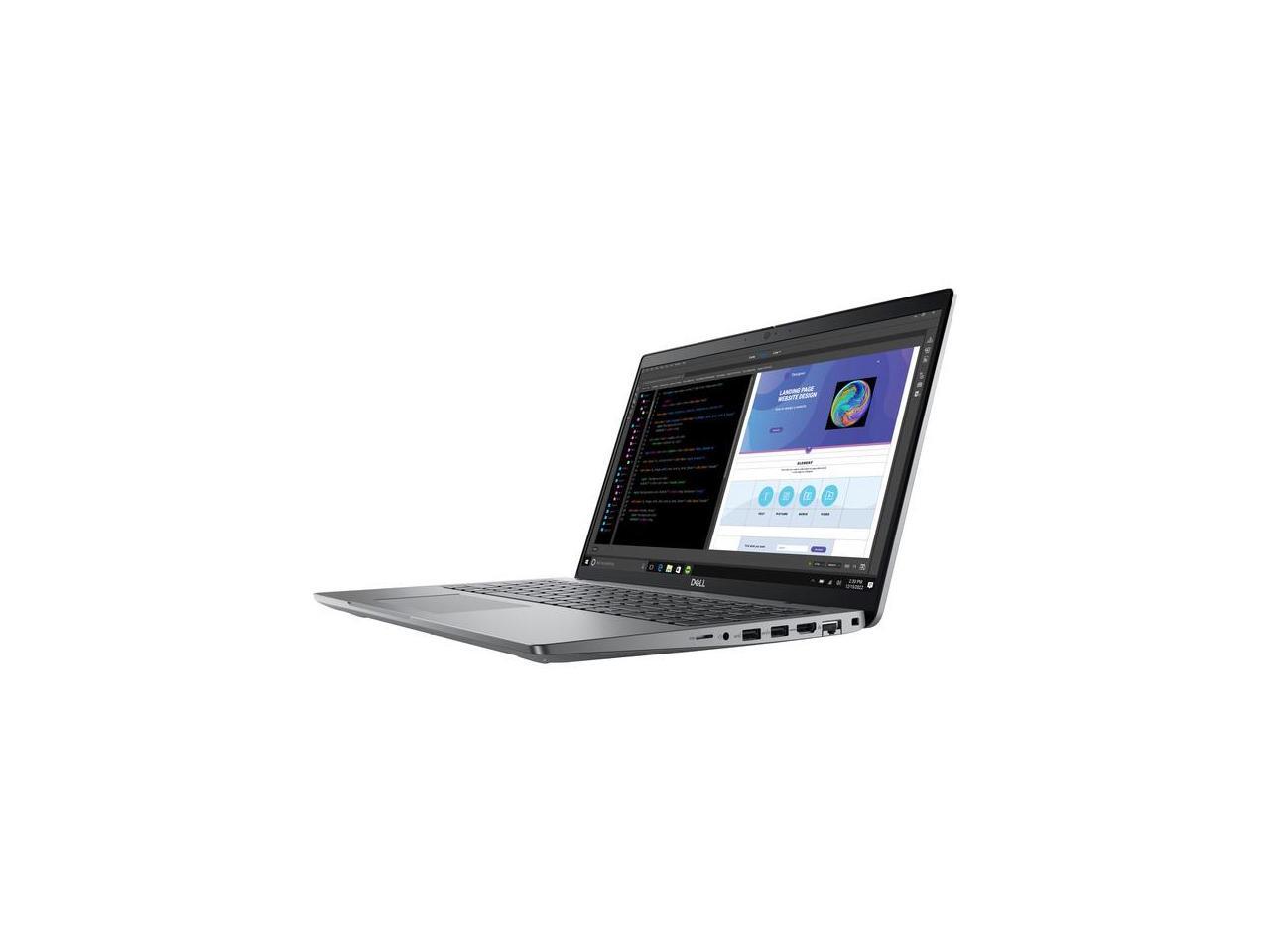
NB dell248NY R
$2,168.17

Frequently Asked Questions
- Q: What are the dimensions of the Dell Precision 3000 3580? A: The dimensions are nine point twenty-one inches in length, fourteen point one inches in width, and zero point ninety-one inches in height.
- Q: What is the display resolution of the Dell Precision 3000 3580? A: The display resolution is one thousand nine hundred twenty by one thousand eighty pixels, providing full HD clarity.
- Q: What type of processor does the Dell Precision 3000 3580 use? A: It uses an Intel Core i5 thirteen generation processor, specifically the i5-1350P, with a base clock speed of one point ninety GHz.
- Q: How much RAM does the Dell Precision 3000 3580 have? A: The laptop is equipped with sixteen gigabytes of total RAM, allowing for smooth multitasking.
- Q: What is the storage capacity of the Dell Precision 3000 3580? A: It includes a five hundred twelve gigabyte solid-state drive, providing ample space for documents and files.
- Q: What graphics card is included in the Dell Precision 3000 3580? A: It features an NVIDIA RTX A500 graphics card with four gigabytes of dedicated memory for enhanced multimedia performance.
- Q: How do I use the Dell Precision 3000 3580 for design applications? A: Simply install your preferred design software, and with its optimized performance, the laptop will handle tasks like CAD and creative applications efficiently.
- Q: Is the Dell Precision 3000 3580 suitable for gaming? A: Yes, it can run many modern games due to its powerful graphics card and sufficient RAM.
- Q: Can I upgrade the RAM in the Dell Precision 3000 3580? A: Yes, the RAM can be upgraded beyond sixteen gigabytes if needed for more demanding applications.
- Q: How should I clean the Dell Precision 3000 3580? A: Use a soft, lint-free cloth to wipe down the exterior and screen; avoid using harsh chemicals.
- Q: What should I do if the Dell Precision 3000 3580 gets damaged during shipping? A: Inspect the laptop upon arrival and contact customer support immediately if you find any damage for assistance with returns or replacements.
- Q: How do I keep the battery of the Dell Precision 3000 3580 in good condition? A: Avoid letting the battery fully discharge frequently, and store the laptop in a cool, dry place when not in use.
- Q: Is the Dell Precision 3000 3580 suitable for students? A: Yes, it's an excellent choice for students due to its versatility for both academic and creative tasks.
- Q: Does the Dell Precision 3000 3580 have a warranty? A: Yes, it typically comes with a standard manufacturer's warranty; check the specific terms for details.
- Q: What makes the Dell Precision 3000 3580 reliable for work? A: Its combination of a powerful processor, ample RAM, and high-quality graphics makes it ideal for demanding work environments.