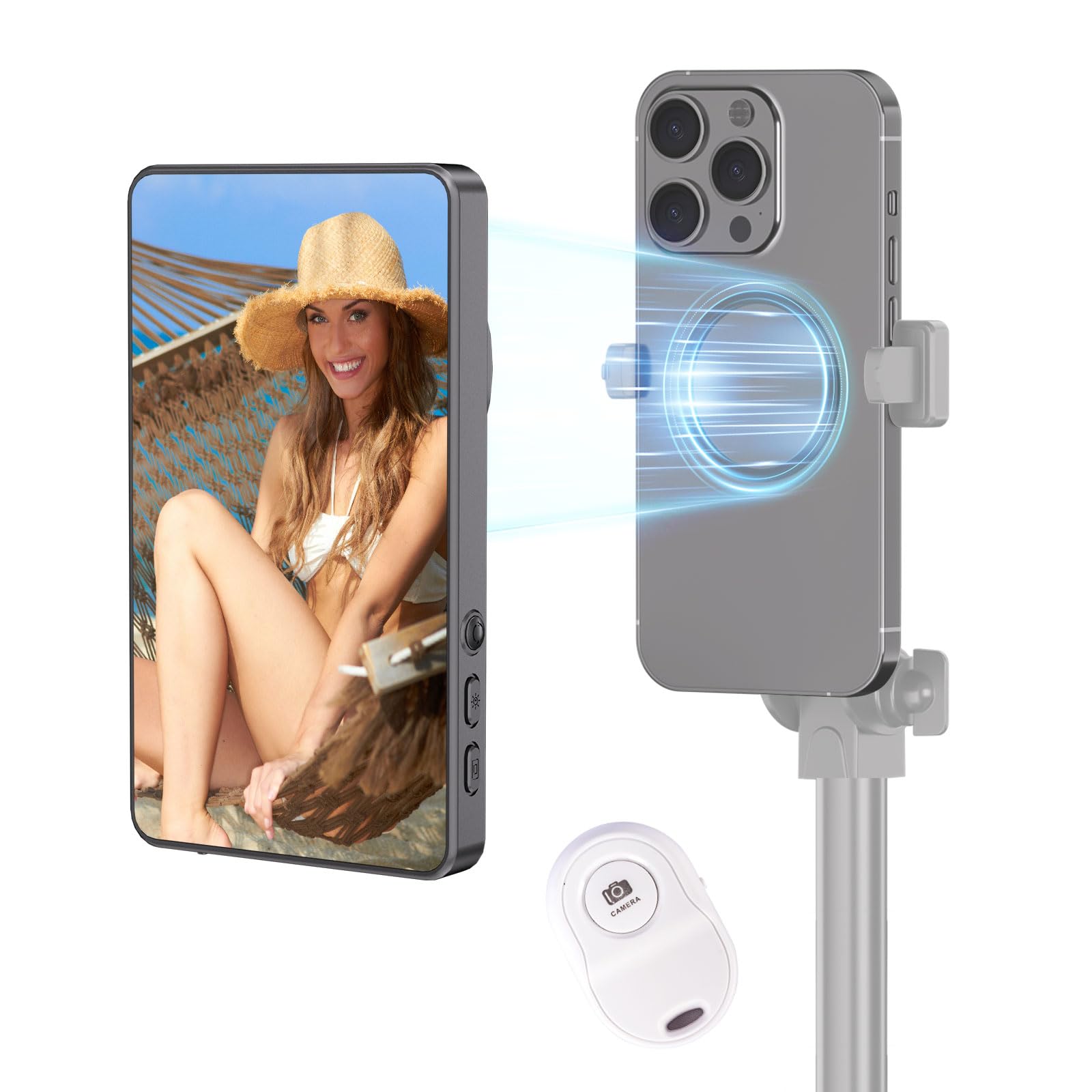
The Myw Gray Magnetic Phone Vlog Selfie Monitor Screen Is Designed Specifically For Phone Monitor Screens And Android Devices, Offering Seamless Compatibility With Iphones As A Selfie Screen Monitor Or Back Camera Monitor. Featuring Advanced Wireless 0-Latency Technology, It Ensures Real-Time Synchronization For Smooth And Uninterrupted Filming-Ideal For Vlogging And Content Creation. With A High-Capacity 1800Mah Battery, This Monitor Provides Extended Usage Time, Allowing You To Enjoy Vlog Shooting Or Using The Selfie Mirror Without Constantly Recharging. It Supports Screen Mirroring For Iphone, Enabling Effortless Wireless Synchronization With External Devices To Accommodate Various Recording Needs.
⚠️ WARNING (California Proposition 65): This product may contain chemicals known to the State of California to cause cancer, birth defects, or other reproductive harm. For more information, please visit www.P65Warnings.ca.gov.
Frequently Asked Questions
Q: What is the battery capacity of the MYW Selfie Monitor Screen?A: The battery capacity is one thousand eight hundred milliamp hours. This allows for extended use during recording sessions without frequent recharging.
Q: Is the MYW Selfie Monitor Screen compatible with different phone models?A: Yes, it is compatible with both iPhone and Android devices. It works seamlessly with various systems, including iOS 9.0 and Android 2.0.
Q: What are the dimensions of the MYW Selfie Monitor Screen?A: The dimensions are not specified in the product details. However, it is designed to be portable and user-friendly for vlogging.
Q: How do I use the MYW Selfie Monitor Screen for vlogging?A: Simply connect the monitor to your phone and use the remote control for hands-free operation. It allows for easy capturing of selfies and videos.
Q: Can I use the MYW Selfie Monitor Screen for live streaming?A: Yes, you can use it for live streaming. The zero-latency technology ensures smooth video recording and playback.
Q: Is there a specific way to mount my phone on the MYW Selfie Monitor Screen?A: Yes, the monitor features an upgraded magnetic design for secure phone mounting. This prevents damage and ensures stability during use.
Q: How do I clean and maintain the MYW Selfie Monitor Screen?A: To clean the monitor, use a soft, dry cloth to wipe the screen. Avoid using harsh chemicals that may damage the surface.
Q: What precautions should I take when using the MYW Selfie Monitor Screen?A: Ensure that the phone is securely attached to the monitor to prevent falls. Also, avoid exposing it to extreme temperatures or moisture.
Q: How long does the battery last on the MYW Selfie Monitor Screen?A: The battery can last for several hours, depending on usage. With one thousand eight hundred milliamp hours, it supports long recording sessions.
Q: Is the MYW Selfie Monitor Screen safe to use with my smartphone?A: Yes, it is safe to use. The magnetic design prevents slipping, and it is compatible with all phone monitor screens.
Q: Can I use the MYW Selfie Monitor Screen with a tripod?A: Yes, you can attach it to a tripod if your setup allows for it. This provides additional stability while recording.
Q: What should I do if my MYW Selfie Monitor Screen arrives damaged?A: If it arrives damaged, contact customer support immediately for assistance. They will guide you through the return process.
Q: Does the MYW Selfie Monitor Screen come with a warranty?A: Yes, it typically comes with a manufacturer’s warranty. Check the packaging or product details for specific warranty information.
Q: What if I encounter connectivity issues with my MYW Selfie Monitor Screen?A: If you face connectivity issues, ensure that both devices are within range and properly paired. Restarting both devices may also help.
Q: Is there a return policy for the MYW Selfie Monitor Screen?A: Yes, there is a return policy. Check the retailer's website or contact customer service for specific return instructions and timeframes.
Q: How do I ensure optimal performance of the MYW Selfie Monitor Screen?A: For optimal performance, keep the firmware updated and ensure a strong wireless connection. Regularly charge the battery to maintain its lifespan.