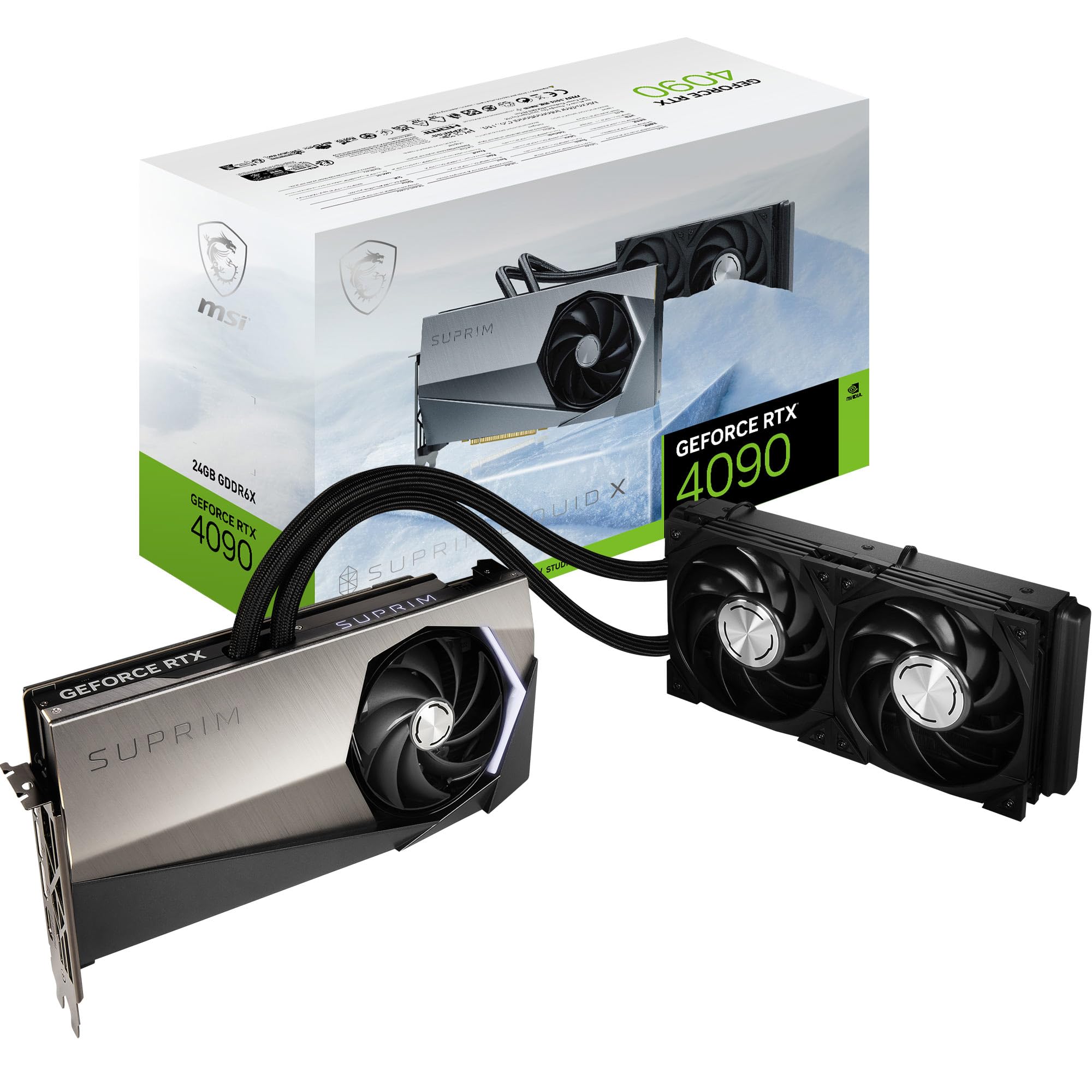
The GeForce RTX® 4090 SUPRIM LIQUID X 24G is a high-performance graphics card designed for gamers and professionals seeking the ultimate in visual fidelity and processing power. With its advanced architecture and cutting-edge technology, this GPU is ideal for ultra-high performance gaming and demanding creative applications.
This state-of-the-art graphics card is built on the NVIDIA Ada Lovelace architecture, delivering a significant leap in performance and efficiency. The GeForce RTX® 4090 SUPRIM LIQUID X 24G features a sophisticated cooling system, ensuring optimal thermal performance during intense gaming sessions or heavy rendering tasks. Its sleek black design not only enhances the aesthetics of your setup but also reflects the premium quality of MSI products.
Key Features:
Architecture: Powered by NVIDIA Ada Lovelace architecture for superior performance and efficiency.
Ray Tracing: Supports advanced ray tracing technology for incredibly realistic lighting and shadows.
High Memory Capacity: Equipped with 24GB of GDDR6X memory, allowing for seamless multitasking and high-resolution gaming.
Cooling System: Features an advanced liquid cooling solution for optimal thermal management and enhanced performance.
Brand Trust: Manufactured by MSI, a leader in gaming hardware known for quality and reliability.
Enhanced Productivity: Ideal for content creators, enabling fast rendering and smooth multitasking across demanding applications.
Design: Sleek black finish that complements any gaming build while ensuring efficient airflow.
The GeForce RTX® 4090 SUPRIM LIQUID X 24G is perfect for gamers, creators, and professionals who demand the best in performance and visual quality. Whether you're diving into the latest AAA titles or pushing the boundaries of digital content creation, this graphics card provides the power and efficiency needed to excel in any task. Experience the future of gaming and productivity with this exceptional GPU.
⚠️ WARNING (California Proposition 65): This product may contain chemicals known to the State of California to cause cancer, birth defects, or other reproductive harm. For more information, please visit www.P65Warnings.ca.gov.
Frequently Asked Questions
Q: What is the model number of this graphics card?A: The model number is V510-007R. This identifies the specific version of the MSI GeForce RTX 4090 SUPRIM Liquid X graphics card.
Q: What are the dimensions of this graphics card?A: The dimensions are three point fifteen inches in length, one point eighteen inches in width, and zero point thirty-nine inches in height. This compact size ensures compatibility with many PC builds.
Q: What type of memory does this graphics card have?A: This graphics card has twenty-four gigabytes of GDDR6X memory. This high-capacity memory allows for smooth performance in high-resolution gaming and demanding applications.
Q: What is the maximum clock speed of this graphics card?A: The maximum clock speed is two thousand six hundred twenty-five megahertz. This enables rapid processing for high-performance gaming and graphics rendering.
Q: What is the bus interface of this graphics card?A: The bus interface is PCI Express Gen 4. This ensures fast data transfer rates between the graphics card and the motherboard.
Q: How many display outputs does this graphics card have?A: It has three DisplayPort version one point four a and one HDMI version two point one a output. This variety allows for multiple monitor setups and higher resolutions.
Q: How do I install this graphics card?A: To install, open your computer case, insert the graphics card into the PCI Express slot, and secure it with screws. Connect the necessary power cables from your power supply for proper functionality.
Q: Is this graphics card suitable for 4K gaming?A: Yes, it is suitable for 4K gaming. With its advanced processing power and memory, it can handle high-resolution settings and maintain smooth frame rates.
Q: Can I use this graphics card for video editing?A: Yes, it is excellent for video editing. The powerful GPU acceleration can significantly improve rendering times and playback performance in editing software.
Q: What is the recommended power supply for this graphics card?A: A power supply of at least seven hundred watts is recommended. This ensures that the graphics card receives sufficient power for optimal performance.
Q: How should I clean this graphics card?A: To clean, use compressed air to remove dust from the fans and heatsinks. Avoid using liquids which can damage the electronic components.
Q: Does this graphics card come with a warranty?A: Yes, it typically comes with a manufacturer's warranty. Check with MSI for the specific terms and duration of the warranty.
Q: What do I do if my graphics card arrives damaged?A: If damaged, contact the retailer for return or exchange options. Keep all packaging materials and take photos of the damage for documentation.
Q: How do I ensure my graphics card stays cool?A: Ensure proper airflow in your case and consider additional fans if needed. The liquid cooling system in this card also helps maintain lower temperatures.
Q: Is this graphics card good for beginners?A: Yes, it is suitable for beginners. Its user-friendly installation process and high performance allow new users to enjoy gaming and creative tasks easily.