

Cart
0


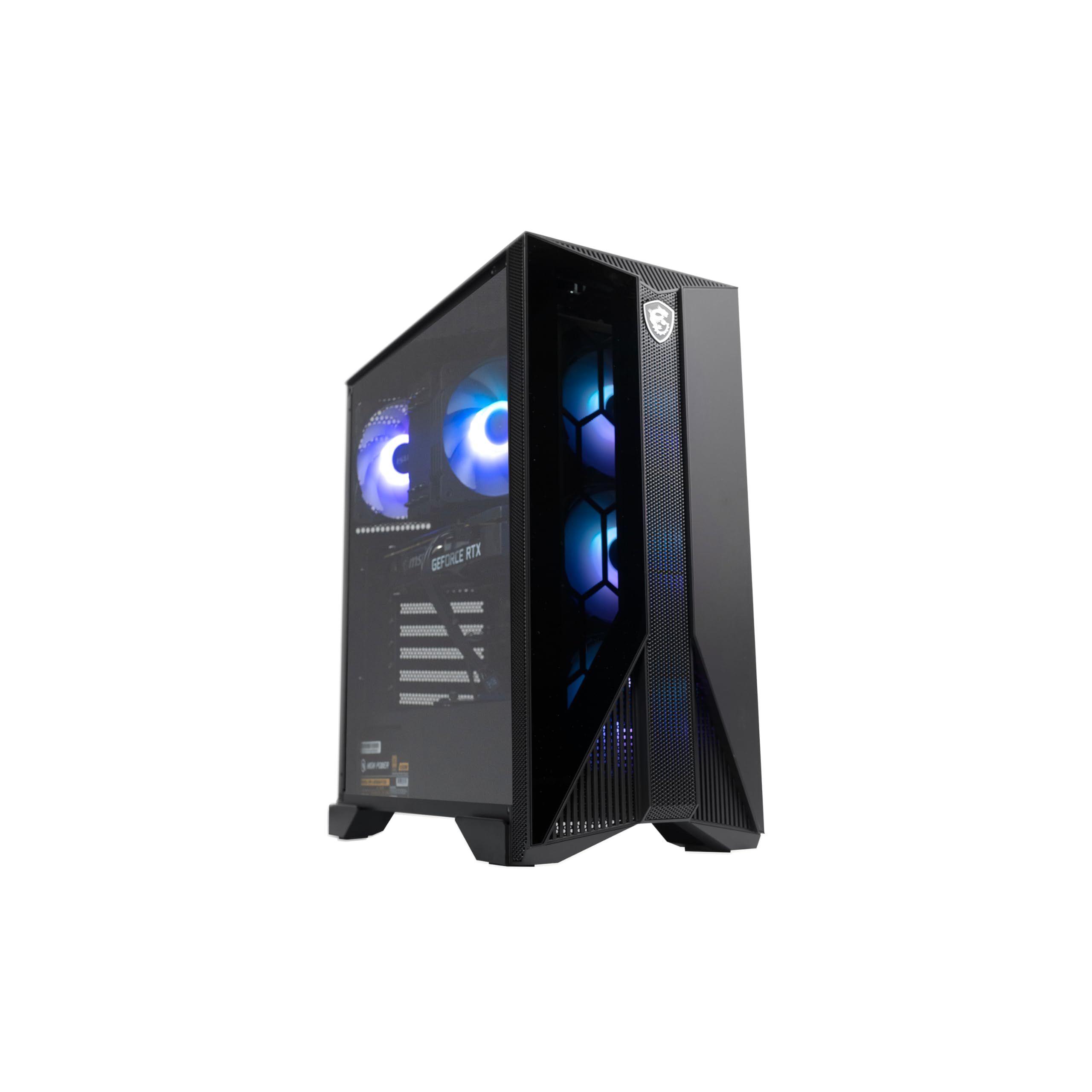
Msi Aegis Zs Gaming Desktop, Amd Ryzen 7 7700, Geforce Rtx 4060, 16Gb Ram, 1Tb Ssd, Rgb Fan Cooling, Wi-Fi 6E, Keyboard & Mouse
Free Standard Shipping Across USA
Vendor: MSI
Type: Desktop Towers
Sku: WBCOMB0CDKLKC2G
Availability: Sold Out
Couldn't load pickup availability
Guarantee safe checkout

Sold by Electroeshop, an authorized reseller.
Returns accepted within 30 days | support@electroeshop.com
Shipping Information
- Free Standard Shipping — United States only
- Processing Time: 3–5 business days
- Estimated Delivery: 6–10 business days after dispatch
- Double-boxed, fully insured & discreetly packaged
- Tracking number sent via email once dispatched
Returns & Refund
Returns accepted within 30 days of delivery.
Damaged or Defective Item
Free return shipping + replacement or full refund
Wrong Item Received
Free return shipping + replacement or full refund
Change of Mind
Return shipping at customer's expense · 25% restocking fee applies
All returns require a Return Authorization (RA) number before sending.
View Full Return & Refund Policy
Msi Aegis Zs Gaming Desktop, Amd Ryzen 7 7700, Geforce Rtx 4060, 16Gb Ram, 1Tb Ssd, Rgb Fan Cooling, Wi-Fi 6E, Keyboard & Mouse
$1,843.39

Frequently Asked Questions
- Q: What type of processor does the MSI Aegis ZS Gaming Desktop use? A: The MSI Aegis ZS Gaming Desktop uses an AMD Ryzen seven thousand seven hundred processor. This high-performance CPU is designed for gaming and multitasking.
- Q: How much RAM does the MSI Aegis ZS Gaming Desktop have? A: The MSI Aegis ZS Gaming Desktop comes with sixteen gigabytes of RAM. This ensures smooth performance while running multiple applications or games.
- Q: What is the storage capacity of the MSI Aegis ZS Gaming Desktop? A: The MSI Aegis ZS Gaming Desktop features a one terabyte solid-state drive. This provides ample storage for games, applications, and files.
- Q: What graphics card is included in the MSI Aegis ZS Gaming Desktop? A: The MSI Aegis ZS Gaming Desktop is equipped with an NVIDIA GeForce RTX four thousand sixty graphics card. This card supports high-quality graphics and gaming performance.
- Q: Is the MSI Aegis ZS Gaming Desktop suitable for gaming? A: Yes, the MSI Aegis ZS Gaming Desktop is specifically designed for gaming. Its powerful components ensure high frame rates and excellent graphics quality.
- Q: Does the MSI Aegis ZS Gaming Desktop come with a keyboard and mouse? A: Yes, the MSI Aegis ZS Gaming Desktop includes a keyboard and mouse. This allows for immediate setup and use right out of the box.
- Q: Can I upgrade the components of the MSI Aegis ZS Gaming Desktop? A: Yes, the MSI Aegis ZS Gaming Desktop is DIY friendly and allows for component upgrades. This includes RAM, storage, and graphics card options.
- Q: What cooling system does the MSI Aegis ZS Gaming Desktop have? A: The MSI Aegis ZS Gaming Desktop features RGB fan cooling. This not only helps maintain optimal temperatures but also adds aesthetic appeal.
- Q: What operating system does the MSI Aegis ZS Gaming Desktop use? A: The MSI Aegis ZS Gaming Desktop comes pre-installed with Windows eleven Home. This offers a modern and user-friendly interface for gaming and productivity.
- Q: What is the color of the MSI Aegis ZS Gaming Desktop? A: The MSI Aegis ZS Gaming Desktop is available in black. This sleek color complements its gaming aesthetic.
- Q: How do I clean the MSI Aegis ZS Gaming Desktop? A: To clean the MSI Aegis ZS Gaming Desktop, use a soft, dry cloth to wipe the exterior. For internal cleaning, ensure it is powered off and unplugged before dusting.
- Q: What is the warranty period for the MSI Aegis ZS Gaming Desktop? A: The MSI Aegis ZS Gaming Desktop typically comes with a one-year warranty. This covers manufacturing defects and ensures customer support.
- Q: Is the MSI Aegis ZS Gaming Desktop suitable for beginners? A: Yes, the MSI Aegis ZS Gaming Desktop is suitable for beginners. Its user-friendly setup and included peripherals make it easy to start gaming.
- Q: Can the MSI Aegis ZS Gaming Desktop handle VR gaming? A: Yes, the MSI Aegis ZS Gaming Desktop is capable of handling VR gaming. Its powerful graphics and processing capabilities meet the requirements for virtual reality experiences.
- Q: What should I do if the MSI Aegis ZS Gaming Desktop arrives damaged? A: If the MSI Aegis ZS Gaming Desktop arrives damaged, contact customer support immediately. They will assist with the return and replacement process.