

Cart
0


Mokerlink 16 Port Poe Switch, 2 Gigabit Uplink, 200W Ieee802.3Af/At, Vlan & Extend, Metal Rackmount Unmanaged Plug And Play Ethe
Vendor: Mokerlink
Type: Network Switches
Sku: WBEEAB0CX8RC6XN
Availability: In Stock
Couldn't load pickup availability
Guarantee safe checkout

Sold by Electroeshop, an authorized reseller.
Returns accepted within 30 days | support@electroeshop.com
Shipping Information
- Free Standard Shipping — United States only
- Processing Time: 1–3 business days
- Estimated Delivery: 3–5 business days after dispatch
- Double-boxed, fully insured & discreetly packaged
- Tracking number sent via email once dispatched
- Orders over $250 require signature upon delivery. Taxes calculated at checkout.
Returns & Refund
Returns accepted within 30 days of delivery.
Damaged or Defective Item
Free return shipping + replacement or full refund
Wrong Item Received
Free return shipping + replacement or full refund
Change of Mind
Return shipping at customer's expense · 25% restocking fee applies
All returns require a Return Authorization (RA) number before sending.
View Full Return & Refund Policy
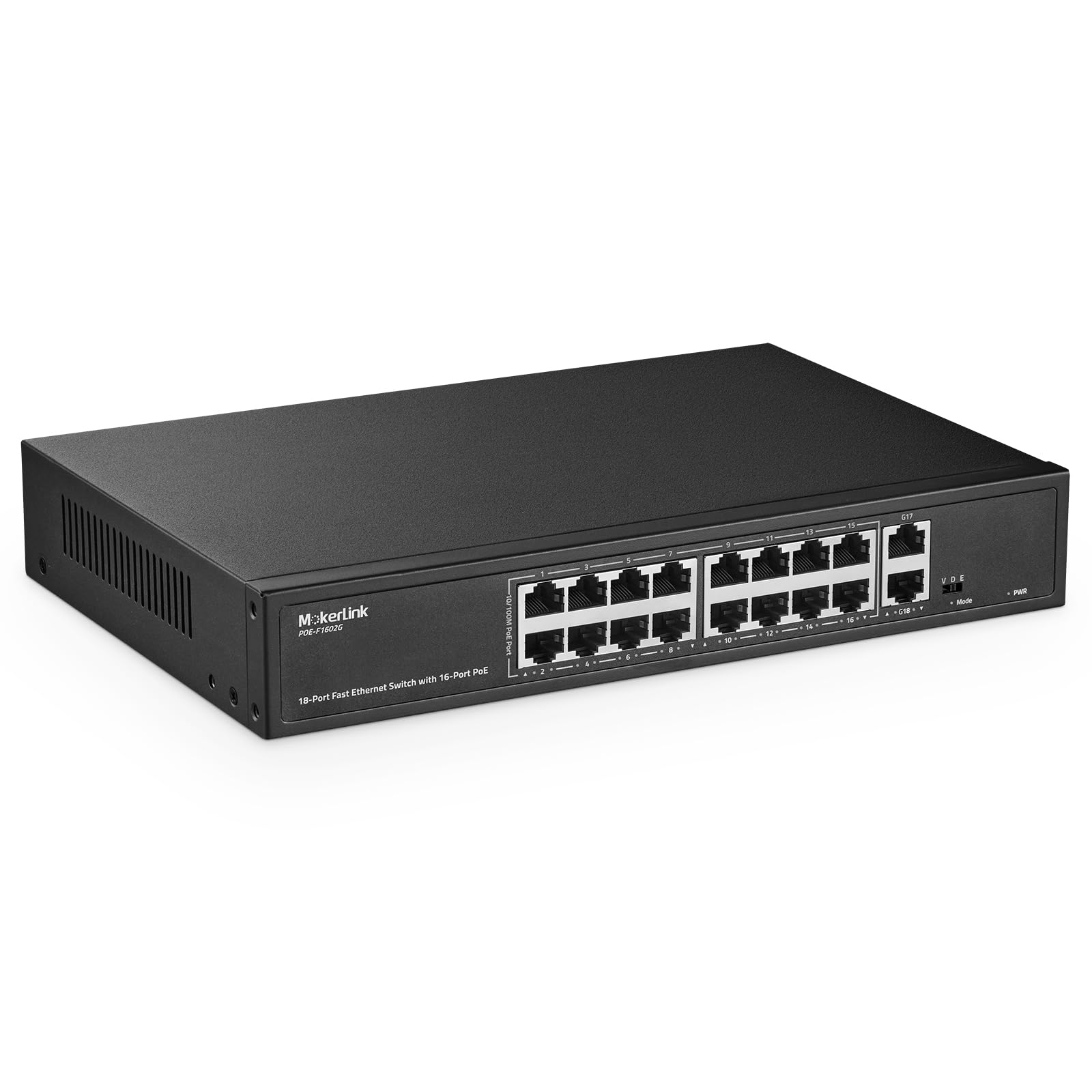
Mokerlink 16 Port Poe Switch, 2 Gigabit Uplink, 200W Ieee802.3Af/At, Vlan & Extend, Metal Rackmount Unmanaged Plug And Play Ethe
$75.30

Frequently Asked Questions
- Q: What is the power output of the MokerLink 16 Port PoE Switch? A: The maximum power output is two hundred watts. This allows each port to supply up to thirty watts of power, supporting IEEE 802.3af/at standards.
- Q: How many PoE ports does the switch have? A: There are sixteen PoE ports available. These ports support automatic adaptation for efficient power management.
- Q: What are the uplink capabilities of this switch? A: The switch has two gigabit Ethernet uplink ports. These ports allow connection to various network devices like routers and NVRs.
- Q: What is the size of this Ethernet switch? A: The product dimensions are not specified. However, it features a metal rackmount design suitable for various installations.
- Q: Can this switch support VLAN configurations? A: Yes, it supports VLAN configurations. This feature allows port isolation to enhance network security and reduce congestion.
- Q: What is the maximum distance for PoE transmission? A: The maximum distance for PoE transmission is two hundred fifty meters at ten megabits per second. This is beneficial for extended installations.
- Q: How do I install the MokerLink PoE switch? A: Installation is straightforward due to its plug-and-play design. Simply connect the power cord and ethernet cables without needing additional configuration.
- Q: Is this switch suitable for home and office use? A: Yes, it is suitable for both home and office environments. It is commonly used with PoE cameras, WiFi access points, and other network devices.
- Q: How do I ensure the switch stays in good condition? A: To maintain the switch, ensure proper ventilation and avoid exposure to moisture. Regularly check connections and keep the device clean.
- Q: Are there any special cleaning requirements for this switch? A: No special cleaning requirements are needed. Simply wipe it with a dry cloth to remove dust and debris.
- Q: What if the switch does not power on? A: If the switch does not power on, check the power connections. Ensure the power cord is securely plugged in and consider testing with a different outlet.
- Q: Does this switch come with a warranty? A: Yes, it typically comes with a manufacturer's warranty. Check the product documentation for specific warranty details.
- Q: Can I return the switch if it arrives damaged? A: Yes, you can return the switch if it arrives damaged. Ensure to follow the return policy outlined by the retailer.
- Q: Is this switch compatible with non-PoE devices? A: Yes, it is compatible with non-PoE devices. The switch can provide a data link to such devices while supplying power to PoE devices.
- Q: What should I do if I encounter setup issues? A: If you encounter setup issues, refer to the user manual for troubleshooting steps. You can also contact customer support for assistance.