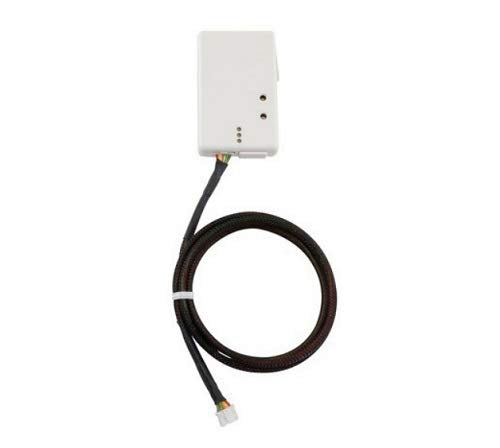
Mitsubishi Wireless Interface 2 Is The Latest Kumo Cloud Adapter That Gives You Complete Control Of Your Mitsubishi Mini-Split Systems. This Wifi Interface Adapter Facilitates Programming And Operation Of Your Mini-Split System Through A Wireless Or Local Network.This Latest Version Can Be Used Simultaneously With Mhk1. Due To The Power Requirements Of The Wireless Interface 2 And Mhk1, Only The Sez, Svz, Slz, Mvz, P-Series And City Multi Indoor Units Will Be Able To Power Both Devices (Mhk1 And Pac-Uswhs002-Wf-2) Requirements Compatible Mitsubishi Electric Indoor Units- See Remote Controller Compatibility Charts Wireless Router Mitsubishi Electric Wireless Interface (Pac-Uswhs002-Wf-2) Compatible Software Platforms With The Kumo Cloud App (Ios 8.0 Or Later, Android 4.1 Or Later, Fire Os 4.1 Or Later)
⚠️ WARNING (California Proposition 65): This product may contain chemicals known to the State of California to cause cancer, birth defects, or other reproductive harm. For more information, please visit www.P65Warnings.ca.gov.
Frequently Asked Questions
Q: What are the dimensions of the Mitsubishi Electric PAC-USWHS002-WF-2?A: The dimensions are two point nine two inches in length, zero point seven one inches in width, and one point eight two inches in height.
Q: What is the model number for this wireless interface?A: The model number is PAC-USWHS002-WF-2, specifically designed for Mitsubishi mini-split systems.
Q: What color is the Mitsubishi Electric PAC-USWHS002-WF-2?A: The wireless interface adapter is white.
Q: How do I install the Mitsubishi Wireless Interface?A: To install, connect the PAC-USWHS002-WF-2 to your compatible Mitsubishi indoor unit according to the manufacturer’s instructions.
Q: Can I use this device with my existing MHK1 controller?A: Yes, the PAC-USWHS002-WF-2 can be used simultaneously with the MHK1 controller.
Q: What indoor units are compatible with this wireless interface?A: Compatible units include SEZ, SVZ, SLZ, MVZ, P-Series, and City Multi indoor units.
Q: How do I maintain the Mitsubishi Wireless Interface?A: Keep the device in a dry location, away from extreme temperatures, and ensure the firmware is updated regularly.
Q: What are the power requirements for the PAC-USWHS002-WF-2?A: The device requires power from compatible Mitsubishi indoor units to function alongside the MHK1 controller.
Q: Is the PAC-USWHS002-WF-2 safe for use in residential areas?A: Yes, the wireless interface is designed for safe use in residential environments.
Q: How do I connect my mobile app to the Mitsubishi Wireless Interface?A: Download the kumo cloud app, ensure your wireless network is set up, and follow the app's instructions to connect.
Q: Can I control my mini-split system remotely?A: Yes, the PAC-USWHS002-WF-2 allows remote control of your mini-split system through the kumo cloud app.
Q: What if my PAC-USWHS002-WF-2 arrives damaged?A: If the device arrives damaged, contact the seller immediately to initiate a return or exchange.
Q: What should I do if I have trouble connecting the wireless interface?A: Ensure your indoor unit is compatible and check your wireless router settings, then restart both devices.
Q: Does this device work with smart home systems?A: Yes, the PAC-USWHS002-WF-2 works with Amazon Alexa and Google Assistant for voice control.
Q: Are there any specific software requirements for the PAC-USWHS002-WF-2?A: Yes, it requires compatible software platforms with kumo cloud app for iOS, Android, or Fire OS.
Q: What kind of warranty is provided with the Mitsubishi Wireless Interface?A: The warranty details can vary; please check with the manufacturer for specific warranty information.