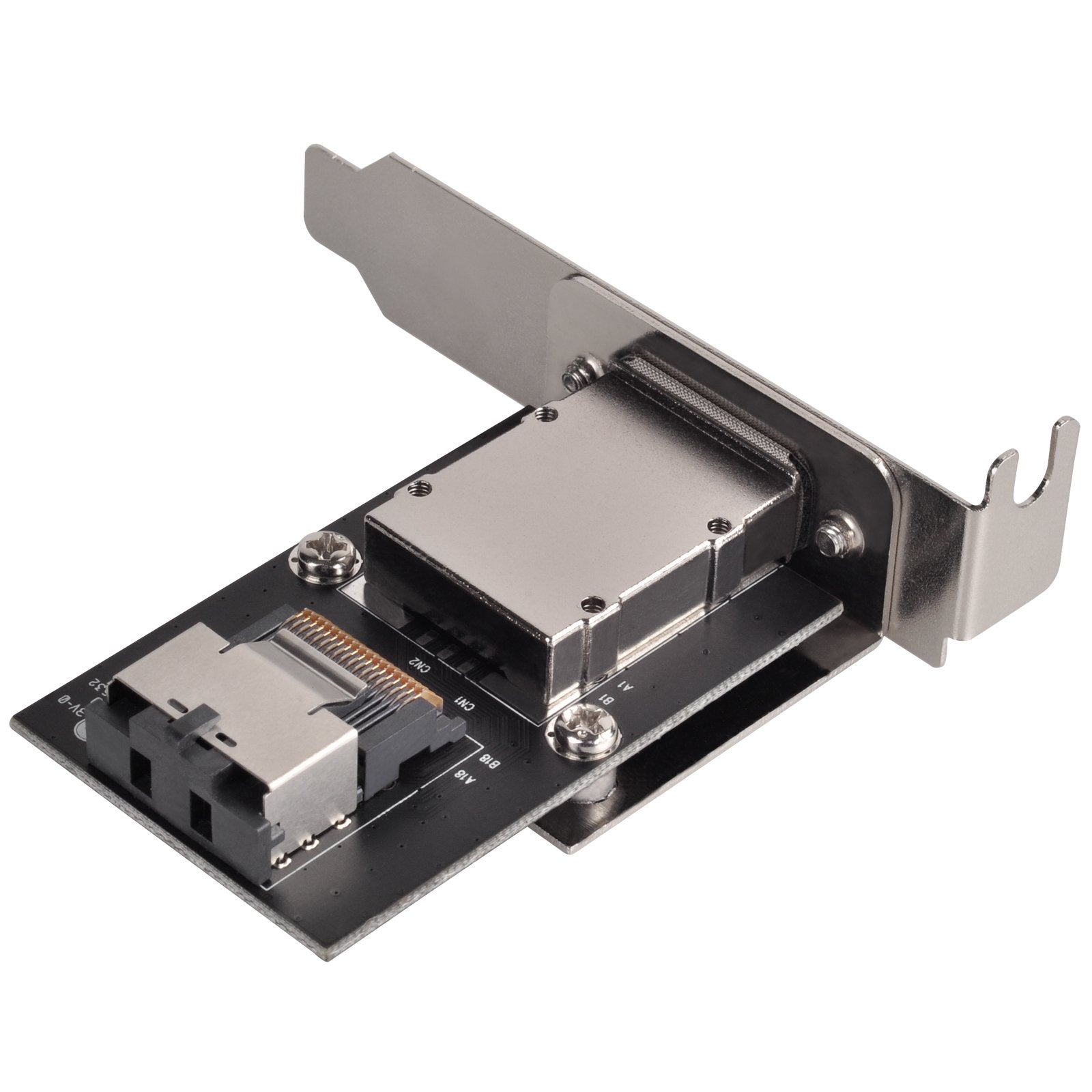
Silverstone Created A Series Of Mini-Sas Adapter Designed To Satisfy Server Users Need For Constant Drive Expansion. Sa011 Or Sa022 Can Convert A Sff-8087 Connector To A Sff-8088 Connector And Support All Internal Sas/Sata Interface From Supported Controller Card, Motherboard, And Standard External Sas Adapter Based On Sff-8087 Connector. With Sff-8088 Connector Connected To External Storage Devices Such As Silverstones Own Ts431S Or Rs831S, Sa011/Sa022 Can Easily Enable Simultaneous Access To Four Or Eight Drives With High Bandwidth Up To 24Gbit/S Or 48Gbits/S.
⚠️ WARNING (California Proposition 65): This product may contain chemicals known to the State of California to cause cancer, birth defects, or other reproductive harm. For more information, please visit www.P65Warnings.ca.gov.
Frequently Asked Questions
Q: What is the size of the SilverStone SA011 adapter?A: The SilverStone SA011 adapter measures eight inches in length, one inch in width, and five inches in height. This compact design makes it suitable for various server setups.
Q: What materials is the SilverStone SA011 adapter made from?A: The SilverStone SA011 adapter is made of copper. This material ensures reliable conductivity and durability for high-speed data transfer.
Q: How does the SilverStone SA011 adapter connect?A: The adapter features a SFF-8087 connector on one end and a SFF-8088 connector on the other. This allows for seamless connection between internal and external storage devices.
Q: How do I install the SilverStone SA011 adapter?A: To install the SilverStone SA011 adapter, connect the SFF-8087 end to your motherboard or SAS host card and the SFF-8088 end to your external storage device. It's a straightforward plug-and-play setup.
Q: Is the SilverStone SA011 adapter compatible with my server?A: Yes, the SilverStone SA011 adapter is compatible with most major SAS host cards and motherboards. Ensure your system supports the SFF-8087 interface for proper functionality.
Q: Can I use the SilverStone SA011 adapter for multiple drives?A: Yes, the SA011 adapter allows simultaneous access to up to eight drives. It supports high bandwidth data transfer, making it ideal for extensive drive configurations.
Q: How do I care for the SilverStone SA011 adapter?A: To care for the SilverStone SA011 adapter, keep it dry and avoid exposure to extreme temperatures. Regularly check connections to ensure optimal performance.
Q: Is the SilverStone SA011 adapter safe to use?A: Yes, the SilverStone SA011 adapter is designed with safety standards in mind. It is built to handle the power and data requirements of connected devices.
Q: What should I do if the SilverStone SA011 adapter doesn’t work?A: If the adapter doesn’t work, ensure all connections are secure and compatible. If issues persist, consult the manufacturer's support for troubleshooting.
Q: Can I return the SilverStone SA011 adapter if I have issues?A: Yes, the SilverStone SA011 adapter typically comes with a return policy. Check with the retailer for specific return conditions.
Q: What speeds can the SilverStone SA011 adapter achieve?A: The SilverStone SA011 adapter supports concurrent transfer speeds of up to twenty-four gigabits per second. This high speed is ideal for data-intensive applications.
Q: Can I use the SilverStone SA011 with my external storage?A: Yes, you can use the SilverStone SA011 adapter to connect to external storage devices like Silverstone's TS431S or RS831S. It enables efficient data access.
Q: Is the SilverStone SA011 adapter easy to install?A: Yes, the SilverStone SA011 adapter is easy to install with its plug-and-play design. Simply connect the appropriate ends to your devices.
Q: What type of devices can I connect with the SilverStone SA011 adapter?A: You can connect various internal SAS/SATA interfaces to external storage devices using the SilverStone SA011 adapter. It supports multiple drive configurations.
Q: How does the SilverStone SA011 enhance server performance?A: The SilverStone SA011 enhances server performance by allowing high-speed data transfer and concurrent access to multiple drives, making it suitable for demanding applications.