

Cart
0


Microsoft Bluetooth Ergonomic Mouse Matte Black With Comfortable Ergonomic Design, Thumb Rest, Up To 15Months Battery Life. Wo
Free Standard Shipping Across USA
Vendor: Microsoft
Type: Keyboards & Mice
Sku: WBEEAB08J89VVSR
Availability: Sold Out
Couldn't load pickup availability
Guarantee safe checkout

Sold by Electroeshop, an authorized reseller.
Returns accepted within 30 days | support@electroeshop.com
Shipping Information
- Free Standard Shipping — United States only
- Processing Time: 3–5 business days
- Estimated Delivery: 6–10 business days after dispatch
- Double-boxed, fully insured & discreetly packaged
- Tracking number sent via email once dispatched
Returns & Refund
Returns accepted within 30 days of delivery.
Damaged or Defective Item
Free return shipping + replacement or full refund
Wrong Item Received
Free return shipping + replacement or full refund
Change of Mind
Return shipping at customer's expense · 25% restocking fee applies
All returns require a Return Authorization (RA) number before sending.
View Full Return & Refund Policy
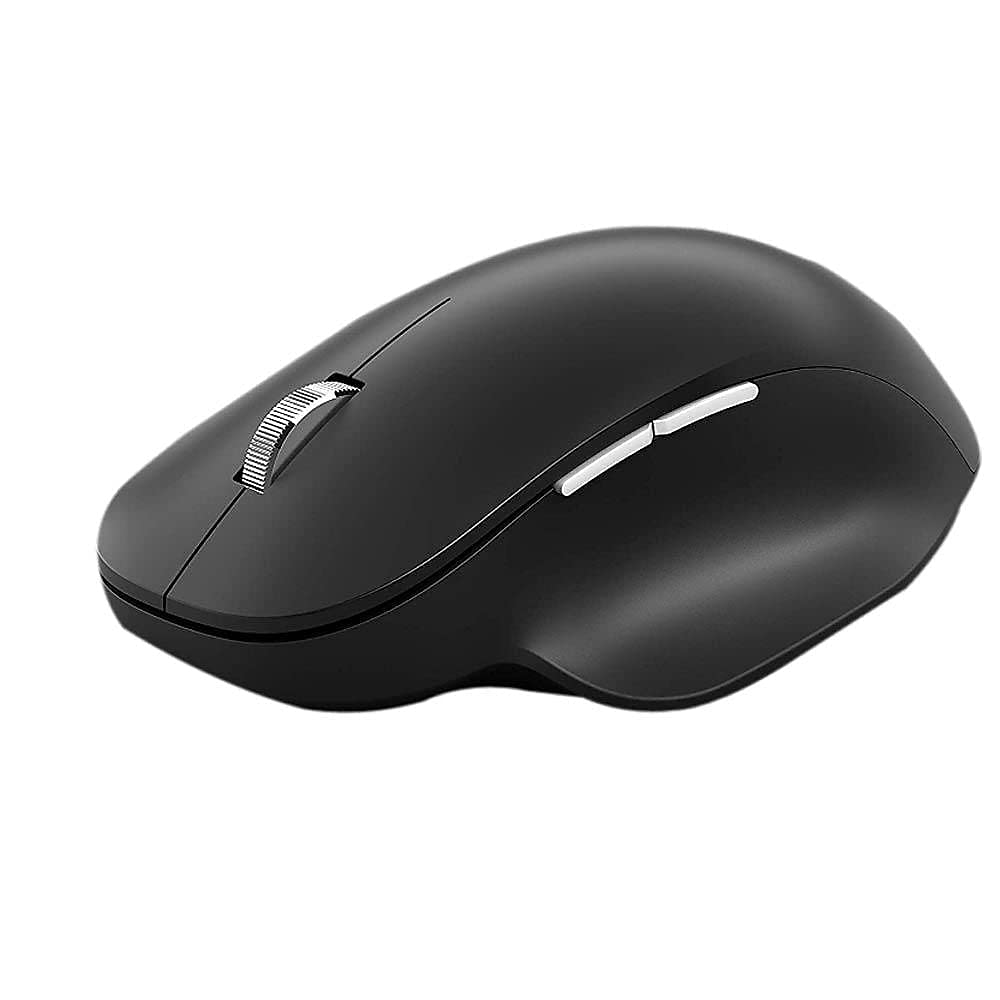
Microsoft Bluetooth Ergonomic Mouse Matte Black With Comfortable Ergonomic Design, Thumb Rest, Up To 15Months Battery Life. Wo
$101.70

Frequently Asked Questions
- Q: What materials is the Microsoft Bluetooth Ergonomic Mouse made of? A: The Microsoft Bluetooth Ergonomic Mouse is made of aluminum and glass. These materials contribute to its durable and lightweight design.
- Q: What are the dimensions of the Microsoft Bluetooth Ergonomic Mouse? A: The dimensions are three point nine one inches in length, five point four six inches in width, and one point eight five inches in height. This size is designed to fit comfortably in your hand.
- Q: What is the battery life of the Microsoft Bluetooth Ergonomic Mouse? A: The battery life can last up to fifteen months. However, actual battery life may vary based on user and computing conditions.
- Q: How do I connect the Microsoft Bluetooth Ergonomic Mouse to my computer? A: To connect, simply turn on the mouse and enable Bluetooth on your computer. Then, pair the mouse through your computer's Bluetooth settings.
- Q: Is the Microsoft Bluetooth Ergonomic Mouse compatible with Mac computers? A: Yes, the mouse works with Bluetooth enabled Mac computers. Ensure your Mac has the latest updates for optimal performance.
- Q: Can I customize the buttons on the Microsoft Bluetooth Ergonomic Mouse? A: Yes, the mouse has three customizable buttons. Customization requires downloading the Mouse and Keyboard Center software.
- Q: How should I clean the Microsoft Bluetooth Ergonomic Mouse? A: To clean the mouse, use a soft, lint-free cloth. Avoid using harsh chemicals to prevent damage to the surface.
- Q: Does the Microsoft Bluetooth Ergonomic Mouse work on all surfaces? A: No, the mouse does not work on clear glass or mirrored surfaces. It is best used on standard mouse pads or solid surfaces.
- Q: What is the warranty for the Microsoft Bluetooth Ergonomic Mouse? A: The mouse comes with Microsoft’s Limited Warranty. This warranty is in addition to your consumer law rights.
- Q: Is the Microsoft Bluetooth Ergonomic Mouse suitable for gaming? A: While primarily designed for productivity, it can be used for casual gaming. However, it may not have the responsiveness of dedicated gaming mice.
- Q: Can I use the Microsoft Bluetooth Ergonomic Mouse with Windows 10 S? A: Smart Switching is not available on devices running Windows 10 S. Ensure your device supports the necessary features.
- Q: What is the weight of the Microsoft Bluetooth Ergonomic Mouse? A: The weight is not specified, but the design is lightweight for easy handling. This makes it convenient for all-day use.
- Q: Does the Microsoft Bluetooth Ergonomic Mouse come in different colors? A: Currently, it is available in matte black. Availability of colors may vary by market.
- Q: What features enhance comfort while using the Microsoft Bluetooth Ergonomic Mouse? A: The mouse features a comfortable ergonomic design with a soft thumb rest. This promotes a natural hand and wrist position for prolonged use.
- Q: How do I ensure the best battery performance for the mouse? A: To maximize battery life, turn off the mouse when not in use and use it on appropriate surfaces. Regularly check for software updates.