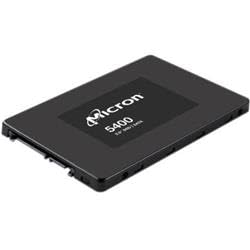
Micron 5400 Pro 960Gb Sata 2.5 7Mm Tcgopal Solid State Drive Single Pack
⚠️ WARNING (California Proposition 65): This product may contain chemicals known to the State of California to cause cancer, birth defects, or other reproductive harm. For more information, please visit www.P65Warnings.ca.gov.
Frequently Asked Questions
Q: What is the storage capacity of the Micron 5400 PRO SSD?A: The storage capacity is nine hundred sixty gigabytes. This allows for ample space for applications, games, and data storage.
Q: What encryption standard does the Micron 5400 PRO SSD use?A: It uses a two hundred fifty-six bit AES encryption standard. This provides robust data security for sensitive information.
Q: What are the maximum read and write transfer rates of this SSD?A: The maximum read transfer rate is five hundred forty megabytes per second, while the maximum write transfer rate is five hundred twenty megabytes per second. These speeds enhance overall system performance.
Q: What is the random 4KB read and write performance of the SSD?A: The random four kilobyte read performance is ninety-five thousand input/output operations per second, and the write performance is thirty thousand input/output operations per second. This ensures efficient data handling.
Q: What are the dimensions of the Micron 5400 PRO SSD?A: The dimensions are five point twenty-five inches in length, zero point fifty-one inches in height, and four point zero two inches in width. This compact size fits standard drive bays.
Q: How do I install the Micron 5400 PRO SSD in my computer?A: To install the SSD, power down your computer, open the case, and connect the SSD to the SATA port and power supply. Secure it in place and close the case before powering on.
Q: Is the Micron 5400 PRO SSD compatible with my laptop?A: Yes, it is compatible with laptops that support two point five inch SATA drives. Check your laptop specifications to ensure compatibility.
Q: What operating systems can I use with the Micron 5400 PRO SSD?A: It is compatible with all major operating systems, including Windows, macOS, and Linux. Ensure you have the latest updates for optimal performance.
Q: How do I maintain the Micron 5400 PRO SSD for longevity?A: To maintain the SSD, ensure regular firmware updates and avoid filling it to maximum capacity. This helps in sustaining performance and lifespan.
Q: Does the Micron 5400 PRO SSD have a warranty?A: Yes, it typically includes a limited warranty, which can vary by retailer. Check the specific warranty terms from your purchase location.
Q: What should I do if my Micron 5400 PRO SSD is not recognized?A: First, check all connections to ensure they are secure. If the issue persists, try connecting it to another computer or updating your system's drivers.
Q: Can I use the Micron 5400 PRO SSD for gaming?A: Yes, it is suitable for gaming due to its high read and write speeds. It enhances load times and overall gaming experience.
Q: What is the endurance rating for the Micron 5400 PRO SSD?A: The endurance rating is one point five drive writes per day. This rating indicates a reliable lifespan for read-intensive workloads.
Q: Where is the Micron 5400 PRO SSD manufactured?A: It is manufactured in Singapore, ensuring high-quality standards in production.
Q: How do I securely erase data from the Micron 5400 PRO SSD?A: To securely erase data, use secure erase utilities provided by the SSD manufacturer or third-party software designed for SSDs.


![Micron 5400 Pro 960 Gb Solid State Drive 2.5 Internal Sata [Sata/600] Read Intensive](http://electroeshop.com/cdn/shop/files/21z_621VPbL.jpg?v=1748975230&width=1400)