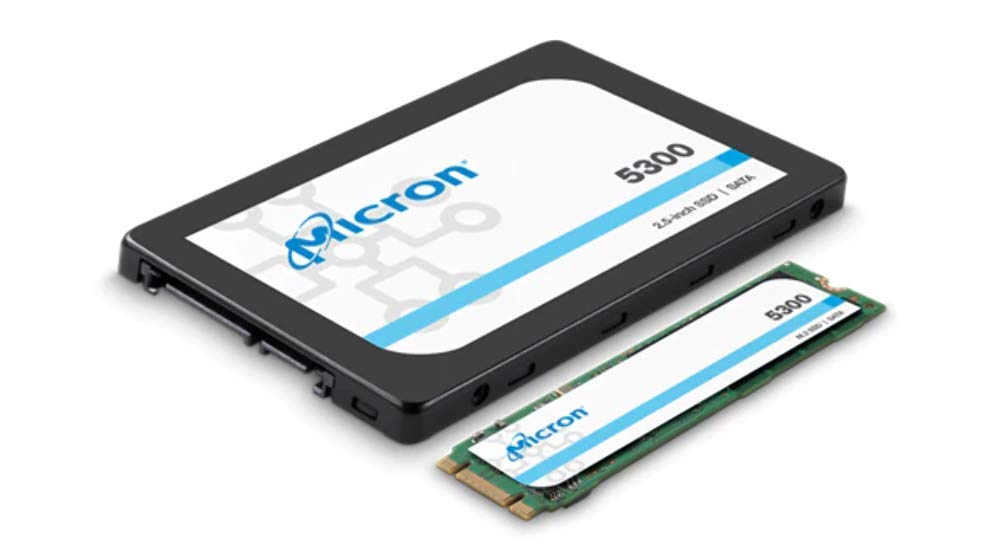
Specificationsmfr Part Number: Mtfddak3T8Tdt-1Aw1Zabyycapacity: 3.84Tbform Factor: 2.5 Inchinterface: Sata 6Gb/Snand Flash: Micron 96-Layer 3D Tlc Nandcontroller: Marvell Dean Controller With Micron Custom Firmwareperformance:Sequential Read Speed(128Kb): 540 Mb/Ssequential Write Speed(128Kb): 520 Mb/Srandom Read Speed(4K): 95,000 Iopsrandom Write Speed(4K): 34,000 Iopsendurance(Tbw): 3.5Tbmtbf: 3.0 Million Hoursoperating Temperature: 0C To 70Chardware Encryption: Aes 256-Bit With Tcg Enterprise And Tcg Opal Compliant Self-Encrypting Drive (Sed) Optionscompliance: Ce, Ul, Fcc, Ic, Bsmi, Rcm, Kc Rra, Weee, Tuv, Vcci, Morocco, Ukrsepro
⚠️ WARNING (California Proposition 65): This product may contain chemicals known to the State of California to cause cancer, birth defects, or other reproductive harm. For more information, please visit www.P65Warnings.ca.gov.
Frequently Asked Questions
Q: What is the capacity of the Micron 5300 MAX Series SSD?A: The capacity is three point eight four terabytes. This provides ample storage for applications, files, and media.
Q: What are the dimensions of the Micron 5300 MAX SSD?A: The dimensions are approximately three point nine five inches in length, two point seven six inches in width, and zero point two eight inches in height. These compact measurements make it suitable for various devices.
Q: What type of NAND flash does the Micron 5300 MAX use?A: It uses Micron ninety-six layer three-dimensional TLC NAND flash. This technology enhances performance and endurance.
Q: How do I install the Micron 5300 MAX SSD?A: To install, insert the SSD into an available SATA connector in your computer or device. Ensure it is securely connected before booting up.
Q: Is the Micron 5300 MAX SSD compatible with my laptop?A: Yes, it is compatible with laptops that support two point five inch SATA drives. Check your device specifications for compatibility.
Q: What is the operating temperature range for this SSD?A: The operating temperature range is from zero degrees Celsius to seventy degrees Celsius. This range ensures reliable performance in various environments.
Q: How do I maintain the Micron 5300 MAX SSD's performance?A: To maintain performance, ensure proper airflow and avoid exposing the SSD to extreme temperatures. Regularly update firmware for optimal functionality.
Q: What is the lifespan of the Micron 5300 MAX SSD?A: The mean time between failures (MTBF) is three million hours. This indicates a long lifespan and reliability for your data storage needs.
Q: How should I store the Micron 5300 MAX SSD when not in use?A: Store the SSD in a cool, dry place, away from direct sunlight and extreme temperatures. Use an anti-static bag for additional protection.
Q: What makes the Micron 5300 MAX suitable for enterprise use?A: Its high endurance of three point five terabytes written (TBW) and robust performance make it ideal for enterprise applications. It is designed for demanding workloads.
Q: How does the Micron 5300 MAX compare to other SSDs?A: It offers superior read and write speeds of five hundred forty megabytes per second and five hundred twenty megabytes per second, respectively. This performance is competitive within its category.
Q: What should I do if the Micron 5300 MAX SSD arrives damaged?A: If it arrives damaged, contact customer support immediately for a return or exchange. Keep the original packaging for the return process.
Q: Is there a warranty on the Micron 5300 MAX SSD?A: Yes, it typically comes with a limited warranty from Micron. Check the specific warranty details provided with your purchase.
Q: Can I use the Micron 5300 MAX SSD for gaming?A: Yes, it is suitable for gaming due to its high performance and speed. This enhances loading times and overall gaming experience.
Q: What encryption features does the Micron 5300 MAX SSD offer?A: It features AES two hundred fifty-six bit hardware encryption with TCG Enterprise support. This ensures data security for sensitive information.