

Cart
0

Mem 2*24Ggsk F5 8000J4048F24Gx2 Tz5Rk
Free Standard Shipping Across USA
Vendor: G.Skill
Type: Memory (RAM)
Sku: WBEEAB0C2B41VTH
Availability: Sold Out
Couldn't load pickup availability
Guarantee safe checkout

Sold by Electroeshop, an authorized reseller.
Returns accepted within 30 days | support@electroeshop.com
Shipping Information
- Free Standard Shipping — United States only
- Processing Time: 3–5 business days
- Estimated Delivery: 6–10 business days after dispatch
- Double-boxed, fully insured & discreetly packaged
- Tracking number sent via email once dispatched
Returns & Refund
Returns accepted within 30 days of delivery.
Damaged or Defective Item
Free return shipping + replacement or full refund
Wrong Item Received
Free return shipping + replacement or full refund
Change of Mind
Return shipping at customer's expense · 25% restocking fee applies
All returns require a Return Authorization (RA) number before sending.
View Full Return & Refund Policy
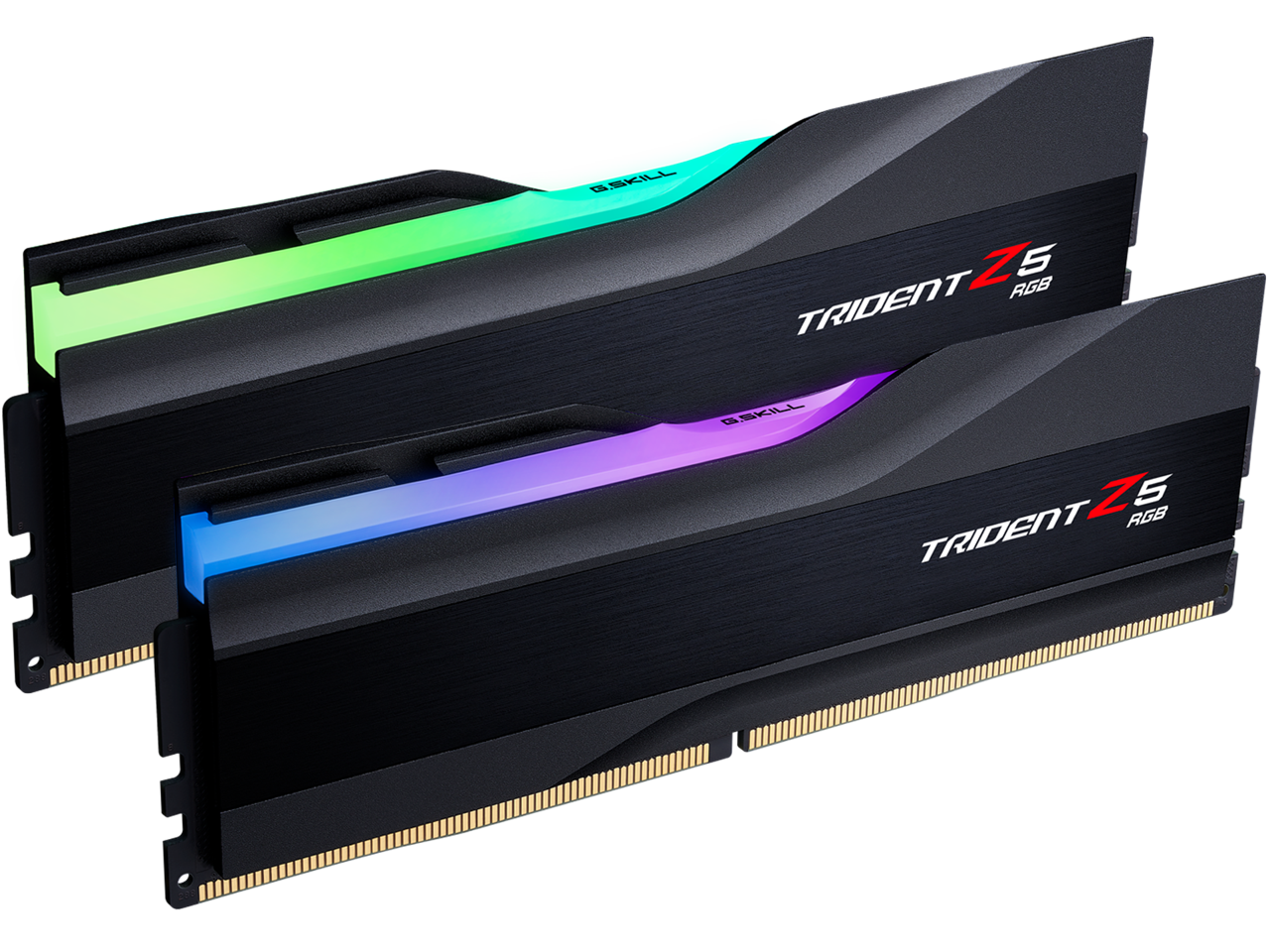
Mem 2*24Ggsk F5 8000J4048F24Gx2 Tz5Rk
$1,027.63

Frequently Asked Questions
- Q: What is the memory capacity of the G.SKILL Trident Z5 RGB DDR5 RAM? A: The memory capacity is forty-eight gigabytes. It comes as a kit containing two modules of twenty-four gigabytes each.
- Q: What are the dimensions of the G.SKILL Trident Z5 RGB RAM? A: The dimensions are six point three inches in length, five point four inches in width, and zero point fifty-nine inches in height.
- Q: What is the CAS latency of the G.SKILL Trident Z5 RGB RAM? A: The CAS latency is forty. It is rated at CL40-48-48-128.
- Q: What voltage does the G.SKILL Trident Z5 RGB RAM operate at? A: The RAM operates at one point thirty-five volts. This voltage is standard for high-performance DDR5 memory.
- Q: How do I install the G.SKILL Trident Z5 RGB RAM in my computer? A: To install, locate the memory slots on your motherboard, align the RAM module with the notch, and press down firmly until it clicks into place.
- Q: Can I use the G.SKILL Trident Z5 RGB RAM for gaming? A: Yes, this RAM is designed for high performance and is suitable for gaming. It is optimized for Intel Z790 and newer motherboards.
- Q: Is the G.SKILL Trident Z5 RGB RAM compatible with my motherboard? A: Compatibility depends on the motherboard model. It is recommended to check the G.Skill QVL for validated motherboards.
- Q: What should I do if I experience stability issues with the G.SKILL Trident Z5 RGB RAM? A: If you face stability issues, ensure that you are using a compatible motherboard and that the RAM modules are installed correctly without mixing different kits.
- Q: How do I clean the G.SKILL Trident Z5 RGB RAM? A: To clean the RAM, use a dry microfiber cloth to wipe the aluminum heatspreaders gently. Avoid using liquids or abrasive materials.
- Q: What is the warranty period for the G.SKILL Trident Z5 RGB RAM? A: The standard warranty period is typically limited to a lifetime. However, it's best to verify with G.Skill for specific terms.
- Q: Can I overclock the G.SKILL Trident Z5 RGB RAM? A: Yes, you can overclock it using the XMP profile. Ensure that your motherboard and CPU support overclocking for optimal performance.
- Q: Is this RAM suitable for professional applications? A: Yes, this RAM is suitable for professional applications requiring high performance, such as video editing and 3D rendering.
- Q: What color options are available for the G.SKILL Trident Z5 RGB RAM? A: The RAM is available in matte black and metallic silver color options.
- Q: Is the G.SKILL Trident Z5 RGB RAM unbuffered? A: Yes, the RAM is unbuffered U-DIMM. This makes it ideal for desktop systems that require fast memory access.
- Q: What type of memory kit is the G.SKILL Trident Z5 RGB RAM? A: It is a dual channel kit, which means it is designed to work optimally in pairs for improved performance.
- Q: Does the G.SKILL Trident Z5 RGB RAM support ECC? A: No, this RAM does not support ECC (Error-Correcting Code). It is designed for performance rather than error correction.