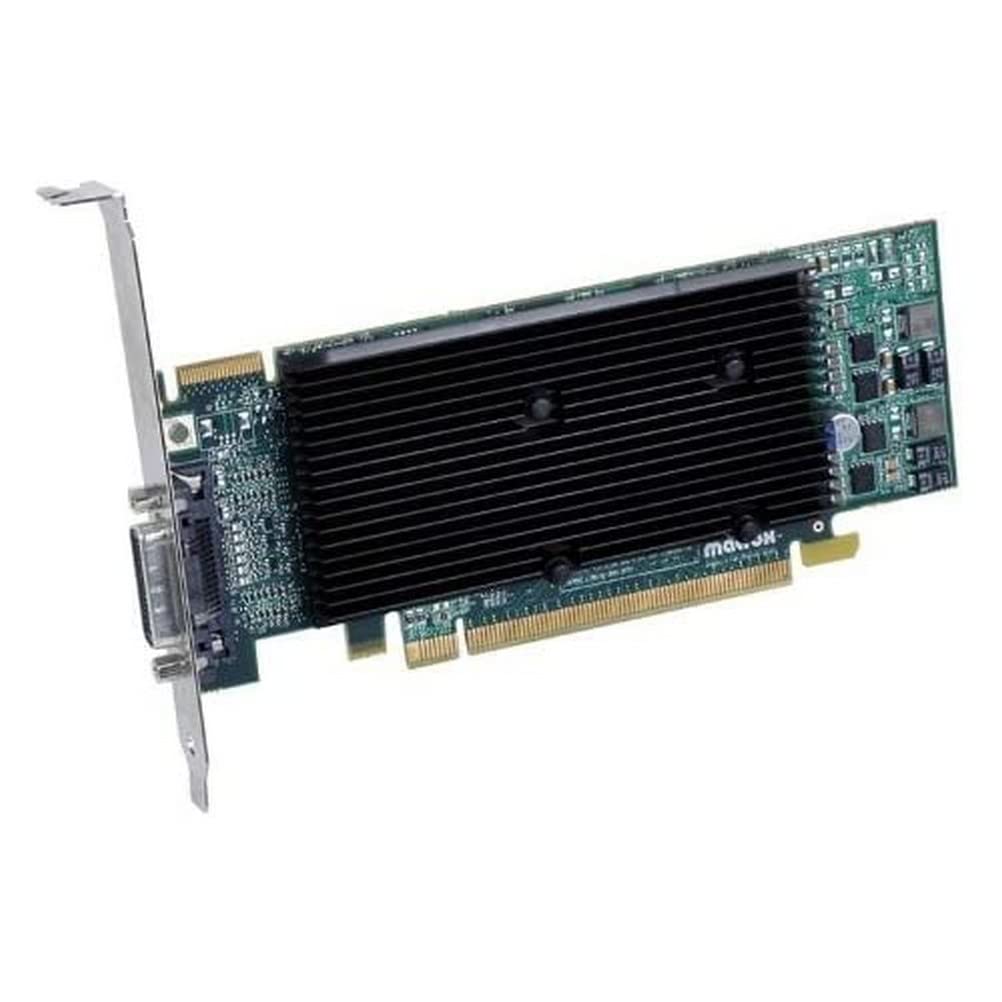
The Matrox M9120 Plus Lp X16 512Mb Low-Profile Quad-Upgradeable Dualhead Graphics Card With Advanced Desktop Management Support To Drive Business Applications With Exceptional Performance.Primary Informationform Factor&Nbsp;:&Nbsp;&Nbsp;Plug-In Card&Nbsp;Video Interface&Nbsp;:&Nbsp;&Nbsp;Pci Express X16&Nbsp;Video Output Type&Nbsp;:&Nbsp;&Nbsp;Graphics Adapter&Nbsp;Memoryvideo Memory Installed Size&Nbsp;:&Nbsp;&Nbsp;512 Mb&Nbsp;Video Memory Technology&Nbsp;:&Nbsp;&Nbsp;Ddr Ii Sdram&Nbsp;Videoapi Supported&Nbsp;:&Nbsp;&Nbsp;Opengl 2.0&Nbsp;Max Monitors Supported&Nbsp;:&Nbsp;&Nbsp;2&Nbsp;Max Resolution (External)&Nbsp;:&Nbsp;&Nbsp;2048 X 1536&Nbsp;Service&Supportservice & Support Type&Nbsp;:&Nbsp;&Nbsp;3 Years Warranty&Nbsp;Special Featurerohs&Nbsp;:&Nbsp;&Nbsp;Yes&Nbsp;Unspsc Codeunspsc Code&Nbsp;:&Nbsp;&Nbsp;43201401&Nbsp;
⚠️ WARNING (California Proposition 65): This product may contain chemicals known to the State of California to cause cancer, birth defects, or other reproductive harm. For more information, please visit www.P65Warnings.ca.gov.
Frequently Asked Questions
Q: What is the memory size of the Matrox M9120 Plus graphics card?A: The memory size is five hundred twelve megabytes. This low-profile card utilizes DDR II SDRAM for enhanced performance.
Q: What type of video interface does the Matrox M9120 Plus use?A: The video interface is PCI Express x sixteen. This allows for high-speed data transfer between the graphics card and the motherboard.
Q: What is the maximum resolution supported by the Matrox M9120 Plus?A: The maximum resolution supported is two thousand forty-eight by one thousand five hundred thirty-six pixels. This provides excellent clarity for dual monitor setups.
Q: How does the Matrox M9120 Plus support multi-monitor setups?A: It supports up to two monitors. This feature is ideal for users needing enhanced desktop management for business applications.
Q: What warranty is offered with the Matrox M9120 Plus graphics card?A: It comes with a three-year warranty. This provides assurance for users regarding product reliability and support.
Q: Is the Matrox M9120 Plus suitable for gaming?A: No, it is not primarily designed for gaming. This card is tailored for business applications and advanced desktop management.
Q: How do I install the Matrox M9120 Plus graphics card?A: You simply need to insert it into a PCI Express x sixteen slot on your motherboard. Ensure your system is powered down during installation.
Q: Can the Matrox M9120 Plus be used in a low-profile case?A: Yes, it is designed as a low-profile card. This makes it compatible with smaller computer cases.
Q: What applications is the Matrox M9120 Plus best suited for?A: It is best suited for business applications requiring dual monitors. This includes financial analysis, design work, and other productivity tasks.
Q: What kind of support is available for the Matrox M9120 Plus?A: Support includes a warranty and customer service from Matrox. Users can contact them for assistance with installation or troubleshooting.
Q: How should I clean the Matrox M9120 Plus graphics card?A: You should use a soft, dry cloth to clean it. Avoid using liquids or abrasive materials to prevent damage.
Q: Is the Matrox M9120 Plus RoHS compliant?A: Yes, it is RoHS compliant. This means it adheres to regulations limiting hazardous substances.
Q: What is the UNSPSC code for the Matrox M9120 Plus?A: The UNSPSC code is four three two zero one four zero one. This code helps categorize the product within industry standards.
Q: What features enhance the performance of the Matrox M9120 Plus?A: It features advanced desktop management capabilities. This allows for better control and organization of multiple applications across monitors.
Q: What kind of video memory technology does the Matrox M9120 Plus use?A: It uses DDR II SDRAM technology. This type of memory is optimized for graphics performance.