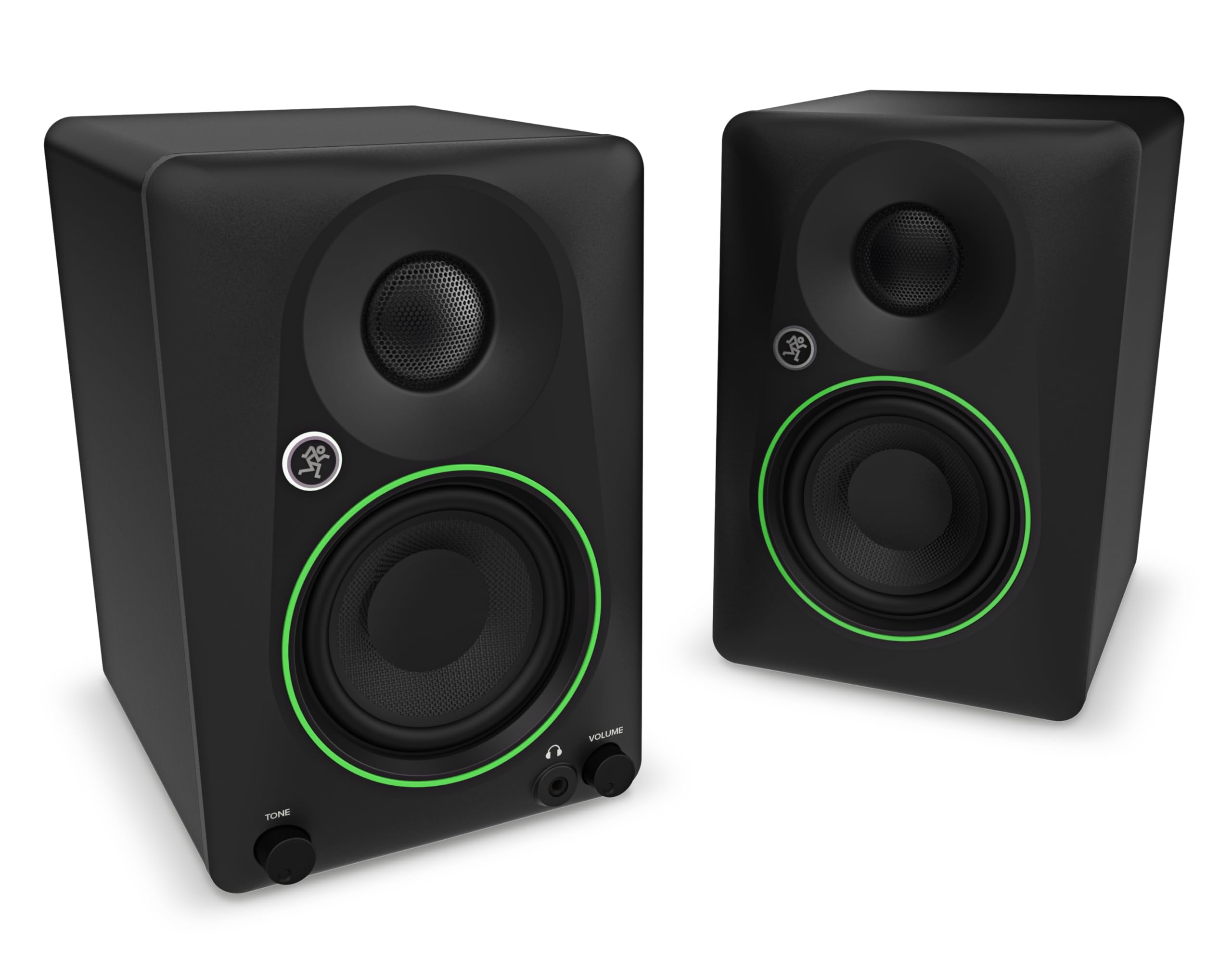
Mackie Cr3.5 Creative Reference Powered Studio Monitors Combine Professional-Quality Sound With A Tone Shaping Knob For Moving From Studio Reference To Casual Listening To Party Mode. Featuring A Selection Of Inputs And Switchable Desktop And Bookshelf Modes, These Speakers Give You Clear, Powerful Sound In Any Space. Use The Tone Control Knob To Adjust The Sound, Beginning With The Transparent Quality You Expect From Professional Studio Monitors, Then Gradually Adding More Excitement With Boom-Ier Bass And Added Sparkle. Whether Youre Using Them For Business, Pleasure Or Both, Mackie Cr3.5 May Be The Only Speakers You Ever Need.
⚠️ WARNING (California Proposition 65): This product may contain chemicals known to the State of California to cause cancer, birth defects, or other reproductive harm. For more information, please visit www.P65Warnings.ca.gov.
Frequently Asked Questions
Q: What are the dimensions of the Mackie CR3.5 studio monitors?A: The Mackie CR3.5 studio monitors measure seven point one inches in length, five point five one inches in width, and eight point one one inches in height.
Q: What is the power output of the Mackie CR3.5 monitors?A: The Mackie CR3.5 monitors are powered speakers, ideal for studio use, offering professional-quality sound in a compact design.
Q: What inputs are available on these studio monitors?A: The Mackie CR3.5 monitors feature multiple inputs, including a three point five millimeter connection for versatile audio source compatibility.
Q: How do I connect the Mackie CR3.5 monitors?A: To connect the Mackie CR3.5 monitors, plug your audio source into the appropriate input and ensure the speakers are powered on.
Q: Can I use the Mackie CR3.5 monitors for casual listening?A: Yes, the Mackie CR3.5 monitors are suitable for casual listening, thanks to their tone control knob that adjusts sound for different applications.
Q: What is the tone control feature on the Mackie CR3.5 monitors?A: The tone control feature allows users to adjust the sound profile, enhancing bass and treble for a more personalized audio experience.
Q: How should I clean the Mackie CR3.5 monitors?A: To clean the Mackie CR3.5 monitors, use a soft, dry cloth to wipe the surfaces gently, avoiding moisture near the speakers.
Q: Are the Mackie CR3.5 monitors safe for use in small spaces?A: Yes, the Mackie CR3.5 monitors are designed for small spaces, providing clear and powerful sound without overwhelming acoustics.
Q: What type of warranty comes with the Mackie CR3.5 monitors?A: The Mackie CR3.5 monitors typically come with a standard manufacturer's warranty; check the product details for specific terms.
Q: What if my Mackie CR3.5 monitors arrive damaged?A: If your Mackie CR3.5 monitors arrive damaged, contact customer support immediately to process a return or exchange.
Q: Are the Mackie CR3.5 monitors suitable for professional studio use?A: Yes, the Mackie CR3.5 monitors are suitable for professional studio use, offering high fidelity sound and accurate audio reproduction.
Q: How do I adjust the location switch on the Mackie CR3.5 monitors?A: To adjust the location switch on the Mackie CR3.5 monitors, select the appropriate mode for either desktop or bookshelf placement.
Q: Can I use headphones with the Mackie CR3.5 monitors?A: Yes, the Mackie CR3.5 monitors feature a headphone output for private listening, allowing you to connect your headphones directly.
Q: Are there any specific materials used in the construction of the Mackie CR3.5 monitors?A: The Mackie CR3.5 monitors are constructed with high-quality components designed for durability and optimal sound performance.
Q: What are the recommended uses for the Mackie CR3.5 monitors?A: The Mackie CR3.5 monitors are recommended for music production, casual listening, and multimedia applications, making them versatile for various users.