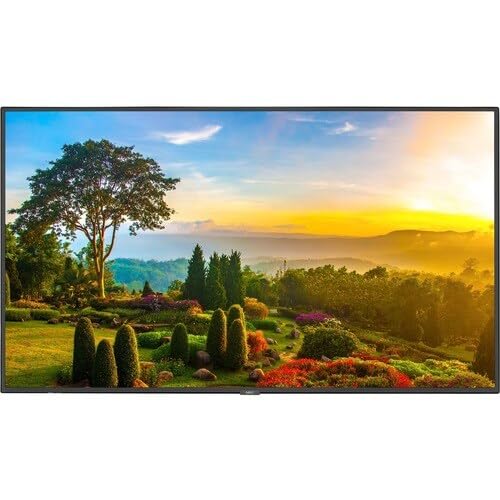
Multisync M551 - 55 Led Lcd Public Display Monitor, 3840 X 2160 (Uhd), 24/7, 500 Cd/M2, Landscape/Portrait, Hdmi In X2, Displayport In, Audio Mini-Jack Out, Full Bidirectional Control Through Rs232C And Lan, Intel Smart Display Module - Large Pc With Intel Celeron Installed (Sdm-Vicw-Is), Integrated 10W X 2 Speakers, Full Input Detect Functionality, Integrated Ambient Light Sensor, Metal Chassis, 3 Year Commercial Warranty, Stand Not Included (St-43M Or St-401)
⚠️ WARNING (California Proposition 65): This product may contain chemicals known to the State of California to cause cancer, birth defects, or other reproductive harm. For more information, please visit www.P65Warnings.ca.gov.
Frequently Asked Questions
Q: What are the dimensions of the NEC M551-PC5 MULTISYNC display?A: The NEC M551-PC5 MULTISYNC display has a screen size of fifty-five inches, which provides a large viewing area suitable for various applications.
Q: What type of display technology does the NEC M551-PC5 use?A: The NEC M551-PC5 utilizes LCD technology, providing sharp images and vibrant colors for an enhanced viewing experience.
Q: Is the NEC M551-PC5 compatible with other electronic devices?A: Yes, the NEC M551-PC5 is compatible with multiple devices via standard connections, making it versatile for different setups.
Q: How do I mount the NEC M551-PC5 display?A: You can mount the NEC M551-PC5 using a VESA mount, which allows for easy installation on walls or stands.
Q: What is the optimal resolution for the NEC M551-PC5?A: The NEC M551-PC5 supports a resolution of one thousand ninety-two by six hundred forty pixels, ensuring clear and detailed visuals.
Q: Can the NEC M551-PC5 be used for gaming?A: Yes, the NEC M551-PC5 can be used for gaming, providing a large screen and good image quality for an immersive experience.
Q: What is the best way to clean the NEC M551-PC5 display?A: To clean the NEC M551-PC5, use a soft, lint-free cloth and a mild screen cleaner to avoid damaging the screen.
Q: Does the NEC M551-PC5 have any energy-saving features?A: Yes, the NEC M551-PC5 includes energy-saving features that help reduce power consumption during use.
Q: How should I store the NEC M551-PC5 when not in use?A: When not in use, store the NEC M551-PC5 in a cool, dry place, ideally in its original packaging to protect it from damage.
Q: Is the NEC M551-PC5 safe for prolonged use?A: Yes, the NEC M551-PC5 is designed for extended use and includes features to reduce eye strain during long viewing sessions.
Q: What warranty is offered with the NEC M551-PC5?A: The NEC M551-PC5 typically comes with a standard warranty, covering defects in materials and workmanship for a specified period.
Q: What should I do if the NEC M551-PC5 arrives damaged?A: If the NEC M551-PC5 arrives damaged, contact the retailer or manufacturer immediately to initiate a return or replacement process.
Q: How do I connect speakers to the NEC M551-PC5 display?A: You can connect external speakers to the NEC M551-PC5 using the audio output jack, ensuring better sound quality.
Q: Can I adjust the brightness on the NEC M551-PC5?A: Yes, the NEC M551-PC5 allows you to adjust the brightness settings through the on-screen display menu.
Q: Is the NEC M551-PC5 suitable for professional presentations?A: Yes, the NEC M551-PC5 is ideal for professional presentations due to its excellent image quality and large screen size.
Q: What input options are available on the NEC M551-PC5?A: The NEC M551-PC5 offers various input options, including HDMI and DisplayPort, for connecting different devices.