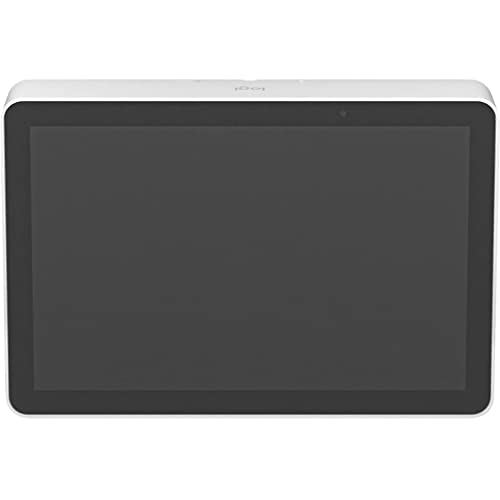
One-Touch Join: Easily Start And Join Meetings With Just One Tap.,10.1'' Touch Display: Spacious And Responsive Touch Screen Resists Fingerprints For High Legibility, And Is Sealed To Protect Components.,Motion Sensor: Built-In Motion Sensor Allows For Always-On Readiness When A User Approaches, And Saves Power When Idle.,Sleek, Low Profile: Comfortable 14 Angle Allows For Easy Viewing, While Providing An Unobtrusive Presence In The Room.,Single Poe Cable: One Cable For Both Power And Data Means Flexible Placement Anywhere In The Room, Untethered To The Room System And Without The Need For Long Cable Runs.,Clean Cable Management: Built-In Cable Retention And Strain Relief System Hides The Poe Cable Entirely Within Its Enclosure, And Secures It To Prevent Unwanted Disconnections.,Multiple Mounting Options: Secure Tap Ip Almost Anywhere In The Room With Available Table, Riser, And Wall Mounts For Convenient Placement Near Room Participants.
⚠️ WARNING (California Proposition 65): This product may contain chemicals known to the State of California to cause cancer, birth defects, or other reproductive harm. For more information, please visit www.P65Warnings.ca.gov.
Frequently Asked Questions
Q: What are the dimensions of the Logitech Tap IP?A: The Logitech Tap IP measures two point two inches in height, nine point seven inches in width, and six point seven inches in length. This compact size makes it easy to fit in various meeting room setups.
Q: What is the weight of the Logitech Tap IP?A: The weight of the Logitech Tap IP is not specified in the product details. It's designed to be lightweight for easy installation and mobility.
Q: Does the Logitech Tap IP have a touch screen?A: Yes, the Logitech Tap IP features a ten point one inch touch display. This spacious screen is responsive and designed to resist fingerprints for high legibility.
Q: How do I install the Logitech Tap IP?A: To install the Logitech Tap IP, connect it using a single Power over Ethernet (PoE) cable. This cable supplies both power and data, allowing for flexible placement without long cable runs.
Q: Can the Logitech Tap IP be mounted?A: Yes, the Logitech Tap IP can be securely mounted almost anywhere in the room. Available mounting options include table, riser, and wall mounts.
Q: Is the Logitech Tap IP suitable for large meetings?A: Yes, the Logitech Tap IP is suitable for large meetings. Its high-performance video conferencing capabilities enhance collaboration for various audience sizes.
Q: How do I clean the Logitech Tap IP?A: To clean the Logitech Tap IP, use a soft, damp cloth to wipe the surface. Avoid using abrasive cleaners or materials that may scratch the screen.
Q: Is the Logitech Tap IP energy-efficient?A: Yes, the Logitech Tap IP is energy-efficient thanks to its built-in motion sensor. This feature allows it to save power when idle and be ready for use when approached.
Q: How do I troubleshoot connectivity issues with the Logitech Tap IP?A: If you experience connectivity issues with the Logitech Tap IP, check the Power over Ethernet connection. Ensure that the cable is securely connected and functioning properly.
Q: What if the Logitech Tap IP arrives damaged?A: If the Logitech Tap IP arrives damaged, contact the seller immediately for assistance. Ensure to keep the original packaging for potential returns.
Q: Does the Logitech Tap IP come with a warranty?A: Yes, the Logitech Tap IP typically comes with a manufacturer warranty. Check the specific warranty details provided by Logitech for more information.
Q: How does the Logitech Tap IP compare to traditional conference phones?A: The Logitech Tap IP offers enhanced video conferencing capabilities compared to traditional conference phones, making it a better choice for visual collaboration.
Q: Is the Logitech Tap IP compatible with all video conferencing platforms?A: Yes, the Logitech Tap IP is compatible with various video conferencing platforms, providing flexibility for different meeting software.
Q: What is the display resolution of the Logitech Tap IP?A: The display resolution of the Logitech Tap IP is not specified in the product details. However, it is designed for high clarity and legibility in meetings.
Q: Can I use the Logitech Tap IP for remote work?A: Yes, the Logitech Tap IP is ideal for remote work. Its features support seamless video conferencing, making it suitable for virtual meetings from home or any location.
Q: What color options are available for the Logitech Tap IP?A: The Logitech Tap IP is available in white. This color option provides a sleek and modern look that fits well in any professional environment.