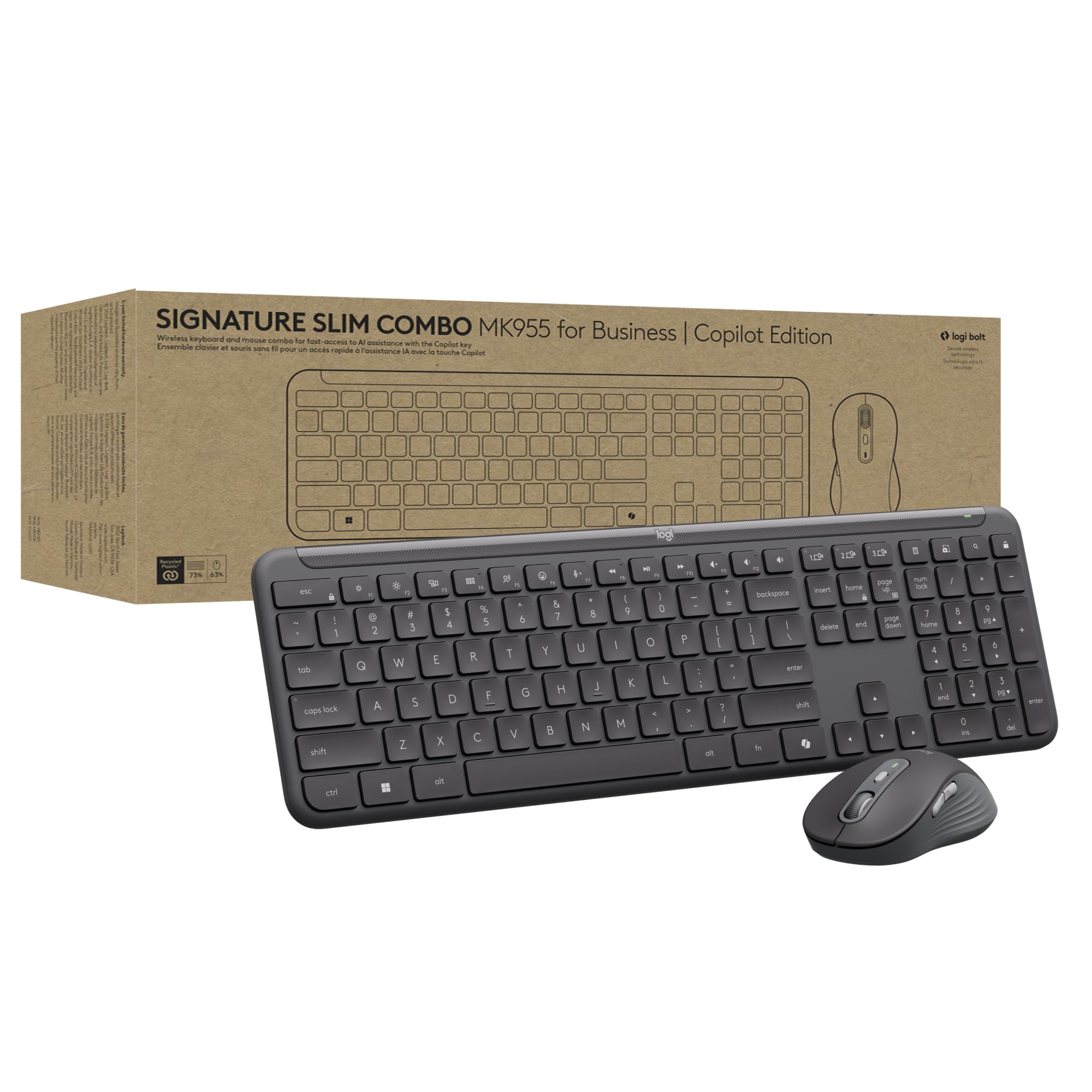
Unlock Microsoft Copilot In Windows (1) For Everyone. Signature Slim Combo Mk955 For Business Copilot Edition Features A Dedicated Copilot Key That Brings The Everyday Ai Companion To Employee Fingertips. This Productivity Powerhouse Features A Slim Keyboard With Low-Profile, Laptop-Style Typing In A Windows Layout, And A Contoured Mouse With Smartwheel Technology For Precise Or Super Fast Scrolling. Use Preset Shortcuts On The F Row (Function Keys) To Save Time. Connect Up To 3 Devices And Easily Switch Between Them. The Beautifully Designed Keyboard/Mouse Combo Is Priced Right For Mass Deployment, Creating A Win-Win For You And Your Employees. And Because Its Made With A Minimum Of 63% Post-Consumer Recycled Plastic And Low-Carbon Aluminum In The Keyboard Aluminum Plate, Its A Choice Youll Feel Good About For Multiple Reasons. (3)
⚠️ WARNING (California Proposition 65): This product may contain chemicals known to the State of California to cause cancer, birth defects, or other reproductive harm. For more information, please visit www.P65Warnings.ca.gov.
Frequently Asked Questions
Q: What is the battery life of the Logitech Signature Slim MK955?A: The battery life is approximately three years depending on usage. This ensures long-lasting performance without frequent battery changes.
Q: What is the size of the Logitech Signature Slim MK955 keyboard?A: The keyboard has a compact design suitable for easy placement on desks. It adheres to a standard Windows layout for familiar use.
Q: What materials are used in the Logitech Signature Slim MK955?A: The keyboard features a minimum of sixty-three percent post-consumer recycled plastic. This commitment to sustainability is part of its design.
Q: How do I connect the Logitech Signature Slim MK955 to my devices?A: You can connect via Logi Bolt or Bluetooth. The keyboard allows switching between three devices easily with Easy-Switch buttons.
Q: Is the Logitech Signature Slim MK955 compatible with Mac computers?A: Yes, the keyboard is compatible with both Windows and Mac operating systems. However, the layout is optimized for Windows users.
Q: How does the SmartWheel technology work on the mouse?A: SmartWheel technology allows for precise line-by-line scrolling or super-fast scrolling depending on your needs. A flick of the wheel changes the scrolling mode.
Q: What should I do to keep the Logitech Signature Slim MK955 clean?A: To clean the keyboard and mouse, use a soft, dry cloth. Avoid using liquids directly on the devices to maintain their integrity.
Q: Are there any special care instructions for the Logitech Signature Slim MK955?A: Yes, avoid exposing the devices to extreme temperatures or moisture. Proper storage will enhance their longevity.
Q: What is the return policy for the Logitech Signature Slim MK955?A: The return policy typically allows returns within thirty days of purchase. Ensure the product is in original condition for a full refund.
Q: What if my Logitech Signature Slim MK955 arrives damaged?A: If the product arrives damaged, contact customer support immediately. They will guide you through the return or exchange process.
Q: Is the Logitech Signature Slim MK955 suitable for quiet environments?A: Yes, the keyboard and mouse are designed for quiet typing and clicking. This feature promotes focus in shared workspaces.
Q: Can I program the function keys on the Logitech Signature Slim MK955?A: Yes, preset shortcut keys are available for customization. This feature enhances efficiency for frequent tasks.
Q: Does the Logitech Signature Slim MK955 come with a warranty?A: Yes, the product typically comes with a limited warranty. Check the packaging or manufacturer's website for specific details.
Q: What is the wireless range of the Logitech Signature Slim MK955?A: The wireless range is approximately thirty-three feet. This allows for flexible placement away from the computer.
Q: Is the Logitech Signature Slim MK955 suitable for gaming?A: While it is designed primarily for business use, it can be used for casual gaming. However, dedicated gaming peripherals are recommended for serious gamers.