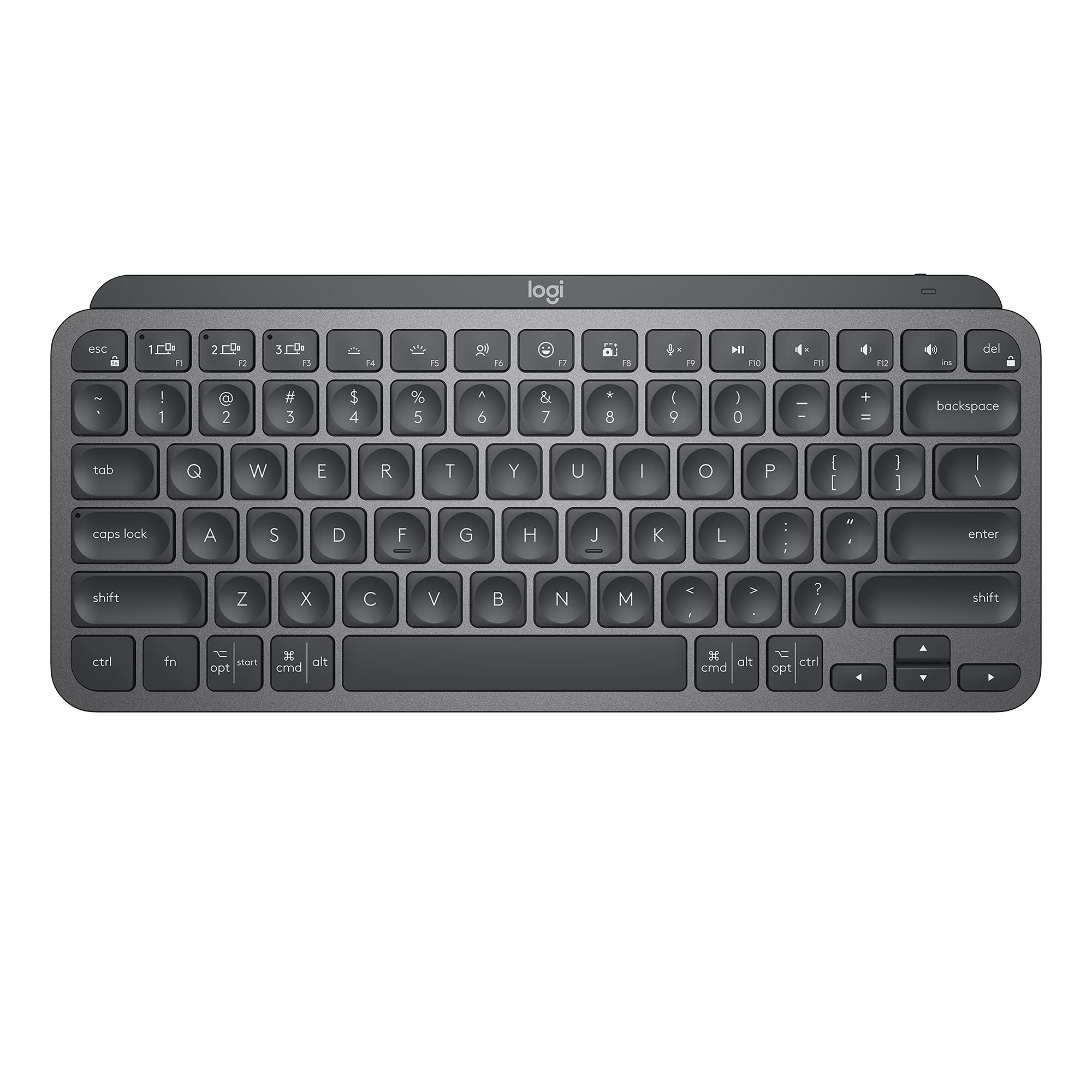
Logitech Mx Keys Mini Introducing Mx Keys Mini - A Smaller, Smarter, And Mightier Keyboard Made For Creators. Type With Confidence On A Keyboard Crafted For Efficiency, Stability, And Precision. The Ergonomic Design Aligns Your Shoulders, Allowing You To Place Your Mouse Closer To Your Keyboard For Less Arm Reaching, More Comfort, And Improved Body Posture. Easily Pair Mx Keys Mini Via Bluetooth Low Energy With Up To 3 Devices. Smart Keys Transform The Way You Work, With A Dictation Key To Talk-To-Text With The Press Of A Button (1) , An Emoji Key To Instantly Open Your Emoji Window, And A Mic Mute/Unmute Button For Smooth Video Calls. Team Up With A Flow-Enabled Mx Master 3 Or Mx Anywhere 3 And Type On Multiple Devices In One Fluid Workflow(1). Transfer Files, Documents, And Images Across Computers And Mac And Windows Operating Systems(2). Not Compatible With Logitech Unifying Receiver Technology. Product Details: Weight: 17.86 Oz (506.4 G) Dimensions: 0.82 X 11.65 X 5.19 In (20.97 X 295.99 X 131.95 Mm) Battery Type: Lipo Rechargeable Battery Battery Life: Up To 10 Days On A Full Charge Or Up To 5 Months With The Backlighting Turned Off(3) Compatible With Windows, Macos, Ios (2), Ipados (2), Android (2), Chrome Os (2), Linux (2) (1) Requires Logitech Options Software, Available For Windows And Macos (2) Device Basic Functions Will Be Supported Without Software For Operating Systems Other Than Windows And Macos (3) Battery Life May Vary Based On User And Computing Conditions
⚠️ WARNING (California Proposition 65): This product may contain chemicals known to the State of California to cause cancer, birth defects, or other reproductive harm. For more information, please visit www.P65Warnings.ca.gov.
Frequently Asked Questions
Q: What are the dimensions of the Logitech MX Keys Mini keyboard?A: The dimensions are approximately zero point eight two inches in height, eleven point six five inches in length, and five point one nine inches in width.
Q: What materials are used in the Logitech MX Keys Mini keyboard?A: The keyboard features a metal build along with plastic parts that include thirty percent certified post-consumer recycled plastic.
Q: How much does the Logitech MX Keys Mini keyboard weigh?A: The keyboard weighs seventeen point eight six ounces, which is approximately five hundred six point four grams.
Q: How do I pair the Logitech MX Keys Mini keyboard with my devices?A: You can easily pair the keyboard via Bluetooth Low Energy with up to three devices, following the simple pairing instructions provided in the manual.
Q: Is the Logitech MX Keys Mini suitable for gaming?A: Yes, the Logitech MX Keys Mini can be used for gaming, although it is primarily designed for productivity and typing tasks.
Q: Can I use the Logitech MX Keys Mini with my tablet?A: Yes, the keyboard is compatible with various operating systems, including iOS and Android, making it suitable for use with tablets.
Q: How do I clean the Logitech MX Keys Mini keyboard?A: To clean the keyboard, use a soft, lint-free cloth dampened with mild soap and water, avoiding excess moisture around the keys.
Q: What is the battery life of the Logitech MX Keys Mini keyboard?A: The keyboard has a battery life of up to ten days with a full charge or up to five months with backlighting turned off.
Q: Are there any safety concerns with the Logitech MX Keys Mini keyboard?A: Yes, the keyboard contains lithium-ion batteries, which should be handled with care and not exposed to extreme temperatures.
Q: What should I do if my Logitech MX Keys Mini keyboard isn't working?A: If the keyboard isn't working, check the battery level, ensure it is paired correctly, and try restarting your device.
Q: Can I return the Logitech MX Keys Mini keyboard if I don’t like it?A: Yes, you can return the keyboard according to the retailer's return policy, usually within a specified period after purchase.
Q: Does the Logitech MX Keys Mini keyboard come with a warranty?A: Yes, the keyboard typically comes with a limited warranty that covers manufacturing defects for a specified duration.
Q: How does the Logitech MX Keys Mini compare to other Logitech keyboards?A: The MX Keys Mini is more compact and portable than other Logitech keyboards, making it ideal for users who need a minimalist design.
Q: Is the Logitech MX Keys Mini keyboard good for office work?A: Yes, the keyboard is designed for efficiency and comfort, making it an excellent choice for office work and long typing sessions.
Q: What operating systems are compatible with the Logitech MX Keys Mini?A: The keyboard is compatible with Windows, macOS, iOS, iPadOS, Android, Chrome OS, and Linux.