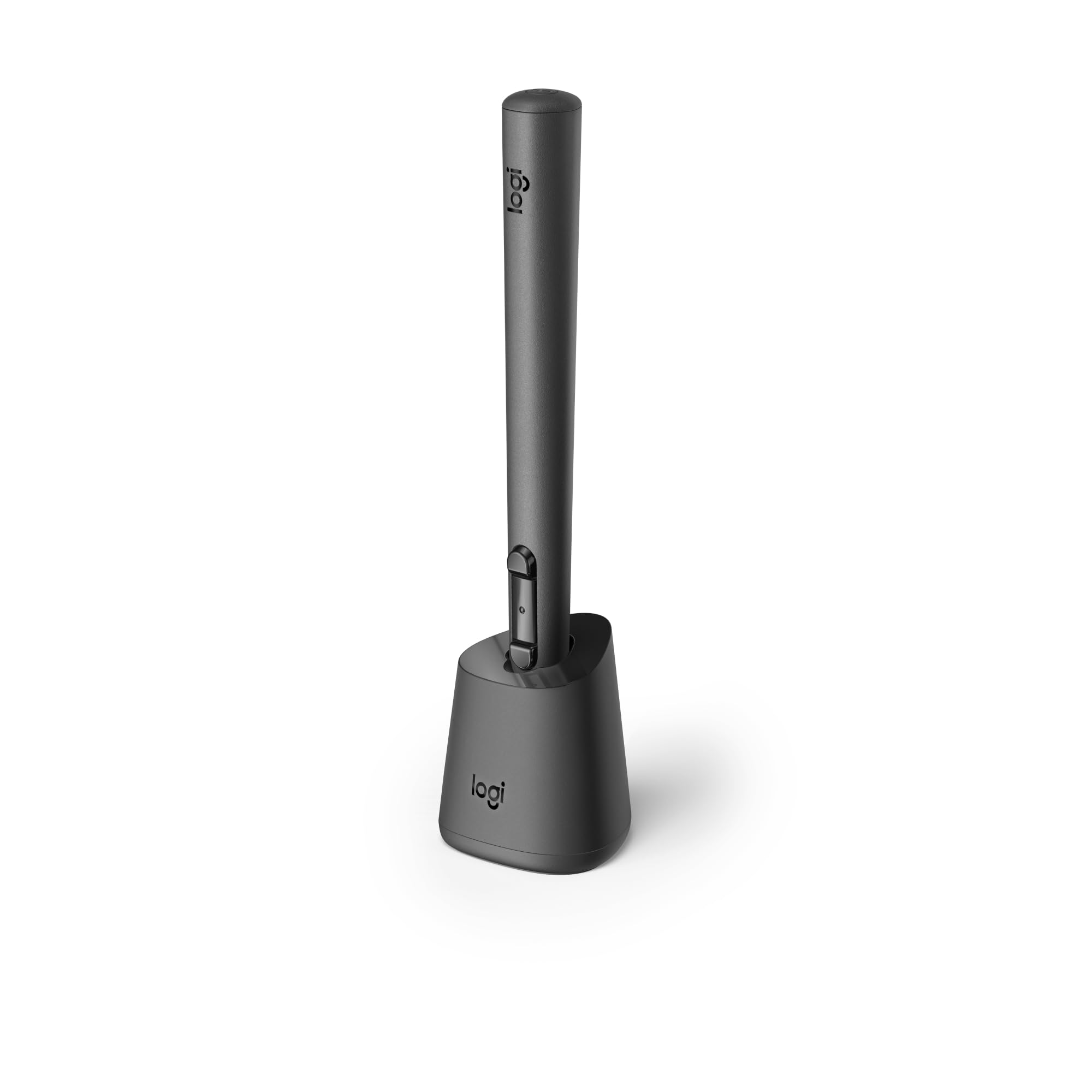
Mx Ink Is A Crafted Control Device With Perfected Pressure Sensitivity And Organic Form - A Tool You Do Not Need To Learn. Dive Into Your Creations, In 3D And 2D, With Frictionless Ease. Pair And Control Leveraging Meta Horizon App And Meta Settings. Simple And Elegant Charging With The Mx Inkwell Charging Dock. Mx Ink Was Designed To Be Intuitive And Give A Masterfully Fine-Tuned And Immersive Experience.
⚠️ WARNING (California Proposition 65): This product may contain chemicals known to the State of California to cause cancer, birth defects, or other reproductive harm. For more information, please visit www.P65Warnings.ca.gov.
Frequently Asked Questions
Q: What materials is the Logitech MX Ink Stylus made of?A: The Logitech MX Ink Stylus is made of plastic. This lightweight material contributes to its ergonomic design for comfortable use.
Q: What are the dimensions of the Logitech MX Ink Stylus?A: The stylus measures six point four six inches in length, zero point seven two inches in width, and zero point seven two inches in height. These compact dimensions make it portable and easy to handle.
Q: What is the battery life of the Logitech MX Ink Stylus?A: The battery life lasts up to seven hours in typical use. Actual battery performance may vary significantly based on the headset and applications used.
Q: How do I charge the Logitech MX Ink Stylus?A: You can charge the stylus by placing it in the MX Inkwell Charging Dock or using a USB-C cable. The charging dock provides a simple and elegant solution for keeping the stylus powered.
Q: Is the Logitech MX Ink Stylus suitable for beginners?A: Yes, the stylus is designed for intuitive use, making it suitable for beginners. Its familiar pen-like feel eliminates the need for a learning curve.
Q: Can I use the Logitech MX Ink Stylus with my Meta Quest?A: Yes, the stylus is designed to connect effortlessly with the Meta Quest. It works alongside Meta Touch Controllers for a seamless experience.
Q: How do I customize the controls on the Logitech MX Ink Stylus?A: You can customize the controls through Meta Settings. This allows you to adjust pressure curves, activation forces, and configure button mappings for personalized use.
Q: What are the recommended uses for the Logitech MX Ink Stylus?A: The stylus is ideal for high-precision creativity in both mixed reality and standard applications. It excels in sketching, moving, and manipulating 3D content.
Q: How should I care for the Logitech MX Ink Stylus?A: To ensure longevity, avoid dropping the stylus and keep it clean. Regularly check the charging contacts for debris to maintain connectivity.
Q: Is the Logitech MX Ink Stylus safe for use with children?A: The stylus contains lithium-ion batteries, which may pose a hazard. It is recommended for adult supervision when used by children.
Q: What should I do if my Logitech MX Ink Stylus arrives damaged?A: If your stylus arrives damaged, contact the seller for a return or replacement. Most retailers offer a warranty or return policy for defective items.
Q: Can I use the Logitech MX Ink Stylus with other devices?A: The stylus is primarily designed for use with Meta Quest devices. Compatibility with other devices may vary.
Q: What features enhance the experience of using the Logitech MX Ink Stylus?A: The stylus features high-accuracy six degrees of freedom tracking and pressure-sensitive tips for fluid movement and manipulation in mixed reality.
Q: Does the Logitech MX Ink Stylus come in different colors?A: No, the Logitech MX Ink Stylus is currently only available in black. This sleek color complements its modern design.
Q: How does the pressure sensitivity of the Logitech MX Ink Stylus work?A: The stylus is equipped with a pressure-sensitive tip, allowing for varying line thicknesses and shading based on the pressure applied. This feature enhances artistic expression.