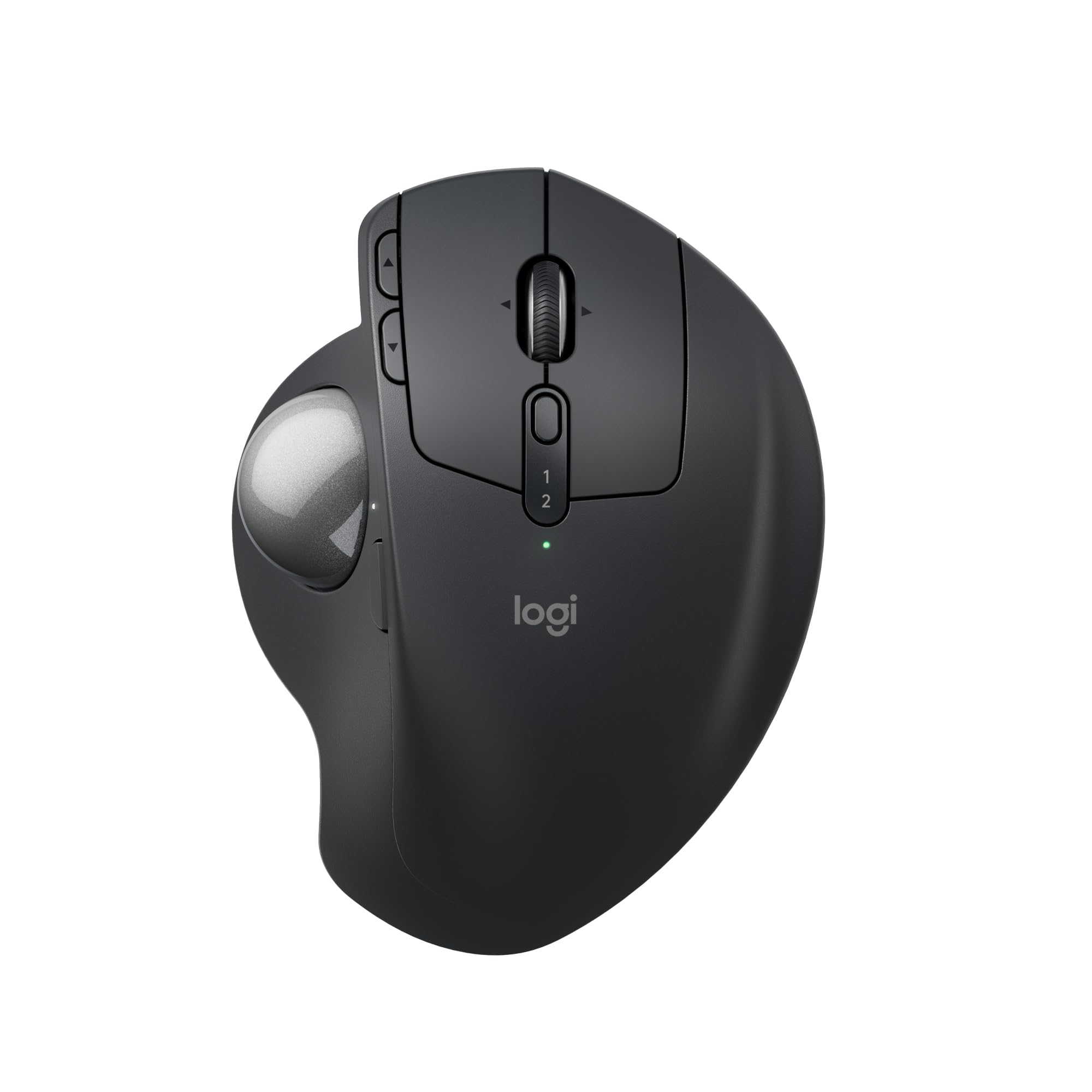
The Mx Ergo S Is Logitechs Most Advanced Ergonomic Trackball Mouse Yet, With A 20-Degree Tilt Angle And Precise Thumb Control - User-Tested And Certified By Ergonomists. The Mx Ergo S Wireless Ergonomic Mouse Is Sculpted To Fit The Palm Of Your Hand While Keeping It Relaxed, And It Tilts 20 Degrees For 27% Less Muscle Activity In The Forearm (1), Providing Elevated Comfort Throughout Your Day. Work Faster With 6 Customizable Buttons And A Dpi Button To Effortlessly Switch Between Speed And High-Precision Tracking. Now With 80% Quieter Clicks (5). For Even More Control That'S Tailored To Your Needs, Assign Time-Saving Shortcuts And Smart Actions Using The Logi Options+ App (2). Connect Your Wireless Mouse To 2 Devices Via Bluetooth Or The Included Logi Bolt Receiver And Switch Between Devices With The Easy-Switch Button. Charge The Rechargeable Mouse With A Usb Type C To Type C Or Usb Type A To Type C Cable (Not Included) And Get 24 Hours Of Use From A 1-Minute Charge. A Full Charge Lasts Up To 120 Days (3). (1) In The Forearm With 20-Degree Angle, Compared To A Logitech M650 Mouse. (2) Requires Logi Options+ App, Available For Recent Versions Of Windows And Macos (3) Battery Life May Vary Based On User And Computing Conditions. (4) Excludes Plastic In Receiver, Printed Wiring Assembly, Cables, And Packaging. (5) Sound Level Comparison Between Mx Ergo S And Mx Ergo. Left Click Dba Measured By The Logitech Internal Lab At 1 M. (6) The Device'S Basic Functions Will Be Supported Without Additional Drivers For Operating Systems Other Than Windows And Macos.
⚠️ WARNING (California Proposition 65): This product may contain chemicals known to the State of California to cause cancer, birth defects, or other reproductive harm. For more information, please visit www.P65Warnings.ca.gov.
Frequently Asked Questions
Q: What is the Logitech MX Ergo S mouse made from?A: The Logitech MX Ergo S mouse is made from plastic, with twenty percent of it being certified post-consumer recycled plastic.
Q: What are the dimensions of the Logitech MX Ergo S mouse?A: The Logitech MX Ergo S mouse does not have specified dimensions listed, but it is designed to comfortably fit medium to large-sized hands.
Q: How does the Logitech MX Ergo S connect to devices?A: The Logitech MX Ergo S can connect to devices via Bluetooth or the included Logi Bolt USB receiver.
Q: How do I charge the Logitech MX Ergo S mouse?A: You can charge the Logitech MX Ergo S mouse using a USB Type C to Type C or USB Type A to Type C cable.
Q: How long does the battery of the Logitech MX Ergo S last?A: A full charge of the Logitech MX Ergo S lasts up to one hundred twenty days, with up to twenty-four hours of use from a one-minute charge.
Q: What ergonomic features does the Logitech MX Ergo S offer?A: The Logitech MX Ergo S features a twenty-degree tilt angle and advanced thumb control, certified by ergonomists to reduce muscle strain by twenty-seven percent.
Q: How many customizable buttons are on the Logitech MX Ergo S?A: The Logitech MX Ergo S features six customizable buttons for enhanced productivity.
Q: Is the Logitech MX Ergo S suitable for left-handed users?A: The Logitech MX Ergo S is primarily designed for right-handed users, and its ergonomic features cater to right-hand comfort.
Q: What is the sound level of clicks on the Logitech MX Ergo S?A: The Logitech MX Ergo S mouse has been designed to produce eighty percent quieter clicks compared to its predecessor.
Q: How can I customize the features of the Logitech MX Ergo S?A: You can customize the features of the Logitech MX Ergo S using the Logi Options+ app, which allows for setting shortcuts and Smart Actions.
Q: What is the recommended hand size for the Logitech MX Ergo S?A: The Logitech MX Ergo S is recommended for users with medium to large-sized hands for optimal comfort.
Q: How do I switch between devices using the Logitech MX Ergo S?A: You can switch between devices on the Logitech MX Ergo S using the Easy-Switch button located on the mouse.
Q: Can the Logitech MX Ergo S be used on multiple operating systems?A: Yes, the Logitech MX Ergo S is compatible with multiple operating systems, including recent versions of Windows and macOS.
Q: Is there a warranty for the Logitech MX Ergo S mouse?A: Yes, the Logitech MX Ergo S mouse typically comes with a limited warranty, but specifics may vary based on your location.
Q: What should I do if my Logitech MX Ergo S arrives damaged?A: If your Logitech MX Ergo S arrives damaged, you should contact the retailer for return or replacement options as per their policy.