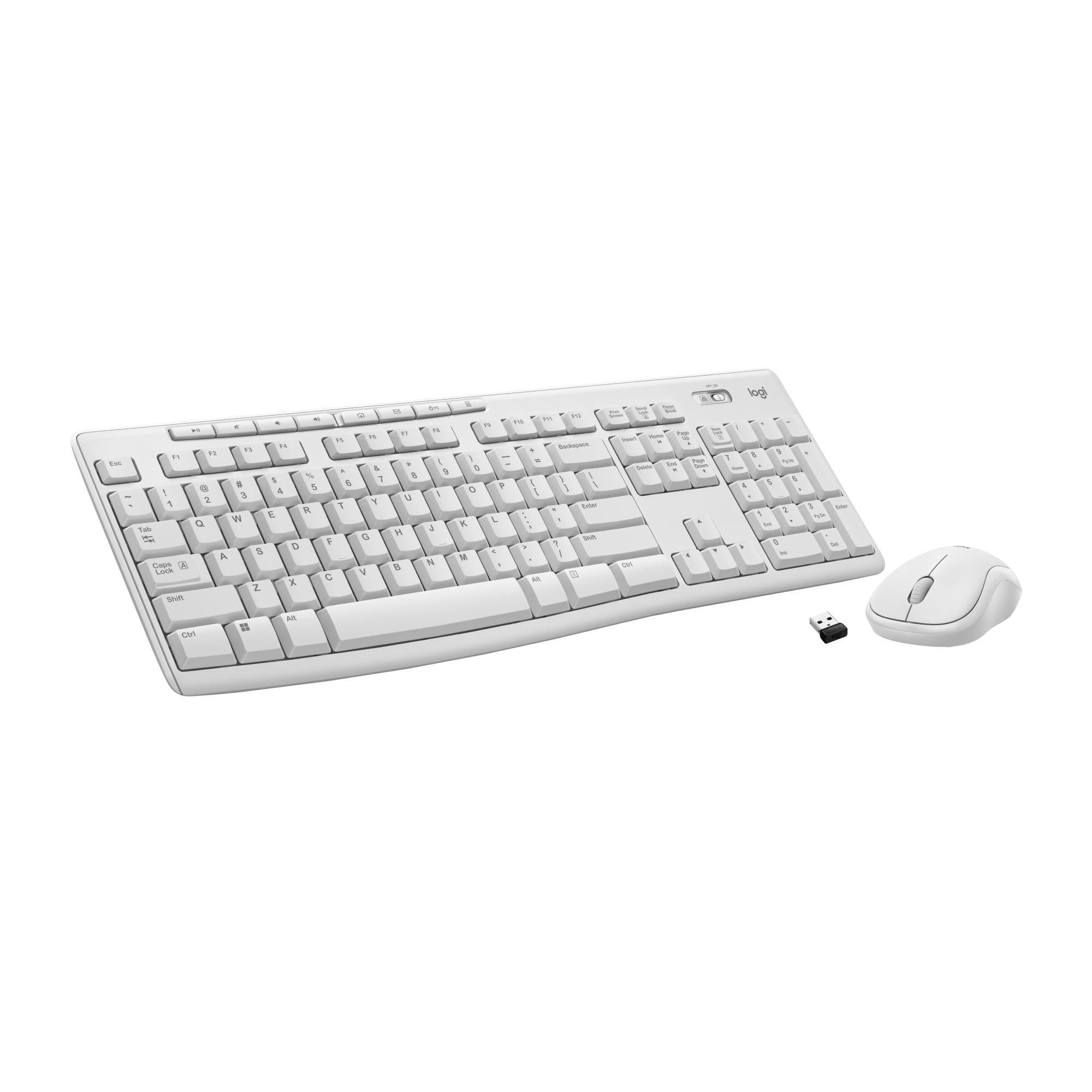
Logitech Mk270 Wireless Keyboard And Mouse Combo Meet All Of Your Computer Accessory Needs With The Logitech Mk270 Wireless Combo. A Reliable Wireless Combo With A Tiny Logitech Plug-And-Forget Receiver. This Keyboard And Mouse Combo Features Logitech Advanced 2.4 Ghz Wireless, Delivering The Reliability Of A Cord With Wireless Convenience. Long-Lasting Battery Life Eliminates The Hassle Of Frequently Changing Batteries. Keyboard Product Details: Dimensions: 5.87 X 17.36 X 0.71 In Weight: 17.57 Oz Adjustable Keyboard Height 10-Key Number Pad Key Type: Deep Profile Caps Lock Indicator Light On/Off Power Switch 2 Aaa Batteries Battery Life: 36 Months(3) Mouse Product Details: Dimensions: 3.9 X 2.36 X 1.54 In Weight: 2.65 Oz Sensor Technology: Smooth Optical Tracking Number Of Buttons: 3 (Left/Right-Click, Middle-Click) Scrolling: Line-By-Line Scroll Wheel: 2D, Optical Connect/Power: On/Off Power Button 1 Aa Battery Battery Life: 12 Months(3) Wireless Range: Up To 33 Ft (1) Compatible On Windows 7, 8, 10 Or Later, Chrome Os (1) Wireless Range May Vary Based On Environmental And Computing Conditions (2) Tested Under Limited Conditions (Maximum Of 60 Ml Liquid Spillage). Do Not Immerse Keyboard In Liquid. (3) Keyboard And Mouse Battery Life May Vary Based On User And Computing Conditions (4) Based On Independent Sales Data (In Units) Including All The Models Of The Mk270 Family For Wireless Combo Aggregated From Major Markets: Ca, Cn, Fr, De, Id, Kr, Ru, Se, Tw, Th, Tr, Uk, Us (Apr'19 - Apr'20). Retail Channel Only. (5) Based On Independent Sales Data (In Units) Aggregated For Logitech Mice And Keyboards From Major Global Markets Including Ca, Cn, Fr, De, Id, Kr, Ru, Se, Tw, Th, Tr, Uk, Us (July 19 - July 20 Period). Retail Channel Only. (6) Click And Typing Noise Reduced By Over 90% Compared To Logitech Mk270. Left Click And Typing Dba Level Measured By An Independent Lab At 1 Meter.
⚠️ WARNING (California Proposition 65): This product may contain chemicals known to the State of California to cause cancer, birth defects, or other reproductive harm. For more information, please visit www.P65Warnings.ca.gov.
Frequently Asked Questions
Q: What are the dimensions of the Logitech MK270 Wireless Keyboard and Mouse Combo?A: The dimensions are approximately zero point seven one inches in height, seventeen point thirty-six inches in width, and five point eighty-seven inches in depth.
Q: What materials are used in the Logitech MK270?A: The Logitech MK270 Wireless Keyboard and Mouse Combo is primarily made of plastic, ensuring a lightweight yet durable design.
Q: How long is the battery life for the keyboard and mouse?A: The keyboard lasts up to thirty-six months and the mouse lasts up to twelve months on a single set of batteries.
Q: How do I connect the Logitech MK270 to my computer?A: Simply plug the USB receiver into your computer's USB port, and it will automatically connect without requiring lengthy installation.
Q: Is the Logitech MK270 suitable for gaming?A: While the MK270 is designed primarily for office work, it can be used for casual gaming but may lack features preferred by serious gamers.
Q: Can I use the keyboard and mouse combo with a laptop?A: Yes, the Logitech MK270 Wireless Keyboard and Mouse Combo is fully compatible with laptops that have a USB port.
Q: How should I clean my Logitech MK270?A: To clean the keyboard and mouse, use a soft, damp cloth for the exterior and ensure no liquid seeps into the keys or openings.
Q: Is the Logitech MK270 spill-resistant?A: Yes, the keyboard features a spill-resistant design, offering some protection against accidental liquid spills.
Q: What is the maximum wireless range of the Logitech MK270?A: The wireless connection works effectively up to a distance of thirty-three feet, allowing for flexible use around your workspace.
Q: Are the keys on the Logitech MK270 quiet?A: Yes, the keyboard features low-profile keys that provide a quiet typing experience, making it suitable for office environments.
Q: What are the multimedia hotkeys used for?A: The eight multimedia hotkeys allow for quick access to functions like Internet browsing, email, play/pause, and volume control.
Q: Does the Logitech MK270 work with Windows eleven?A: Yes, the Logitech MK270 Wireless Keyboard and Mouse Combo is fully compatible with Windows eleven, ensuring seamless functionality.
Q: Can I program the hotkeys on the keyboard?A: Yes, the multimedia hotkeys are programmable, allowing you to customize them for your most used applications.
Q: What is the weight of the Logitech MK270?A: The Logitech MK270 is lightweight, making it easy to transport, although the exact weight is not specified.
Q: Is the Logitech MK270 a good choice for a home office?A: Yes, the MK270 is designed for home offices and workplaces due to its reliable wireless performance and comfortable typing experience.
Q: What should I do if my Logitech MK270 stops working?A: If the MK270 stops functioning, first check the battery levels, then ensure the USB receiver is securely connected to the computer.