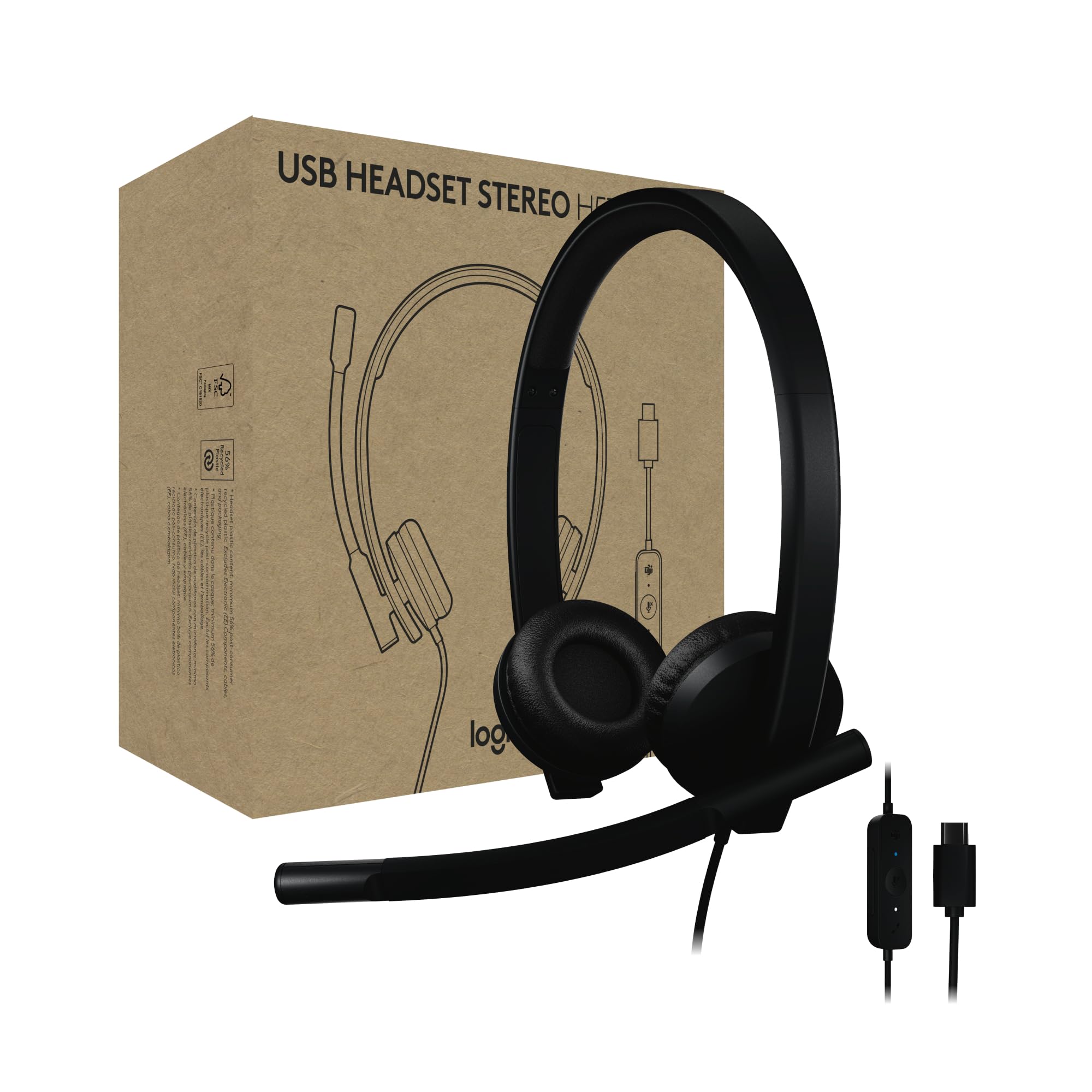
Enjoy Clear Audio On Teams Calls With The Logitech H570E Usb Headset With Microphone For Pc And Mac, A Reliable Wired Headset That'S Certified For Microsoft Teams. This Entry-Level Computer Headset With Microphone Delivers Better Sound With Easy Controls For Enhanced Communication And Productivity. It Features Enterprise-Quality Audio With Dual Noise-Canceling Mics And A 30 Mm Driver. The H570E Office Headset With Mic Easily Connects To Laptops Via Usb-A Or Usb-C (3) With No Additional Software Required. It Offers The Convenience Of Inline Call Controls And A Dedicated Teams Button With Quick Access To Teams Activities, Including The Ability To Join Teams Meetings, Answer Or End Calls, Mute Or Unmute, And Adjust Volume. Designed For Sustainability And Comfort, This Laptop Headset Offers A Lightweight Design With A Minimum Of 54% Post-Consumer Recycled Plastic (1) In The Plastic Parts, Padded Headband, And Replaceable Earpads. Its Perfect For Long Online Calls And Meetings. And For It Admins, Using Logitech Sync Offers A Secure And Scalable Approach To Remotely Manage Logitech Devices Like The H570E Work Headset.
⚠️ WARNING (California Proposition 65): This product may contain chemicals known to the State of California to cause cancer, birth defects, or other reproductive harm. For more information, please visit www.P65Warnings.ca.gov.
Frequently Asked Questions
Q: What materials is the Logitech H570e USB Headset made of?A: The Logitech H570e USB Headset is made primarily of plastic, with a minimum of fifty-four percent post-consumer recycled plastic in its components.
Q: What are the dimensions of the Logitech H570e USB Headset?A: The headset measures one point nine seven inches in length, six point one eight inches in width, and six point seven three inches in height.
Q: How much does the Logitech H570e USB Headset weigh?A: The headset weighs one hundred thirteen grams, making it lightweight and comfortable for extended use.
Q: How do I connect the Logitech H570e USB Headset to my computer?A: You can connect the headset to your PC or Mac via USB-C or USB-A with a simple plug-and-play setup, requiring no additional software.
Q: Is the Logitech H570e USB Headset suitable for Microsoft Teams?A: Yes, the headset is certified for Microsoft Teams, ensuring optimal performance during calls and meetings.
Q: Can I use the Logitech H570e USB Headset with a Mac?A: Yes, the headset is compatible with both PC and Mac systems, allowing for versatile use.
Q: How do I adjust the volume on the Logitech H570e USB Headset?A: You can easily adjust the volume using the inline controls located on the headset's cable.
Q: Can I replace the ear pads on the Logitech H570e USB Headset?A: Yes, the ear pads are replaceable, designed to extend the product's lifespan and maintain comfort.
Q: How do I clean the Logitech H570e USB Headset?A: To clean the headset, wipe the plastic surfaces with a soft, damp cloth. Avoid using harsh chemicals.
Q: Is the Logitech H570e USB Headset safe for long-term use?A: Yes, the headset is designed for comfort and durability, making it suitable for long online calls and meetings.
Q: What should I do if my Logitech H570e USB Headset is not working?A: If the headset is not working, check the connections and ensure the USB ports are functioning properly. Restarting your computer may also help.
Q: Does the Logitech H570e USB Headset have a warranty?A: Yes, the Logitech H570e USB Headset comes with a limited warranty, covering defects in material and workmanship.
Q: What features make the Logitech H570e USB Headset suitable for noisy environments?A: The headset features dual noise-canceling microphones, ensuring clear audio for both listening and speaking in noisy open workspaces.
Q: Can I use the Logitech H570e USB Headset for gaming?A: While primarily designed for calls and meetings, the H570e can be used for casual gaming, but it may not have specialized gaming features.
Q: How can I manage multiple Logitech H570e USB Headsets?A: Using Logitech Sync, IT admins can remotely manage and update multiple headsets, ensuring consistent performance across devices.
I've been using the Logitech H570E headset for my daily work calls. The stereo sound is clear, and the noise-canceling mics really help filter out background noise. Super comfortable for long hours too!
R
Raj Patel
Decent headset but fragile
The sound quality of the H570E is good, especially for an office setting. However, I feel like the build could be a bit sturdier. I dropped it once and now it has a dent in the earcup. Still works, though!
E
Emily Chen
Perfect for remote work
I bought this wired headset for my new job and I’m really impressed. It connects easily via USB-C and the noise-canceling feature works like a charm. Makes meetings much more manageable!
J
James Smith
Not what I expected
I had high hopes for the Logitech H570E, but it stopped working after about two weeks. The sound was nice while it lasted, but I'm disappointed it didn't hold up longer. Will be looking for something else.