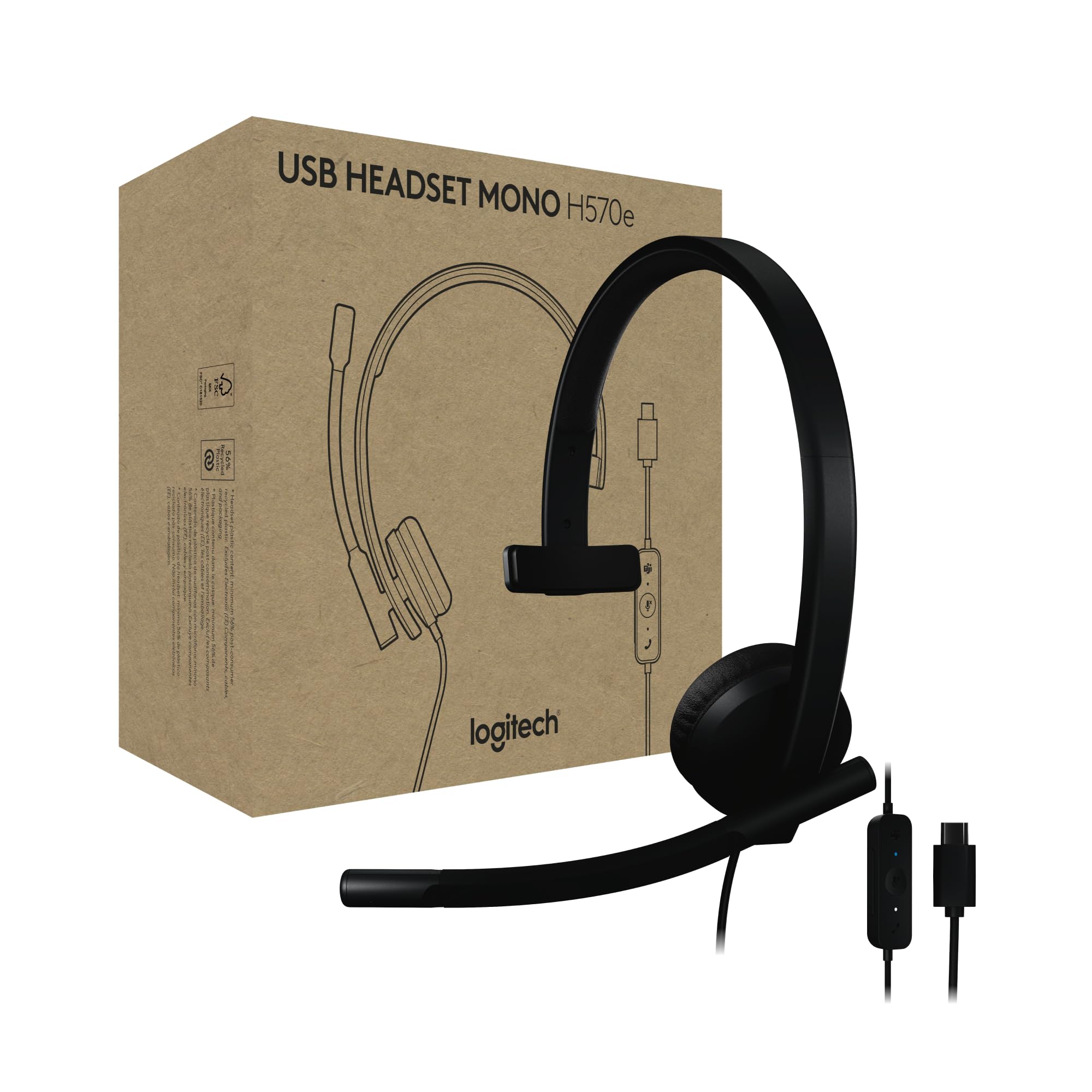
Enjoy Clear Audio On Teams Calls With The Logitech H570E Usb Headset With Microphone For Pc And Mac, A Reliable Wired Headset That'S Certified For Microsoft Teams. This Entry-Level Computer Headset With Microphone Delivers Better Sound With Easy Controls For Enhanced Communication And Productivity. It Features Enterprise-Quality Audio With Dual Noise-Canceling Mics And A 30 Mm Driver. The H570E Office Headset With Mic Easily Connects To Laptops Via Usb-A Or Usb-C (3) With No Additional Software Required. It Offers The Convenience Of Inline Call Controls And A Dedicated Teams Button With Quick Access To Teams Activities, Including The Ability To Join Teams Meetings, Answer Or End Calls, Mute Or Unmute, And Adjust Volume. Designed For Sustainability And Comfort, This Laptop Headset Offers A Lightweight Design With A Minimum Of 45% Post-Consumer Recycled Plastic (1) In The Plastic Parts, Padded Headband, And Replaceable Earpads. Its Perfect For Long Online Calls And Meetings. And For It Admins, Using Logitech Sync Offers A Secure And Scalable Approach To Remotely Manage Logitech Devices Like The H570E Work Headset.
⚠️ WARNING (California Proposition 65): This product may contain chemicals known to the State of California to cause cancer, birth defects, or other reproductive harm. For more information, please visit www.P65Warnings.ca.gov.
Frequently Asked Questions
Q: What are the dimensions of the Logitech H570e USB Headset?A: The dimensions are one point ninety-seven inches in length, six point eighteen inches in width, and six point seventy-three inches in height.
Q: What materials are used in the Logitech H570e USB Headset?A: The headset is primarily made of plastic, with a minimum of forty-five percent of that being post-consumer recycled material.
Q: Does the Logitech H570e USB Headset have a warranty?A: Yes, the headset comes with a limited warranty, typically covering manufacturing defects for one year.
Q: How do I connect the Logitech H570e USB Headset to my computer?A: You can connect the headset to your computer using a USB-A or USB-C cable; it is plug-and-play with no additional software required.
Q: Is the Logitech H570e USB Headset suitable for all head sizes?A: Yes, the headset is designed as 'One Size' and features a padded headband for comfort across various head sizes.
Q: Can I use the Logitech H570e USB Headset for gaming?A: While primarily designed for calls and productivity, it can be used for gaming, though it may not have specialized gaming features.
Q: How do I clean the Logitech H570e USB Headset?A: To clean the headset, use a soft, damp cloth to wipe down the plastic surfaces and replace the earpads as needed.
Q: What should I do if my Logitech H570e USB Headset is not working?A: Check the USB connection to ensure it’s securely plugged in; if the issue persists, try connecting it to another device.
Q: Does the Logitech H570e USB Headset have noise-canceling features?A: Yes, it features dual noise-canceling microphones to enhance audio clarity during calls.
Q: Can I adjust the volume on the Logitech H570e USB Headset?A: Yes, the headset includes easy-to-use inline controls for volume adjustment, mute, and call features.
Q: Is the Logitech H570e USB Headset compatible with Microsoft Teams?A: Yes, the headset is certified for Microsoft Teams, providing seamless integration for calls and meetings.
Q: How much does the Logitech H570e USB Headset weigh?A: The headset weighs approximately eighty-nine grams, making it lightweight for extended use.
Q: Are the earpads on the Logitech H570e USB Headset replaceable?A: Yes, the earpads are designed to be replaceable, which helps extend the life of the headset.
Q: What type of audio driver does the Logitech H570e USB Headset use?A: It features a thirty millimeter audio driver for high-quality sound during calls and media.
Q: Is the Logitech H570e USB Headset environmentally friendly?A: Yes, it is designed with sustainability in mind, using recycled materials and offering replaceable parts.